Game Updates

Patch notes and dev posts · 27,680 Browser updates
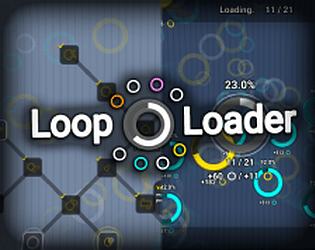
Loop Loader Demo
Loop Loader Demo
49 days ago

Version 2.016 / 0.16

# Version 2.016!
I made some big changes to the game!

## Upgrade tree redesign!
I redesigned the Upgrade tree! I'm not sure if it's better or worse... but it feels different to play through. I hope it's better.

Here's the general changes with the tree: I haven't added any new upgrades, but I changed around the prices of some of the upgrades, and I moved a lot of stuff around. Now most of the White Click upgrades are to the top left of the tree, most of the Main loop white gain upgrades are to the top right. The Blue Wall position (and past it) has some of the same upgrades, but the layout is different, alongside the Blue Click upgrades! The bottom left is still the Yellow Loops, with some layout differences. And the Pink Loops are relatively unchanged. The Blue Loops are still in the bottom right, alongside the Orange Loops; but of course with a different layout to it. Also the Whirlpool upgrade seemed out of place being post White Wall, so I made it accessible in the Blue Loops.

## Infinity Loops?
I added a new loop type! The Infinity Loops or INF Loops!

I was planning on adding these, but they would've come in too late into the game... so I made them accessible somewhat early on! The way that you can get these is by unlocking the Infinity Tree, and by exchanging all of your completed Upgrade Tree upgrades for an INF Loop (at a 1/1 ratio). This will reset your run, but INF Loops provide a starting White Loop bonus per every INF Loop you own! Not only that, but you can buy some pretty powerful and permanent upgrades with the INF Loops! You can gain access to the Infinity Tree after unlocking the White Wall.

## New Autoclick?
I changed the autoclick mechanic to be > (click either LMB or RMB to begin autoclicking) instead of > (wait for n seconds).

I also boosted the speed of the autoclick so that it'll be slightly stronger to use! (previously, the waiting autoclick was kinda useless) Although, this new version may take some time to "speed up" as you hold down.

## A "Stats" Display?
I added a "Stats" display to the right side of the screen.

This "Stats" display is used to provide an easier way of diagnosing all the things you've been upgrading. (Except for the Infinity Tree, I'll get to that in the next update)
Also, the "Stats" display is also used when Loading! You can now hover over a Loop to see some of its data. (Although, as of now, the data provided by the loops are pretty basic.)

## And lastly a bunch of other smaller changes.
Yep! I changed a bunch of other stuff too. (I don't remember most of it...)

### Some of these smaller changes include:
Compressed and Scientific numeration is now applied to some numerical displays. (EX: 10000 White Loops = 10.0K White Loops)
A display of your current coordinates. (Viewable at the top left of the screen)
A darkening effect when you stray too far from the center of the map.
"Lucky Clicks" now display on the mouse cursor. (Along with total resources gained for Lucky Clicks)
An timer of how long you've spent in the game. (Viewable in the top left after entering the Settings)
A redesigned orbiting system for the Loading Loops. (They shouldn't all slowly accumulate into the center anymore)
A "Load Again" button, offered after the Loading has ended.
Some bug fixes.
← Prev
Page 211 of 1108
Next →