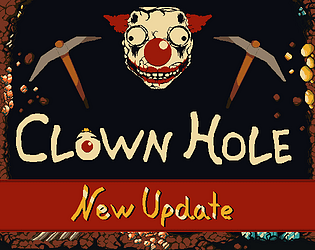
CLOWN HOLE
4 days ago
Version 0.4.3.6
We're back for a quick quality of life update!
Here are the main changes:
Your clicking finger can finally rest; we've added click and hold functionality for both mining and attacking, so you no longer have to click furiously and destroy what little tendons you have left in your wrists. (But for the clicking enjoyers, you can still click furiously if you so choose.)
We've also added right-click drag for panning the camera, and added arrow keys for keyboard panning controls (and also made the movement faster).
Zooming can now also be done on the keyboard with page up and page down, or Q and E, if you prefer that over the scroll wheel.
Finally, we hated having to manually unprioritise dozens of targets, so you can now right-click and hold on a target for a second or so to unassign all priorities in that class (e.g. ores or enemies) and solo assign the one you're on.
Happy mining!
Here are the main changes:
Your clicking finger can finally rest; we've added click and hold functionality for both mining and attacking, so you no longer have to click furiously and destroy what little tendons you have left in your wrists. (But for the clicking enjoyers, you can still click furiously if you so choose.)
We've also added right-click drag for panning the camera, and added arrow keys for keyboard panning controls (and also made the movement faster).
Zooming can now also be done on the keyboard with page up and page down, or Q and E, if you prefer that over the scroll wheel.
Finally, we hated having to manually unprioritise dozens of targets, so you can now right-click and hold on a target for a second or so to unassign all priorities in that class (e.g. ores or enemies) and solo assign the one you're on.
Happy mining!