1.Fix some bugs 2.Optimize some UIs 3.Add FullScreen and Quit button
Updated balls textures. Same quality, but +1000% for performance Updated auto sell and auto buy logic. Now these features are optional. You can turn them on and off for each level Updated debris logic. They still disappear over time, but more slowly and after that you will receive 10% of the total reward Updated rewards and idle damage. Both values were reduced for a better game balance Added one new achievement for the most patient players
Hello everyone, I hope you are doing well. Meanings hidden in plain sight is out for a little over a month now, so you had some time to find the solutions for the 100 images at release. With today's update, new images are added to challenge you once again. Have fun solving! Features 50 new images! Each new image has 10 different solutions. Fixes In singleplayer, the points collected are shown again instead of cryptic characters. Should you encounter any issues during play please reach out to me and let me know. You can do so either via a comment here or by joining my Discord server. I'll keep an eye and try to provide fixes for reported issues as soon as possible. {STEAM_CLAN_IMAGE}/45197159/e465dd874fd60929aa606987c8cf65f4390bd529.jpg Can you find them all? Until next time, bmbchp
Fixed a bug where battles could not start after replacing the protagonist model following custom character creation.
The collectible card game has been approved.
{STEAM_CLAN_IMAGE}/45216545/b0ba3dc42a529fce44c799cdd361234549d81081.png
Updates - fixed render bug with water - balanced Warzone map and Frozen Forest map. Shield and firecamp tiles can be found there too. - fixed proximity mine effect to avoid counting the output and itself. Only surrounding tiles are evaluated. Notes Small updates today, quick patch after initial feedback! Loved seeing the new basketball tile in daily map challenges. Thank you all

https://store.steampowered.com/app/2919560 {STEAM_CLAN_IMAGE}/40773278/06bea3aeb572805c239f38eac19434b4b78bed6c.gif 《Idle Calibur:Zero》 ·This game is somewhat complex. you can try the free demo version first (by copying the save folder from the game directory to inherit the demo save data) If you encounter performance issues, please give it a try! (White screen, unsmooth operation) This might be due to not being assigned to high performance mode. Please try the following steps: 1. Open NVIDIA Control Panel. 2. Go to 'Manage 3D settings'. 3. In the 'Program Settings' tab, find or add a program named 'game.exe'. 4. Set it to use the high-performance graphics processor by default. After completing these steps, please restart the program. AMD: For AMD graphics cards, set the game to 'High Performance' in AMD Radeon. Windows 11 Integrated Graphics: In Windows 11 settings, find 'Display Adapter', click on 'App Custom Options', then select 'Add an app', browse and select the game shortcut on the desktop, and set it to 'High Performance Mode' (if you can directly search for 'game.exe', there is no need to add it). If the issue persists, such as using a low-performance integrated graphics card, please try: Ttile option → Reduce Weather Particles:ON、Improve combat GPU:ON {STEAM_CLAN_IMAGE}/40773278/b7dfe86a40a7c23d5b21175f2804ea41e0ab2bbb.jpg {STEAM_CLAN_IMAGE}/40773278/599bbb1594b33e9f5d6dc5f58260e1c7a317e383.jpg {STEAM_CLAN_IMAGE}/40773278/cb8e0ec19e0ac9c4cde890dee7ca2d9559728258.jpg {STEAM_CLAN_IMAGE}/40773278/60f2298159c80bdf24fbd3b0e32bf95c0d706c13.jpg {STEAM_CLAN_IMAGE}/40773278/d0ffea4218e61d3df87320bc799b53967919b2f8.png
-Fixed DJ achievement being unlocked on startup
In this early-access period all 3D Bananas will be marked with an early-access tag, so you can only collect these limited edition versions for a limited time! {STEAM_CLAN_IMAGE}/45216545/a76e60287aa6505d5baf98967de9fce7d022df72.png{STEAM_CLAN_IMAGE}/45216545/bdcc0587d7caf3071c5525aab4459fcf2227899e.png{STEAM_CLAN_IMAGE}/45216545/0a6526f2c2d2ce191b6a9aaa0b82713af15bdb1e.png{STEAM_CLAN_IMAGE}/45216545/a76e60287aa6505d5baf98967de9fce7d022df72.png{STEAM_CLAN_IMAGE}/45216545/bdcc0587d7caf3071c5525aab4459fcf2227899e.png{STEAM_CLAN_IMAGE}/45216545/0a6526f2c2d2ce191b6a9aaa0b82713af15bdb1e.png
Happy Halloween everybody! Here are some riddles. Enter the answer in the code panel for some free stuff! And be safe out there! {STEAM_CLAN_IMAGE}/30899625/6ae5b33080ecd2b48e1b42d9f3acc08a9c29e447.png I’m tall when I’m young, I’m short when I’m old, and once a year, I make heavy pumpkins light. What am I? I don’t have eyes, but once I did see. Once I had thoughts, but now I’m white and empty. What am I? I am scary, and when you have more of me, you will see only less. What am I? I sleep upside down and I fly through the night. I live in dark places and I don’t have good eyesight. What am I?
https://store.steampowered.com/app/2919560 {STEAM_CLAN_IMAGE}/40773278/06bea3aeb572805c239f38eac19434b4b78bed6c.gif 《Idle Calibur:Zero》 ·This game is somewhat complex. you can try the free demo version first (by copying the save folder from the game directory to inherit the demo save data) If you encounter performance issues, please give it a try! (White screen, unsmooth operation) This might be due to not being assigned to high performance mode. Please try the following steps: 1. Open NVIDIA Control Panel. 2. Go to 'Manage 3D settings'. 3. In the 'Program Settings' tab, find or add a program named 'game.exe'. 4. Set it to use the high-performance graphics processor by default. After completing these steps, please restart the program. AMD: For AMD graphics cards, set the game to 'High Performance' in AMD Radeon. Windows 11 Integrated Graphics: In Windows 11 settings, find 'Display Adapter', click on 'App Custom Options', then select 'Add an app', browse and select the game shortcut on the desktop, and set it to 'High Performance Mode' (if you can directly search for 'game.exe', there is no need to add it). If the issue persists, such as using a low-performance integrated graphics card, please try: Ttile option → Reduce Weather Particles:ON、Improve combat GPU:ON {STEAM_CLAN_IMAGE}/40773278/b7dfe86a40a7c23d5b21175f2804ea41e0ab2bbb.jpg {STEAM_CLAN_IMAGE}/40773278/599bbb1594b33e9f5d6dc5f58260e1c7a317e383.jpg {STEAM_CLAN_IMAGE}/40773278/cb8e0ec19e0ac9c4cde890dee7ca2d9559728258.jpg {STEAM_CLAN_IMAGE}/40773278/60f2298159c80bdf24fbd3b0e32bf95c0d706c13.jpg {STEAM_CLAN_IMAGE}/40773278/d0ffea4218e61d3df87320bc799b53967919b2f8.png
Updates Hotkey support: hover the tile you want, press a 1-10 key and that will be the key for that tile. Tile interface rework to avoid the need of scrolling. 3 new base maps, with 2 different new features or (traps). We want to expose these new features to see how the adoption goes before creating more seasonal versions. 4 new tiles: basketball, distributor, sponsor and shield. Tile skins: From the Tile Gallery menu, when exploring a tile, a skin can be selected. Currently we just have a basic darker one and we are exploring the adoption of the community to these skins. Changed the way tiles get unlocked. Now new tiles just get unlocked upon finishing games. Some tiles are still locked under the puzzles. Tiles that previously were unlocked on seasonal maps now can get unlocked by just playing the game. This is because many people didn't find out that there were tiles to unlock and we want people to know that :) 2 different performance fixes related to rendering were pushed. These 2 fixes are tied to internal logic. Nothing else to mention but we hope the game runs better overall now. Minor translation fixes. Added missing shortcut explanations in the overview menu. Added "S" shortcut to hide all tiles and display tile bonuses only. Added drills to Mystery Space 02. Updated how belts are created, making it easier to connect tiles to target tiles. Its still not perfect but it may help a lot when connecting jumpers. Updated belt's design. It will look better now. Added the Portal theme to the bundle of possible themes. Notes It has been a while, a lot of little fixes and some bigger features were developed. We are exploring also the idea of having "hats" and some sort of cosmetics into the game. But also exploring the idea of having them do something special and be a new resource to make the gameplay even deeper. I might have forgotten important updates in the list above, it has been a while ! Big thanks to RCE for showcasing the game this week !
800 Ticket Giveaway on Discord A giveaway is currently taking place where 4 participants can win 200 tickets each. How do I participate? Simply join our Discord and click the button in the #giveaway channel -> Pixel Collector Discord The giveaway ends on Sunday (03. Nov.) Good luck!
We’ve just added 3 new items for you to discover! Here’s the breakdown: a Common item with a 56% drop rate, a Rare item with a 34% drop rate the Legendary item with a challenging 8% drop rate. Happy hunting, and may the odds be in your favor!
https://store.steampowered.com/app/2919560 {STEAM_CLAN_IMAGE}/40773278/06bea3aeb572805c239f38eac19434b4b78bed6c.gif 《Idle Calibur:Zero》 ·This game is somewhat complex. you can try the free demo version first (by copying the save folder from the game directory to inherit the demo save data) If you encounter performance issues, please give it a try! (White screen, unsmooth operation) This might be due to not being assigned to high performance mode. Please try the following steps: 1. Open NVIDIA Control Panel. 2. Go to 'Manage 3D settings'. 3. In the 'Program Settings' tab, find or add a program named 'game.exe'. 4. Set it to use the high-performance graphics processor by default. After completing these steps, please restart the program. AMD: For AMD graphics cards, set the game to 'High Performance' in AMD Radeon. Windows 11 Integrated Graphics: In Windows 11 settings, find 'Display Adapter', click on 'App Custom Options', then select 'Add an app', browse and select the game shortcut on the desktop, and set it to 'High Performance Mode' (if you can directly search for 'game.exe', there is no need to add it). If the issue persists, such as using a low-performance integrated graphics card, please try: Ttile option → Reduce Weather Particles:ON、Improve combat GPU:ON {STEAM_CLAN_IMAGE}/40773278/b7dfe86a40a7c23d5b21175f2804ea41e0ab2bbb.jpg {STEAM_CLAN_IMAGE}/40773278/599bbb1594b33e9f5d6dc5f58260e1c7a317e383.jpg {STEAM_CLAN_IMAGE}/40773278/cb8e0ec19e0ac9c4cde890dee7ca2d9559728258.jpg {STEAM_CLAN_IMAGE}/40773278/60f2298159c80bdf24fbd3b0e32bf95c0d706c13.jpg {STEAM_CLAN_IMAGE}/40773278/d0ffea4218e61d3df87320bc799b53967919b2f8.png
99% of the below relates to the Into the Abyss Expansion. Notes that affect the whole game will be marked as . New Implemented a new Realm Select. This appears in the sidebar instead of within Skills themselves. Added an “Enter/Leave Abyssal Realm” option in the Sidebar, allowing you to easily enter/exit the Abyssal Realm. It will show as locked if not available. Added “Select Realm” sidebar menu item that will appear if more than 2 visible Realms are available, allowing you to change Realms from here. Skills with category selection (Like Artisan Skills) will now only display categories from the Realm you are currently in. Combat will now only show Categories that contain at least 1 area from the Realm you are currently in. Skills in the sidebar will now have a slightly transparent look if they contain no content for the Realm you are currently in. The Abyssal Realm now applies a special theme to the Sidebar when inside. Added a new Setting to re-enable the Legacy Realm selection for those who prefer that over the new one. Added a Pet hint text to Area Info for Strongholds mentioning that it only drops from Superior Tier. Added Bank Filters via a new icon next to the Bank Tab summary. This allows you to show/hide items based on some predefined filters. Those with Into the Abyss will see more filters than those who don’t own it. Added combination runes setting to the My Runes page in Combat. Add colour coding of requirements to Upgrade Item popup. New Settings: “Use Legacy Realm Selection” - Disabled by default - Hides the new Sidebar Realm Selection options and enables the old Realm Selection in all Skills. “Always show Legacy Realm Selection in Agility” - Enabled by default - Will enable the legacy Realm Selection in Agility only, allowing you to quickly switch back and forth between Realms within the Skill without affecting the other Skills. “Set Skill in Sidebar to slightly transparent if there is no content for the current Realm (New Realm select only).” - Enabl...
Fixed Some Typos The piggy wouldn't always be revealed, and this was annoying people, so I reduced his reward and made him appear 100% of the time. Fixed a bug preventing gem counts being update right away Fixed an “infinite” bug glitch involving bloody hands Fixed a bug that would prematurely restart the toy spawn timer, extending it’s respawn time Failing to place the bath bomb, it will now instantly respawn. The same has been done for bath toys, medicines, TP, Plunger, and soap.
Hello everyone, I hope you are doing well. Just a small update today to change how leaderboards are stored. Expect a bigger update soon, maybe on the weekend already? But now, let's dive into the change. Features Leaderboards are now stored in one file. Previously, every time you changed the points distribution, a new file was created for that distribution. Going forward, only one file is used and every time a game ends a new entry is added to the file. Modifying the points distribution no longer creates a new entry. Old leaderboards will be converted to the new structure on startup. Should you encounter any issues during play please reach out to me and let me know. You can do so either via a comment here or by joining my Discord server. I'll keep an eye and try to provide fixes for reported issues as soon as possible. {STEAM_CLAN_IMAGE}/45197159/e465dd874fd60929aa606987c8cf65f4390bd529.jpg Can you find them all? Until next time, bmbchp
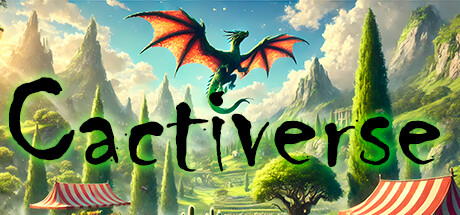
What's new: Added new Halloween event! New event store to buy exclusive inventory drops. Various fixes Starting today, October 29th and until the 5th of November, join us in Cactiverse for a spooktacular Halloween adventure! Mount your dragon and embark on a Trick or Treat journey around the Tropical Island to gather delicious candies. Collect as many as you can and use them to purchase spooky cacti (only available during the event) from our exclusive in-game Halloween Store! Best of all, any cacti you buy with candies will be added immediately to your Steam Inventory. Have fun, and Happy Halloween to everyone!
Hello Cacti! 🎃 Halloween Event Starts Today in Cactiverse! 🎃 Starting today, October 29th and until the 12th of November, join us in Cactiverse for a spooktacular Halloween adventure! Mount your dragon and embark on a Trick or Treat journey around the Tropical Island to gather delicious candies. Collect as many as you can and use them to purchase spooky cacti from our exclusive in-game Halloween Store! Best of all, any cacti you buy with candies will be added immediately to your Steam Inventory. Have fun, and Happy Halloween to everyone!
This update brings the following changes: - Fixed a bug with the Crafter machine in the Schematic Tool; - General game stability improvements;
A free little Halloween is out NOW! Includes 9 new fish, spooky additions to the pier and a brand new spooky night-time weather option! 🎃 🦴☠️ Thanks again everyone for the support! https://i.ibb.co/f0TXtDh/image.png
https://store.steampowered.com/app/2919560 {STEAM_CLAN_IMAGE}/40773278/06bea3aeb572805c239f38eac19434b4b78bed6c.gif 《Idle Calibur:Zero》 ·This game is somewhat complex. you can try the free demo version first (by copying the save folder from the game directory to inherit the demo save data) If you encounter performance issues, please give it a try! (White screen, unsmooth operation) This might be due to not being assigned to high performance mode. Please try the following steps: 1. Open NVIDIA Control Panel. 2. Go to 'Manage 3D settings'. 3. In the 'Program Settings' tab, find or add a program named 'game.exe'. 4. Set it to use the high-performance graphics processor by default. After completing these steps, please restart the program. AMD: For AMD graphics cards, set the game to 'High Performance' in AMD Radeon. Windows 11 Integrated Graphics: In Windows 11 settings, find 'Display Adapter', click on 'App Custom Options', then select 'Add an app', browse and select the game shortcut on the desktop, and set it to 'High Performance Mode' (if you can directly search for 'game.exe', there is no need to add it). If the issue persists, such as using a low-performance integrated graphics card, please try: Ttile option → Reduce Weather Particles:ON、Improve combat GPU:ON {STEAM_CLAN_IMAGE}/40773278/b7dfe86a40a7c23d5b21175f2804ea41e0ab2bbb.jpg {STEAM_CLAN_IMAGE}/40773278/599bbb1594b33e9f5d6dc5f58260e1c7a317e383.jpg {STEAM_CLAN_IMAGE}/40773278/cb8e0ec19e0ac9c4cde890dee7ca2d9559728258.jpg {STEAM_CLAN_IMAGE}/40773278/60f2298159c80bdf24fbd3b0e32bf95c0d706c13.jpg {STEAM_CLAN_IMAGE}/40773278/d0ffea4218e61d3df87320bc799b53967919b2f8.png
Get ready for some Halloween fun! We’ve added 5 new items just in time for the spooky season. Here’s what you can expect: Two Common Items with a drop chance of 56% every 15 minutes Two Rare Items with a drop chance of 34% every hour One Legendary Item with a drop chance of 8% every 2 hours Remember, none of these items will be available in the store. Stay tuned for more surprises! Additional items will be added on Wednesday, with the final batch arriving on Thursday. The game will return to its original form on Friday morning, after which all Halloween items will be available exclusively on the Steam Community Market. Happy haunting!