Beasts born with a mutated bloodline, intel one cultivator buys for the whole realm, new looks for your companion, and a large round of market, auction and combat fixes. 🌟 Highlights 🧬 Mutated Bloodlines — one wild beast in 4,096 is born with a perfect bloodline. Kill it and it's yours 🪷 Black Lotus Intel — one cultivator buys a dossier with jade, and the whole realm fights with it 🎨 Beast skins & companion cosmetics — 20 new auto-attacks, plus skins, auras and frames for your pet 🕊️ Send beasts, link items — send a beast to a Fellow Daoist, and show off an item in Trade chat 🏺 The Heir's Keeping — goods left unsold on the market now wait for your next life 🆕 42 new · 🔄 10 changes · 🛠️ 38 fixes — 90 notes across 27 systems 🧬 Mutated Bloodlines 🆕 New — About 1 wild beast in 4,096 is born with a mutated bloodline. There are three kinds: Mutated Bloodline (89% of them), Ancient Bloodline Mutation (10%) and Primordial Bloodline Mutation (1%). The rough odds per beast are 1 in 4,600, 1 in 41,000 and 1 in 410,000. 🆕 New — A mutated beast has perfect stats, at the top of its species' range. An Ancient mutation adds another 25% and a Primordial one another 50%. Its feeding ceiling rises by the same amount. 🆕 New — You don't catch it with a seal. Kill it and it joins you. It goes to the cultivator who dealt the most damage and is still in the room. The kill also pays its normal loot and XP. Seal throws and Blood Sever are refused on a mutated beast, so nobody can steal it at low HP. 🆕 New — A mutated beast is never lost to a full Soul Space. It goes over your cap instead. 🆕 New — When one appears, the world map circles roughly where it was seen and names its direction from the nearest city. A Mutated rumour goes to chat, an Ancient one scrolls across the top of the screen, and a Primordial one shakes it. You can dismiss a rumour. An unclaimed beast wanders off after 24 hours. 🆕 New — Mutated beasts carry their tier's colour and badge in Soul Space and on the player market. S...
Patch NotesOur Kongiversary Season is here for two more weeks!Bring SardiGems to Sardinex to exchange for cool rewards!!New PvP and Gauntlet events have begun!After the Gauntlet event ends, get ready for a Trials event until October 8thA Festiviflux Invasion event is here until October 1stAfter the Festiviflux Invasion event ends, get ready for an Idol Dimension Expedition event until October 8th
Fixed relics repeatedly applying their bonus when moved in and out of a void aura Fixed relic bonuses applying a second time when the relic was merged or resized Fixed Key not giving extra reward choices Fixed the first purchase achievement Fixed card purchases not being recorded in run logs Added missing fixtures for some relics Added V-Sync, Exclusive Fullscreen and Smooth Cursor settings Moved Fullscreen into the settings menu as a toggle Fullscreen choice now persists between sessions Moved Clear Save into the settings menu Added confirmation window for Clear Save
Hey everyone, The last update sent you to driving school. This one started with hood and roof cameras, some wheel feedback, and a few menus that were getting on my nerves. Buttons you could barely see over the road. Sliders whose handles were apparently hiding. A music window that occasionally decided it owned the entire screen. White icons on almost white buttons. You sent screenshots, and yes, those needed work. So I went through the interface. There are now 22 themes, the settings have been reorganized, the dashboard still looks like the dashboard, and your steering wheel has a few more things to do. Here is what changed since v2.1.0. 🎨 I gave the menus a wardrobe You can now pick 22 themes, or leave it on Current for the original appearance. They are under Settings → Display → Interface appearance → Interface style. There is quite a range here: Y2K, Millennium, Desktop 98 and Olive Desktop for the old desktop and early-2000s moods. Desktop 98 has the raised buttons and sunken panels, including the little reversal when you press something. I spent time getting that right. Vaporwave, Ocean Drive and Neon Coast for pink, purple, mint and neon. Vaporwave and Ocean Drive get gradient headers too. Green Terminal, Amber Terminal and Red Radar if you would like the menus to look like they are monitoring something. Red Radar also gets a slow red light sweep. Liquid Chrome, Copper Circuit, Pitlane and Telemetry for silver, copper, red or fluorescent yellow. Liquid Chrome has a moving metallic reflection across its headers. Daybreak, Glacier, Nocturne and Harbor cover the brighter, colder and quieter looks. Orbital, Orbital Warm and Orbital Cool give you the restrained dark panels with a choice of white tones. There is also a separate UI outlines switch. Turn it off if the borders are too much. The extra bevel and old stacked shadows on the supported controls go away with it. The separate Outline preset has been removed; an old selection falls back to Current. The Jukebox ...
Hey everyone,We've been hard at work on the mobile version of the game and we're finally happy to announce that we have a release date for the Android version of the game. Due to some technical reasons the game will be called Legends of Dragaea: Idle RPG and we'll be releasing on October 1st! In the mobile version of the game you'll have access to the same great features you can expect from the full game on Steam. You'll be able to import/export your guild data between versions, you'll also receive expeditions notifications when they are complete, and we've even included tablet support so you'll be able to play on either your phone or tablet device. This game also includes the FREE Gods of Dragaea expansion as well so no worries on missing that content there. We'll post an update with a link to the Google Play store page when it launches and of course there will be an Itch.io version available as well if you prefer that method. Until next time!

Happy Mid-Autumn Festival, everyone! Thank you for your continued support and for making Daymark part of your day.This update introduces the Steam Multiplayer Beta. You can now invite friends to a room and let your desktop companions spend time together! We’ve also refined the interface and interactions to make everyday use smoother.Multiplayer is still in Beta. If you run into any issues or have suggestions, please leave a comment below this post. A description of what happened, along with screenshots, will help us investigate. We’d also love to see screenshots of you and your friends’ companions together!What’s NewSteam Multiplayer BetaPlay together with up to 4 people and see your friends’ desktop companions on your own desktop.Create public, friends-only, or private rooms, and invite friends through Steam.Explore the new multiplayer lobby to browse and search for rooms and view room members.Chat in rooms, see message bubbles, and view player career profiles.Your character stays fixed while in a room, but you can switch between owned appearances and poses that support multiplayer.Your desktop companions and multiplayer session keep running when the main interface is closed.Desktop Companion ImprovementsAdded multiplayer support for legacy Shiba Inu, Teddy Bear, and Devon Rex appearances, along with selected legacy Kiki poses.Adjusted animations, particles, and music effects for legacy appearances.Unified sizing, scaling, and window layout rules for local and remote companions.Improved click-through controls: after manually enabling click-through, briefly hover over a companion to bring up its menu.Adjust each companion’s display, scale, effects, and click-through settings individually, or toggle click-through for all companions at once.Fixed companion position saving and improved always-on-top handling for remote companions.Career Profile UpdatesView your own and your friends’ career profiles in the main interface.See shared Top 3 apps and songs with their app ic...
Wondering what to do first in Season 1? One long-term goal is to climb World Calamity ranks and the leaderboards, then discover the rare Calamity Origin Core. A Core adds +5 to the current Awakening level of one crafted Legendary armor piece—level 100 becomes 105. Use it yourself or trade it on the Steam Community Market. The loop is hunt → improve gear and gather materials → invest in Season 1 systems → challenge World Calamity → use or trade the rewards. These systems connect to hunting and the market; they are not separate chores you must all complete every day. An easy first route: Hunt the monster that supplies your next gear upgrade and collect materials and GOLD. Choose a target and Insight field in Ecology, create a three-battle Grand Hunt Chart, and clear all three fights. Insight is permanent growth; evidence unlocks target-specific content. Start an eight-hour Outpost job and train a companion, turning surplus materials into growth. Try a low World Calamity rank. Read the combat result and weakest-pillar hint before deciding where to invest next. Displayed power alone does not determine victory or clear time; your build matters too. The Pre-War Nation War is scheduled to begin September 27 at 21:00 JST. Anyone can join after it starts and donate materials for CE. There is no minimum to participate, but the fox pet reward requires 300,000 personal CE donated, regardless of nation. Cores can be discovered in World Calamity, earned from its daily and weekly rankings, or found while hunting Apex Lv500+ monsters. Farm materials quickly, pursue high ranks, sell your surplus, or buy what you need—the best route depends on your goals and market prices. Full guide: How to Play Season 1 / Material Recipes / World Calamity / Nation War
Version 1.0.7 is here! The big highlight is TrackCards, a new way to make your car stronger beyond parts. Here's everything that changed:🃏 TrackCardsTrackCards are collectible cards, one for each Tour championship. When equipped, they give your car bonuses during championships.How to get them: a card unlocks when you're promoted in that Tour championship or when you complete the League in that country for the first time. After that, every new League completion in that country earns a copy of the card.Evolution: collect copies to raise the card's rarity through Common, Uncommon, Rare, Epic, Legendary and Mythic. The rarer the card, the stronger its bonuses. Want to speed things up? You can buy copies with DTR Coin.Bonuses: you can equip a set of up to 3 different cards. Each card has three bonuses:extra car performance when the championship is held in the card's country;a boost to one part type, like Engine or Tires;extra points in one attribute, like Speed or Braking.Strategy: since each card favors a different part and attribute, it pays to build the trio that best suits your car and the championships you're racing. A new set takes effect from the next championship.Circuit: open a card and flip it to see that championship's track layout and its km per lap.🪙 DTR CoinDTR Coins now sit together in a single stack in your Inventory, taking up less space and keeping things tidy.You can send them to Steam and back to your Inventory several at a time, choosing the exact quantity.🏆 LeagueThe Overview MMR chart is more complete: it now shows the value scale on the side, and hovering over a championship reveals the country, your MMR, your final position and how much you gained or lost.🐾 MascotYour mascot now warns you when your Inventory is full and when your Crate Storage is almost full or full, so you don't lose crates or items for lack of space.🔧 ImprovementsMastery: the VIP point reallocation now also refunds level 1 of each upgrade, giving you more freedom to rebuild you...
Improved home point interaction and nighttime lighting. Refined level and save slot interface details.
Hey Panda Peeps,Back to school? More like back to… “COOL, it’s a Crush Crush sale!” From September 24th to the 29th, you can nab a whopping 30% off Diamond Bundles and 15% off (nearly) every DLC Girl Bundle there is to get! So whether you’re craving the one-click convenience of Catara’s Speed Dating ability, Darya’s shower of Diamonds, or you’re just longing for the embrace of favorites like Suzu, Charlotte, or Lotus, now’s the time!And did we mention we’re bringing back our ENTIRE cast of Limited Time Event girls to the Store for the duration of the sale, as well? Just in case you needed some ideas on how to spend all those shiny new Diamonds, wink wink!We love you so hard,The Pandas
Can't believe we're saying this - but just over 24 hours after launch, It's Fine sold 10,000 copies! This is surreal, and life changing for us. Huge thanks from the bottom of our hearts to each and every one of you ❤️🥹 - Cat & Dog

Conversations feel more natural, the interface is easier to use, and there are more ways than ever to customize your character. We’ve reworked the game’s core systems and laid the groundwork for future updates!A new AI model for conversationsThe previous basic and advanced models have been replaced by a new, more capable, better-optimized model.It handles roleplay conversations better and stays in character more consistently. We’ve paid special attention to conversations in Russian and Chinese. Other languages remain supported, and English is still the default.A completely redesigned interfaceChat commands have given way to a full interface with dedicated controls.Chatting, customizing your character’s appearance, choosing outfits, and adjusting settings are now easier and more intuitive.More settingsFrame rate limit — FPS.Vertical synchronization — VSync.Monitor selection for displaying your character.Player gender selection, reflected in conversations.We’ve also improved multi-monitor support.Character and outfit customizationYou can now change your character’s hair, skin, and eye colors.Outfits also offer more detailed customization:Change the colors of individual clothing items.Remove individual parts of an outfit.Swap items and create your own combinations.PerformanceWe’ve improved optimization for both the application and the new AI model.If your computer struggles to run the model, the application’s other features should now continue working. The chat feature still requires a working AI model.Languages and translationsImproved existing translations.Further improved Russian and Chinese localization.Content changesThis update also removes:The previous basic and advanced AI models, now replaced by the new model.Explicit content, including exposed breasts and the option to leave the skirt unfastened.12 animations from the Movement pack.What’s next?Support for Your Friend’s Mom continues! This update is another step forward, and we’ll soon have two big announcemen...
Folded Fables is a papercraft Tidy Up game launching on October 15th. It's like Paper Mario meets Librarian Tidy Up The Arcane Library! Unwind in a relaxing first-person Tidy Up game where you'll sort and arrange 5,648 treasures in a papercraft world. Level up, unlock new skills, and tally every coin. Play solo or tidy up together with friends in online co-op. Are you ready to step inside a pop-up storybook and discover a beautiful handmade world where flat paper creations spring to life? Wishlist it now! https://store.steampowered.com/app/4995030/Folded_Fables_Tidy_Up_The_Dragon_Hoard/
We have released the following update.New "Record" featureWe added a page to the settings screen, which you can open from the bone sign, where you can look back on your time with your dogs.Other updatesAdded a few more achievementsAdjusted how the "chick plush" from the free Free Toy Pack wobblesAdjusted what happens when you give a dog a nameMade achievement tracking more stable when you play on multiple PCs with the same accountFixed dogs trembling in small, rapid movementsFixed other minor bugs
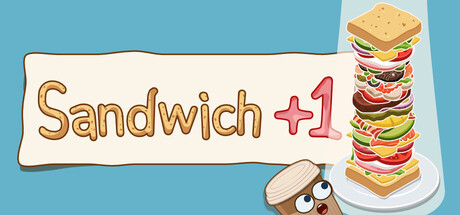
Hi everyone, and especially anyone who loves potatoes. Release day is Friday, September 25, at 4 AM in Los Angeles, 7 AM in New York, noon in London, 1 PM in Berlin, 7 PM in Beijing and 8 PM in Tokyo. If you're reading this later, the game is already out. I made this game on my own. My wife Maria played it, found the spots where it didn't work or worked badly, and a lot of her advice really helped. It's in the game now. For me it turned into a game where I just goofed around, let loose and made stuff for the fun of it. The full version has changed a lot since the demo this summer. If you played the demo, you won't recognize the game now. It got better, and there's a lot more content in it. There's about three or four hours of play here, maybe even five, depending on how deep you want to go and how you like to play. And after that you can play it again in a completely different way. One click, one layer Every click drops a random ingredient onto the bread, and the tower keeps growing until a guest takes it. You don't even have to click. Moving the mouse back and forth works too. The guests in this game are drinks with faces. Coffee, kefir, lemonade, cola, cocoa, honey tonic. Sometimes one of them wants something specific. {STEAM_CLAN_IMAGE}/46062645/650f80d8f46caeb3fa170c1b714254917f9c805f.gif Sweet and savory There are loads of ingredients. Lettuce, bacon, salmon, caviar, truffle, and right next to them a whole sweet side with strawberries, marshmallows, pistachio cream, chocolate, and sandwiches on waffles and pancakes. The sweet stuff opens up once Mr. Cookie starts dropping by. He pays in cookies. {STEAM_CLAN_IMAGE}/46062645/72fb65bb35f0d6cbfb529509002fb579dd2b975a.jpg Then things get out of hand Flying spatulas show up and stack layers for you, then an ingredient belt, cashiers, eleven boards and towers a hundred layers tall. And over thirty combos if the layers land just right. {STEAM_CLAN_IMAGE}/46062645/9726a644e3eb2ad0fbdc46de54e436535bb2ac7f.gif Parcels Eve...
Hey Panda Peeps, Word in the woods is that Volks, the secret softie, is hoping you’ll invite him to coffee! From September 24th to 29th, Volks’ Deluxe Date DLC is 20% off, so if you’ve been waiting for a sign to take the lone wolf out for some sweet one-on-one time, this is it! Spill your hearts to one another and talk about your deepest, darkest secrets until you both lose track of time. SPEAKING of which, the Voice Bundle DLC is ALSO 20% off, so if you want to have sweet nothings whispered in your ear by all twelve core guys, now’s your chance! Just make sure you’re sitting down when you load it up so you don’t sustain any injuries related to weak knees. Still not satisfied? You can also top up your premium currency with 20% off Diamond Bundles! We all know you deserve it. How’s THAT for a MEGA SALE? We love you so hard,The Pandas
Delve deep into the forest to discover its magical inhabitants! Pull up Enchanted Mandrakes and unlock enthralling decorations.Become one with nature!The event will last until October 7th (Wednesday), 17PM UTC. This event will be available for two weeks, featuring plenty of errands to fulfill, and lots of rewards to unlock. Enchanted Voyage is a new event with lots of forest and mushroom-themed decorations to unlock, as well as a new set of magical horses!As a reminder, the favor rewards after 70 Stars do not unlock anything and are not required for the "Complete all tasks of an Event" achievement. They're just a small reward for people that keep their farm open to help others complete the event, or if they want to keep harvesting event stuff even after they've unlocked all items.Have fun!Today's Farm Showcase: "My First Rainbow" by FeralCozyWench
1. 修复了战斗中返回领地异常黑屏的问题 2. 调整了门客特性说明文案 3. 修复了提前把角色全部招募完导致卡主线问题 4. 优化了一些文案
Patch Notes 1.44We have rolled out a new build which aims to bring performance improvements which we have been working on, plus some fixes targeting issues we've heard since the most recent updates. Changes include:Memory Usage improvements (reduced the memory usage of the game under normal gameplay by 2.5-3GB)CPU Usage improvements (reduced wasteful CPU usage in a handful of cases)Combat Animation Fix (should result in players animating in combat being more visually clear/correct and a decent improvement in performance,especially when there are a lot of players in combat)Fixed players feet clipping into the ground in many placesAdded the preview for claim stability changes (see here for more info)Fixed some issues that might be causing actions to stop (extracting/crafting stopping)
Hotfix #2 - v1.0.10014- Added the missing Passive-Aggressive achievement to the game- Fixed a bug causing Apathy multiplier to drop to 0 over time, this should really help if you felt stuck at a Purranium wall after timeline 2/3- Removed the x/s counter from the resources panel for Purranium, Enriched Purranium, Scrap, and MinibotsThanks and hf!
Hi everyone! We’re excited to announce that the Nullnest Demo is now available to play for free!Defend the Core in a dark tower defense. Survive relentless enemy waves, unlock new abilities, and collect gems of different rarities that can completely transform each run. Experiment with various combinations and create unique strategies to overcome ever-growing challenges.Try the demo for free and get your first taste of Nullnest’s fast-paced, powerful builds, and various combinations.Compared to our previous playtest, the demo includes more content, gameplay improvements, and additional polish, along with an early look at our Path of Exile-inspired gem skill system.If you enjoyed Ash Warden, we think you’ll feel right at home in Nullnest.We hope you enjoy the demo! Below are some new screenshots!
〇 Bug fixes and corrections for unintended behavior ✓ Fixed an issue where Epic Unique and Legendary Unique items from Legendary Boxes had identical stats and prices ✓ Fixed an issue where the recommended price for special Legendary items was lower than that of standard Legendary items ✓ Fixed an issue where attack power was truncated for each item during damage calculation ✓ Fixed an issue causing double pop-ups 〇 Changes made based on user requests ✓ Added a permanently visible top menu (to avoid frequent scrolling) ✓ Added the ability to check the effects applied to equipment at the Blacksmith ✓ Added a display for player stats (placed next to the potion indicator) ✓ Adjusted balance so it is possible to win without starting equipment ✓ Reduced the need for scrolling during combat ✓ Added a filter option for the player's shop ✓ Adjusted the difficulty of the final "early-game" enemies ✓ Added an item sorting function (e.g., equipment at the top, followed by items sorted by strength) ✓ Added an option to place tabs on the side or pin them to the top ✓ Added the ability to minimize the combat window ✓ Added a detailed view for stat information ✓ Added a full-screen display option in the settings ✓ Added support for Steam's screenshot function ✓ Added a feature to mark items to keep and save them from being listed for sale ✓ Added a one-button function to categorize equipment separately from other items ✓ Added a display for the list of potential effects granted via reforging ✓ Added an indicator showing that the game auto-saves ✓ Added information regarding how drop contents change based on difficulty ○ Other changes ✓ Fixed the rarity of Unique items ✓ Adjusted the fixed prices of Unique items ✓ Added a pop-up when unlocking security features ✓ Added a Help section to the settings ✓ Added more variations to sales logs ✓ Added a collapse function for the sorting section

New Interface and new abilities Bomb Farm's visual update arrives alongside new combat possibilities, balance adjustments, and improvements across several parts of the game. Choose your interface New Interface: introduces completely redesigned screens, panels, buttons, environments, effects, and animations. It will open by default after the update. Classic Interface: the original appearance will remain available and can be selected at any time through Settings. The game will remember your choice and automatically open the interface you last used. Switching interfaces only changes the visuals and does not affect your progress, heroes, equipment, items, or rewards. Battles, Maps, Inventory, Heroes, Ritual, Skill Tree, Store, Market, PvP, Ranking, Mail, House, and other screens have received a new presentation, along with new sounds, effects, and improvements for different resolutions. New Epic ability: Shrapnel When the hero's bomb destroys a rock, Shrapnel may also hit the rocks located on its four sides. At maximum level, the ability has a 50% activation chance, and each shard deals 25% of the hit that destroyed the rock. It does not affect Bosses or Cages and cannot trigger additional chain reactions. Activations feature a unique effect, with fragments flying toward nearby rocks and the damage clearly highlighted. Abilities and balance Double Detonation can now reach a 50% activation chance at maximum level, increased from 30%. The second explosion is now displayed separately with its own effect, sound, color, and a “DOUBLE!” notification. It continues to deal 50% of the original explosion's damage. Double Detonation has moved from Uncommon to Rare. Additional cells granted by Wide Explosion now deal 50% damage. The bomb's original area continues to deal full damage. Breach has moved from Rare to Uncommon, making it more likely to appear among the abilities of newly obtained heroes. Store and Wiki The Mage and Dolphin skins will be available through special 30-day ...

Hello, cat caretakers!Meow Meow Court V0.6.1 is now live!With the Mid-Autumn Festival just around the corner, let’s take a look at all the new content in this update!🏯 New Areas【Imperial Medical Institute】【Nine-Dragon Wall】【Changyin Pavilion】While exploring these new areas, you can also interact with the palace cats through events and learn more about traditional Chinese medicine at the Imperial Medical Institute, traditional opera, and interesting stories from daily palace life.🐱 New Palace Cats【Grandpa Huang】【Gungun】Meet them in the new areas to unlock more exclusive events and interactions.🌿 New Intangible Cultural Heritage Idle Skills 【Chinese Medicine Processing】【Traditional Opera】Learn new skills from the palace cats and experience even more aspects of daily palace life. 🧵 New Intangible Cultural Heritage Crafts【Medicinal Incense Craft】【Traditional Opera Prop Craft】From selecting and processing medicinal herbs to blending incense and crafting traditional opera costumes and props, experience the unique charm of traditional craftsmanship through palace life.🌕 Limited-Time Mid-Autumn Festival EventThe Mid-Autumn Festival is approaching, and special festivities are ready in the palace!Complete related events during the event period to obtain the limited-time Mid-Autumn item 【Mooncake】.Collect 【Mooncakes】 and exchange them in the Showcase for exclusive Mid-Autumn rewards:Furniture Decoration 【Blue-White Rabbit-Patterned Ewer】Wearable Outfit 【Rabbit Lantern】These limited-time rewards are only available during the event, so don’t forget to take part! 👘 New Wearable OutfitsThis update adds 15 new wearable outfits.More brand-new looks are waiting to be unlocked in the game!
Hello, fellow gardeners!Happy Mid-Autumn Festival! As the festival arrives, we wish everyone a wonderful holiday and a joyful time with family!Our team has also entered holiday mode. Over the past two days, we fixed several issues that had a major impact on game progress, and made improvements based on some frequently mentioned feedback and suggestions, such as drag support for fertilizing. For details, please check the previous small version update notes.We have also received feedback on several other issues and will gradually work on fixing them after the holiday.Confirmed Issues We Will Fix As Soon As Possible:In some cases, switching monitors may not work correctly.In some cases, weather effects may continue to remain on screen instead of disappearing.After certain actions in Decoration Mode, decoration size, layer order, or display may behave abnormally.Some pest-control tools may get stuck with lingering effects during use.Some plants may have abnormal layer order or animation issues.If you encounter any other issues, we have also added log file upload support to the feedback form. You can open the Settings panel, click “Save Folder,” and send us the player.log file inside. This will be a huge help for us in identifying problems!Once again, thank you all for playing, sharing feedback, and being patient with the various issues in the game.Happy Mid-Autumn Festival again!