Hi everyone,NewThe museum can now open the Town's timeline in a bigger window.New design of product icons and ports in blueprint buildings, hatches, mergers/splitters, tunnels and chests.Fishing boats go further out on the water if there is space, best seen on lakes.ImprovedRedesigned fishing hut building.Bridge belts visually connect better to normal belts.Selecting a hatch's product is faster on bigger designs.First few seconds after opening a (big) town is now smoother.Better visual feedback when dragging/drawing new belt lines around corners and into buildings etc.Slightly redesigned order window.Better scrolling areas in info panels (visually nicer and clearer that there is scrollable content).More visually subtle error/warning messages in the blueprint editor (in line with the ones in Town).Different rendering of the blueprint editor making it look sharper on all zoom levels and on high-res monitors.Design tweaks to all machines and items in blueprints.Museum info panel visually improved.Main menu visually improved.FixedBelt arrow movement better synced with actual product movement on the belt.No more clipping of product icons on bridges.Building warning icons don't show on top of the dark layer when you are in the product highlight mode.Submodules now output the same amount as if they stand alone (this only went wrong before in very specific cases).Some hills were not correctly recognized as hills in certain areas making it so that quarries couldn't be placed on those hills.Visual bug in the research tree.It was possible to connect a belt to the side of an output hatch, this has been patched and is no longer possible (sorry to those who used this to make their designs more compact). Existing builds keep working, but they can't be placed in that way anymore.Perspective on bigger blueprint machines (bigger than 2x2) is corrected.The Styling window in the blueprint editor could open slightly outside of the screen, it now opens in the middle.Buffer chests can't b...

- Mana Barrier: duration 6s → 8s, Shatter damage 100% → 175% per rank. - Tremor Relic: lightning damage Lv1–5 → 200% / 300% / 400% / 500% / 600% (Lv6 still doubles it). - Rust Edict: damage Lv1–8 → 300% / 450% / 630% / 840% / 1,080% / 1,400% / 1,820% / 2,310%. - Daily Renown rewards: Top 1% 21 · Top 3% 19 · Top 5% 18 · Top 10% 17 · Top 25% 15 · Top 40% 13 · Participation 10. - Leaderboards: rows are tinted by reward bracket. View Daily Rewards has a new spot and a clearer label, and it now shows every bracket's Renown and current cutoff on one screen. - Act III board: each technique shows who has it imprinted on a necklace. Click a name to open that necklace in Blueprints and return to the same screen. Shift + right-click returns a technique with its whole line. - The Act III board can now pick a technique imprinted on a necklace. That necklace pauses and keeps its imprint until the board picks another technique. - Frontier Mastery (Act III): wider window, larger portraits and seats, a frame for each party, and drop targets light up while dragging. - Fixed the Act III drag image showing the area around the portrait. - Tooltips now scale with the window at smaller resolutions. - Refinery: larger Max and Rank up all buttons, and Rank down is now a separate, smaller button. - Arena: opponent cards now show Steam avatars. - Expedition Missions Renown mail now appears right away. - Optimization and stability improvements.
Fixed the Battle Soul drop error
Work orders: hand in items for clan points and Relic ChestsClans: find a clan by nameClans: new clans show in the join listClan projects: a bigger Hall lets you run more at onceClan projects: set one aside and resume it laterClan projects: shows the item a project is waiting onFurnace: planks can be burned for heat, off until you switch one onFood: item cards show how much it healsSkins: rod and bow skins now show on your characterSkins: three skins that looked like plain tools have new artBag: A-Z sortRestart the game from Steam to get the update.
Winter Shark Frenzy Begins November 25!Anglers, get your gear ready. The new White Megalodon arrives alongside the Megalodon, Dark Megalodon, 4 new Hero Sharks and 8 returning Hero Sharks.Unlock the Boss Stage TogetherThe 4 Hero Shark Stages open first. The White Megalodon, king of this event, waits in the final Boss Stage. It opens only when everyone together catches enough Hero Sharks to hit the global target. Bring your friends and let's get there fast!(Progress is tracked separately per platform.)Vanguard RewardsWhen Stage 5 opens, everyone who caught at least one Hero Shark gets:- HOARFROST Timber Shark Float Rod & Reel- "White Megalodon Vanguard" titleAnglers who log in during the event without catching a Hero Shark still get the Rod & Reel.Hero Sharks & Megalodon Leaderboard CompetitionEach stage has its own leaderboard for the biggest Hero Shark or Megalodon. Golden Tokens by rank:- 1-10: 30- 11-100: 20- 101-1,000: 10- 1,001+: 5NEW: Event Quests- 3 Daily Quests: Earn Boost Fireworks, including the new Predator Boost and Unique Boost, which make their target species appear more often- 3 Weekly Quests: Earn up to 12 Golden Tokens per weekDaily Quests reset at 00:00 PST every day, and Weekly Quests every Tuesday at 00:00 PST.See you on the water, anglers!
The update yesterday caused a bug that, when using any starter that isn't the main starter, the game basically imploded. That should be fixed now.Secondly, The tutorial should stop showing up repeatedly now

가문의 영광
3 days ago
· firebud1111
{STEAM_CLAN_IMAGE}/46623034/de26fd03d43a9ac585d0553feed0fc0ff039f4f4.png Rebirth Skills Every class now earns its own skill through rebirth. No book needed. It is learned at your first rebirth and upgraded automatically at the 5th and 10th. Characters that have already rebirthed receive it as soon as they log in. Drag it from the skill window to the shortcut bar and it is used automatically like any other skill. Companions in Infinite Battle, the Tower and Dungeons use it too. Knight — Heavenly Thunder Slash Calls lightning down on up to 8 random enemies within 4 tiles. Magic damage (mage spell formula × 2.5), no critical hits. A good fit for knights who invest in INT. MP 50 → 45 → 40, 1 s cooldown Elf — Branches of Light Fires beams of light at 5 random enemies in a wide cone ahead. Works without a bow. Magic damage (mage spell formula × 2.5), no critical hits Each upgrade: +1 target, +5% damage. MP 40, 1 s cooldown Mage — Earth Collapse Collapses the ground under up to 10 random enemies on screen. Physical damage: 160% of physical attack, can critically hit. +20%p per upgrade MP 1, 30 s cooldown Dark Elf — Shadow Pierce Basic attacks have a 30% chance to ignore part of the enemy's defense for 3 seconds. Ignored share (%) = INT × 0.5 + magic damage × 0.3 Costs 15 MP when it triggers, no cooldown. It cannot trigger again while active. Each upgrade: +1 s duration, −1 MP Other changes Exchange: a listing can now sell up to 100 units at a time (was 20). Added a Cooldown Formula entry to Game Info.
致亲爱的探求者大人:进行5.0版本客户端更新时,若探求者大人遇到黑屏、卡死、游戏资源异常等问题,请探求者大人尝试手动完全卸载旧版本悠久之树程序,并清除残留的文件后,再安装新版程序。如果直接覆盖安装或未完全清除文件,将会导致各种异常问题。给探求者大人们带来了不好的游戏体验,我们深表歉意。新版包体需预先下载204M(官方客户端)或240M(B站渠道客户端)左右的安装包。进入游戏后,探求者大人可选择在游玩过程中下载所需资源或一次性下载完整的资源内容(10.5G左右)。后续强制更新时,只需下载全新的安装包覆盖安装,并下载少量更新资源即可进入游戏。
Hello, this is SUPERCAT.We are continuously taking action, such as account restrictionson accounts that use unauthorized programs or macrosby investigating the gameplay record.Furthermore, we are taking action on reports fromour customer center through data investigation.Please refer to the information below for further details on account restrictions.\⏰ Action Period- 2026-11-19 16:00 (KST)📢 Action Taken- Number of Account Restrictions: 1,056📃 Reason\Submit an Inquiry] 📌 References1) What is Account Restriction?- Account restriction is an action that is taken against an account that accesses the game in an inappropriate or unnatural environment, or engages in inappropriate gameplay.2) What is Unusual Game Progress Restriction?- It is an action that is taken against an account that plays the game inappropriately by using multiple accounts or using unauthorized programs.3) Attempting to access or use the game through unauthorized programs may also be considered a violation.We kindly ask for your cooperation to make Desktop Wallet Heroes a fair and pleasant environment.Thank you.
Hey everyone! We've got another small update with some UI improvements and clearer in-game descriptions to make things a little easier to navigate.Here's what's changed! ※ Changes marked with (💀) are based on community feedback. Thanks for all your suggestions! ■ UI & Quality-of-Life Improvements- Improved the Shop UI to make it easier to use.- Updated the description of the Agility stat for clarity. • Before: Miss • After: Evasion Rate- Made Chapter difficulty labels easier to read.- (💀) Renamed the Market buttons to make their functions clearer. • Steam Inventory → Sell • Steam Market → Buy- (💀) Repositioned the Auto-Fuse and Auto-Salvage completion notifications in the Workshop so they no longer cover other UI elements.To apply these changes, please update DPS through Steam and restart the game!Thanks for all the feedback you've been sharing with us!We'll keep working on making DPS a smoother and more enjoyable experience.The DPS Team
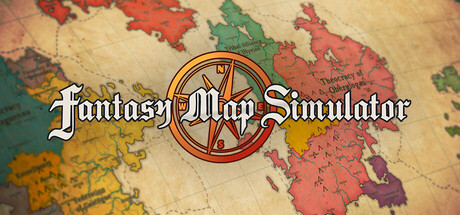
The November 18, 2026 update makes maps pixel-based: painting is no longer tied to grid cells, and map size can be set freely. To go with it, the Map Editor and the information interface have been rebuilt from the ground up, and visual Chronicles, the World Lineage and a trade system have been added. The old version is still included, and you can switch back to it from the menu at any time. History and Statistics Trend charts in Statistics: all six statistics categories are recorded every six months and plotted year by year in the full Statistics window. State Chronicle: the “Fortunes of the State” scroll, a “Changing Borders” map series, and a timeline of key events, each paired with a small map of the political situation at that time. Family Chronicle: the “Fortunes of the House” scroll, a map of the family's migration routes, and a timeline of key events, each paired with a small map of the political situation at that time. World Lineage (History window → “World Lineage”): a lineage tree with one row per state, tracing the branches formed by rebellions, civil wars, restorations, and the rise and fall of realms. Select a realm to light up its entire lineage. Trade System Goods: 60 resources are grouped into nine goods across three categories — Military: Iron, Horses; Staples: Grain, Livestock, Fish, Salt; Luxuries: Gold & Gems, Silk & Spices, Furs. Trade agreements: the AI signs agreements with neighbors (or states linked by sea routes) when affinity is high enough and their goods complement each other. Either side can cancel an agreement (after which the two cannot sign again for 2 years), and agreements are voided automatically if the two states go to war. Allies trade with each other automatically. Players can sign or cancel agreements directly in State Actions. Effects of trade: Monthly trade income; exporting Luxuries pays best, and republics and federations get more out of trade; States lacking Iron fight at ×0.9 combat efficiency, and states lacking Horses ...
Hello, Beekeepers! 🍯Following your feedback after our major update, we've fixed several bugs and made some improvements.🔧 What's Changed?Drones: We've investigated the issue causing frames to disappear and believe we've fixed it.Drone Control Menu: You can now control your drones from the Drone Base.Sprinklers: Fixed an issue preventing them from being refilled.Achievements: Reworked to match the latest update.Thank you for your feedback and support! We'll keep improving the game. ❤️Happy beekeeping! 🐝
Hello, this is SUPERCAT.The official Desktop Wallet Heroes Discord server is hosting the Best Strategy Guide Contest!Share useful tips and strategies you've picked up while playing the game with other Adventurers.The best guides will be selected to receive special rewards!📅 Event PeriodNovember 19, 2026 (Thu.) 15:00 – December 2, 2026 (Wed.) 23:59 (UTC+9)🎮 How to ParticipatePost your game guides or useful tips in the guide-contest channel on the official Desktop Wallet Heroes Discord server.You can submit multiple guide posts, and all of your submissions will be considered when selecting the Best Strategy Guide Contest winners.🎁 Event RewardsSteam Wallet Gift Card worth KRW 300,000 (1 winner)Steam Wallet Gift Card worth KRW 100,000 (5 winners)Steam Wallet Gift Card worth KRW 50,000 (10 winners)🔽 How to Receive RewardsWinners will receive a Steam Wallet Gift Card PIN code via direct message (DM).Gift cards are purchased in KRW. Upon redemption, the amount will be added to the recipient's Steam Wallet in their local currency, based on the exchange rate at the time of redemption.Please note that exposing your PIN code publicly may result in disqualification from receiving the reward.Please follow the instructions provided with your PIN code to redeem your gift card.🚩 Important NotesEvent winners will be announced within 10 days after the event ends.Only entries submitted during the event period will be accepted.Event details and schedule are subject to change depending on circumstances.Share your own strategies and tips with other Adventurers!We look forward to your interest and active participation!Thank you.
Hello, this is SUPERCAT.Join the Defeat the Abyss Depths: Lord event on the official Desktop Wallet Heroes Discord server!Take part in attacking the Abyss Depths: Lord for a chance to win a Steam Wallet Gift Card. Don't miss out!📅 Event PeriodNovember 19, 2026 (Thu.) 15:00 – November 25, 2026 (Wed.) 23:59 (UTC+9)🎮 How to Participate1. Join the boss-defeat-event channel on the official Discord server.2. Type "/attack" in the chat input field, then select the attack command to attack the monster.3. Each Discord account can attack once per day.- Attack attempts reset daily at 00:00 (UTC).- For Korea Standard Time (KST), attempts reset daily at 09:00.4. To qualify for the prize draw, you must successfully attack the monster at least 3 times during the event period.🏆 Check Event Status/boss: Check the monster's current HP and event progress./my-attacks: Check your total number of successful attacks.🎁 Event RewardsSteam Wallet Gift Card worth KRW 10,000 (50 randomly selected winners)🔽 How to Receive RewardsWinners will receive a Steam Wallet Gift Card PIN code via direct message (DM).Gift cards are purchased in KRW. Upon redemption, the amount will be added to the recipient's Steam Wallet in their local currency, based on the exchange rate at the time of redemption.Please note that exposing your PIN code publicly may result in disqualification from receiving the reward.Please follow the instructions provided with your PIN code to redeem your gift card.🚩 Important NotesWinners will be announced within 10 days after the event ends.Only successful attacks made during the event period will count toward participation.Each Discord account must successfully attack the monster at least 3 times during the event period to qualify for the event.The daily attack limit is applied per Discord account and resets at 00:00 (UTC) every day.The event may end early if the monster's HP reaches 0.Event details and schedule are subject to change depending on operational circumstances.Team up wi...

Grand Theft Meow brings eight new collectibles to VibeMarket OS. One of them is THE KEY. Unlock your free packs Sign in with your own Steam account and create a character in VibeMarket OS. Reach level 3 and spend at least 2 hours total with the game open. Open VibeMarket and go to the Event tab. Your first free pack is ready as soon as you qualify. After each pack, keep the game open for 3 more hours to earn the next one. The Event tab shows your progress. Pull THE KEY Each free pack starts with a 1 in 7,500 chance of containing THE KEY, the Mythic card. The first eligible players who pull it win a standard-edition GTA VI digital key for PS5 or Xbox Series X|S, while prizes last. Limit one prize per person, household, and Steam account. See the event page for the current odds and prize availability. If you win, contact us on Discord with the Pull ID shown in-game within 14 days of your winning pull. You’ll need to verify that you control the Steam account that made the pull. No purchase necessary. You must be 18 or older and have reached the age of majority where you live. Void where prohibited. The giveaway ends December 2, 2026 at 00:00 UTC (December 1 at 4 PM Pacific), or when all prizes are won. Beb, Inc. runs this event independently of the makers of GTA VI. Official giveaway rules.
Knightfall Idle B0.2.5 is live: Quest Journal, Single Player, and the Forever reset. Three headline additions this update. The Quest Journal (Extra, or press J): 237 quests across 8 chapter lines. Woodcutting, Mining, Combat, Fishing, Farming, Kingdom Management and Trade each get a 33-card tree of goods, levels, actions and renounces, with a harder second row for every lane. Auto Claim collects finished quests for you. Single Player (still very early in development): a full world saved on your own PC, with no server and no other players. Every system runs locally, including an NPC auction house, an NPC exchange, a merchant, the Realm and the Event Shop. Forever restarts on one fair package: fresh levels and gear, a starting stock of goods and Azurite, trinket tools and a starter set of trinkets. Inventory, passive tree, codex, Vows, event score, kingdom, farm, caravan, adventure, quests and fief upgrades start clean. Land Expansion keeps its level. Everyone affected gets 2 weeks of Premium and the server is boosted for 48 hours. Achievements, cosmetics, ranks, Premium Coins, your fief place, options and tutorial progress stay. League is untouched. Also in this one: Coins bundles that add bonus coins or Premium time, a Server Booster that gives everyone online a 6 hour boost, one-click trinket board swaps, and bans announced in Global chat. Balance highlights: skill and Account XP per level is 35% cheaper, extra items of the same drop pay 90% of the item before them (down to 10%), and trinkets now unlock at Account 35. Plus 26 fixes. Full notes below. Forever Soft Wipe Forever will be reset to one fair starting package: fresh levels and gear, a starting stock of goods and Azurite, trinket tools and a starter set of trinkets. Inventory, passive tree, codex, Vows, event score, kingdom, farm, caravan, adventure, quests and fief upgrades will start clean. Land Expansion keeps its level.Everyone affected will receive 2 weeks of Premium, and server will be boosted for 48 ...
Hello, this is SUPERCAT.We sincerely apologize for the inconvenience caused bytoday's server instability and connection issues.We confirmed that some Gold and item acquisition records from gameplaywere not properly saved during the server instability between 05:40 and 06:40 (KST).As an apology, we will provide the following compensation to Adventurerswho logged in and played during this period.🎁 Compensation500,000 GoldExperience Scroll (Bound) x3Dungeon Keys x10※ Cautions- The reward will be sent via the Mailbox and can be acquired for 1 time per account.- Rewards will be unavailable after the distribution period, kindly please claim it within the period.- Rewards are sent via the Mailbox upon login within the reward distribution period and are stored in the Inbox for 7 days upon login.- If the reward is not confirmed, please return to the title screen and check again.We will carefully investigate the cause of this issue and take the necessary stepsto prevent it from happening again and causing further inconvenience.Once again, we sincerely apologize for the inconvenience caused by the server instability.Thank you.

Settings has a new Interface size: Auto, 75%, 90%, 100%, 110% or 125%. On a large screen Auto now shows a smaller interface, so boxes take less of the screen; choose a smaller size for more room or a larger one for easier reading. The world and its paintings stay sharp at every size. A tonic slot sits beside the blessing countdown: click it to drink, right click or hold to choose the tonic. It shows how many are left and, while a blessing or its rest runs, how long until the next. Drink when ready, off unless you turn it on, drinks the slot's tonic as soon as one may be drunk, also while you are away, until they run out. The welcome back card says how many were drunk. After your first win over Old Bruin, a What's next card shows what Warlord Vane needs, what you have, and takes you to the first thing missing. Click the goal plate to see it again; each new boss win points to the next. When a region raises the level cap, the experience a skill had banked stays in its Mastery Pool, and the skill's experience line, bar and time to the next level count only experience that raises its level. A save from part-way through the old tutorial now finishes it: the Map and the Lodge show, and the guided tour waits in the Menu under Show me around. Settings no longer lists Replay tutorial; Show me around in the Menu starts the tour. Notices of one kind that arrive together share one line. During the tour the arrow sits beside what it points at, never over words, and notices keep clear of the Relics, the Map's title and the Satchel. The relic tooltip's last line sits inside its border. The Mastery Pool buttons show their whole text in every language. Leaving fullscreen keeps the window's title bar on screen. The demo has been updated too: new players get the guided tour, and the demo has the same interface size and tonic slot. Thank you to everyone who sent a report through the in-game form. Many of these changes come from you.

Join the Halloween 2026 event and complete it to earn an exclusive Fishing Tank Fish to show off!Halloween event extended until 10th December, Xmas starts 5 day later.(Fishing patch is not officialy released yet, but I add this patch changelog)NEW- Automated Event System (being tested)- Halloween Event- Added an information tooltip to the Fishing Stats menu showing which bonuses increase your chances of catching Shiny and Spectral fish- Now you can see in each zone if you caught a spectral or shiny version of that fish- You can dismantle claimed Awakened Pins. From Alpha to Epsilon you will get nothing. From Zeta to Omega you will get Tier-5 Omega Pins.- Added a button in the options menu to open the logs folder.CHANGES- The game will store last 10 logs and max 14 days old logs.FIXES- Fixed Shiny and Spectral rate- Fixed fishing speed- Fixed typo when trying to level up an awakened pin without the requirements- Fixed alert pop up when trying to access z14 depending on the condition missing (killing z13 boss or completing the key)- Fixed welcome msg- Fixed Jidouhanbaiki performance on loading the game - Fixed Fisher Set Pins effect +20% Relics bonus- Fixed extra tiers from snowmans for Libra and Spoil

Thank you all for playing Iron & Instinct and for the feedback since launch! This update adds new attacks for every stance, a few things to click on during runs, and many of the quality-of-life changes you asked for. New Sky moves. Every second signature attack is now a sky move: Knight: Skyfall Blade. He raises his sword and a giant blade falls from the sky onto the enemy in front, stunning it. Mage: Meteor. A meteor crashes into the enemy in front and splashes the rest of the pack. Archer: Sky Shot. One arrow loosed straight up plunges into the toughest enemy on screen. Bigger battles. Arrows, meteors and blades now fly out of the battle strip, over the menus and onto your desktop. Fury monsters lob their Blast high like a mortar. Bonus finds. Now and then something glints on the dungeon floor. Click it before it scrolls away for free materials. Cancel hatching. Changed your mind? Take the egg back out of the incubator. The egg, the items and the soul that went in all come back. First-time tips. New players get short tips that point out the basics: the first run, eggs, temperature hatching, monsters, skill points and the forge. Turn them off at any time, or back on in Options › Game. Changes New health bars. Framed and colour-coded, with a trail that shows the damage just taken. Your party's bars shift from green to red as they weaken, and bosses get a bigger gold-framed bar. Skill refunds now cost gold. Taking a single point back out of a skill costs 25 gold per knight level. Resetting a whole tree works as before. The Knight button glows when you have skill points to spend. Quit, Fold away, Leave dungeon and Save now ask you to confirm. Petting a monster now shows hearts. Larger tooltips and description text. Rally monsters have a cleaner sparkle in battle. Fixes A boss's health bar could be hidden behind the menu buttons. Arrows and effects drew behind the menu buttons instead of in front of them. Arrows, impacts and effects slid along with the party instead of...
Thank you for all the reports! This update gives you more control over skills in your builds, makes combat feel more alive and fixes several things you pointed out.Builds and skillsRight-click an active skill in the order bar (Offense, Healing and Support) to block or unblock it. The unit stops using a blocked skill, and the block applies to the whole build.Changing the skill order on one unit now changes it for every unit with the same build.Magic knives and staves now give attack speed, and the comparison in the Builds window no longer shows wrong values for them.The item list shows which build a piece is saved in, instead of just "In storage".Switching units with the arrows is much faster, especially for Peons.CombatDamage and healing now vary a little with each hit, between 90% and 110% of the value. The average stays the same.Hit, healing, shield and death effects match the creature's size: bigger on large creatures and smaller on small ones.The Priest's lights now rise from the ground at the target's feet, instead of showing up in the middle of the body.Melee units follow a target that moves away during the attack, instead of stopping and starting.ProductionIngredients show only the amount the recipe needs, colored from red (you have none) to green (you have plenty). How much you have is in the tooltip.When you click a material to jump to its recipe, an arrow shows up to go back to the previous recipe. Esc also goes back one step before closing the window.The craft panel no longer changes size every time a resource is gathered.ExpeditionWith Repeat on, your score goes to the ranking as soon as each expedition ends.Hovering rewards that haven't appeared in the report yet no longer shows a small preview of them.The hint for picking units no longer covers the buttons at the top of the expedition window.AppearancesKingdom Find: the time between finds grows little by little over the week. The first one comes after about 40 minutes of expedition, and all 10 of the w...
\ Purchase Bonus Serial Code Issue ResolvedThank you for playing Muv-Luv Girls Garden Mellow Days.An issue that prevented purchase bonus serial codes from being issued correctly has now been resolved. We have confirmed that serial codes can now be issued as intended.If you were affected by this issue, please try issuing your serial code again from within the game.We sincerely apologize for any inconvenience this may have caused.Thank you for your continued support of Muv-Luv Girls Garden Mellow Days.
Hello, this is SUPERCAT.Updates have been applied as below.📌 Details■ Item Fusion Feature Added- The Fusion feature has been added, which unlocks after clearing Stage 4-10. The Fusion menu can be accessed via \.- Fusion requires 5 items of the same type (Weapon, Armor, Accessory, or Gem) and grade. A successful Fusion grants 1 item of the next higher grade, while a failed Fusion grants 1 item of the same grade.- Equipment Fusion can produce Hero-grade equipment or higher, up to Legend, Myth, Primal, Transcend, and Immortal grades.- Items of different levels can be used together in Fusion. The more lower-level materials used, the higher the chance of obtaining a lower-level result.- Added an \ feature to automatically select items for Fusion.- Click the button to the right of \ to toggle whether Enhanced and Socketed items are included.- Added the ability to check the level probabilities of items that can be obtained through Fusion after selecting materials.■ Auto-Dismantling Feature Added- Auto-Dismantling feature has been added, which unlocks after clearing Stage 2-10. The Auto-Dismantling button can be found in the top-right corner of \.- Set the dismantling filter conditions and the inventory capacity threshold (50%–100%) to activate the feature. Eligible items will be automatically dismantled every 15 seconds, and the inventory will be sorted.- Items currently equipped, locked, stored, enhanced to +1 or higher, socketed with gems, unidentified, listed for trade, or awaiting transfer to Steam will be excluded from Auto-Dismantling.- Auto-Dismantling will be temporarily paused while the Dismantle screen is open, during manual dismantling, or while items are being moved. If it is paused 3 consecutive times, Auto-Dismantling will be turned off.■ Dungeon Repeat Feature Added and Improved- The \ button has been changed to \, with Stage Repeat and Dungeon Repeat now operating independently.- When entering a dungeon, the Repeat (🔃) button in the battle window will turn ...
各位道友安好: 本次更新对储物与背包系统进行了全面重构——原单一线性升级的储物戒正式演进为覆盖凡人至飞升全境界的「乾坤储物」四源体系,同步实装六阶器物专属背包外观与底栏动态演进、四页【乾坤纳物阁】,并对背包提示、手动存档槽位及宗门招贤交谈进行了体验优化。 以下是本次更新的完整内容: 一、全新「乾坤储物」四源体系(新增 40 件器物、古卷与禁制囊匣) 总背包空间现由四大维度共同构成,相辅相成: 1. 主纳物器(1~10 阶,共 11 种) 从凡人初入尘世的「粗麻行囊」起步,随境界突破逐步炼制或换装「灰布储物袋、玄丝百宝囊、青玉储物镯、星纹空冥戒、须弥紫金戒、太虚裂界戒、藏界玉环、纳虚仙戒、诸天劫戒」,直至飞升极品的「万界鸿蒙戒」。 炼制时可诞出不同品阶与五类空间词条(阔界、敛息、固阵、纳灵、轻羽);支持消耗空冥石确定性祭炼提品(必定成功、不碎器、不降品),并可在备用囊位随时换装或拆解回收材料。 2. 腰间专精副匣(四大流派 × 3 阶,共 12 种) 默认开放 1 个副挂槽,达到元婴初期解锁第 2 槽位(同流派不可双挂): (1)丹道系(寒玉丹盒 / 九转丹玉匣 / 造化凝丹匣):减免服丹丹毒,并提升成丹多凝几率。 (2)百草系(采山药篓 / 百草灵囊 / 神农万药袋):拓展草木收纳,提升灵田伴生收获。 (3)百炼系(百锻矿袋 / 千机吞金囊 / 乾坤百炼囊):提升装备分解所得炼器精华与材料回收。 (4)剑修系(藏锋剑鞘 / 养剑紫葫 / 万剑归宗匣):可锁灵温养 1 件包内武器或法宝(防止误卖误拆),开战首回合自动斩出匣中剑气。 3. 八品空间神通(黄玄地天 · 荒洪宙宇,共 8 门) 新增《方寸敛物诀》《缩地纳囊术》《壶天纳物术》《咫尺须弥功》《袖里乾坤》《太虚辟界大法》《一念山河》《鸿蒙开辟神通》八门空间秘术。 参悟后直接入识海生效,不占用战斗功法槽位;转世轮回永久保留已参悟神通与重数,随新世境界由 40% 至 100% 逐层解封。 4. 镇界洞天至宝(共 5 件) 新增「如意乾坤袋、紫金红葫芦、乾坤玉净瓶、山河万里图、山河社稷图」五件洞天至宝。 滴血认主后随真灵跨世永存;达到驱动境界即可苏醒岁月造化(定期凝结灵石、丹材或提供开战界壁护盾),未达驱动境界时仍保留 30% 蒙尘空间。 5. 无主储物袋 · 神识抹印(4 档) 新增「染血的储物袋、蒙尘的青玉镯、古修禁制纳戒、太虚残破戒」四档无主禁制囊匣,可在背包内直接以「神识抹印」破禁开启,袋内遗物与空储物器兼得。 6. 老档无损保底与轮回、满溢保护 (1)老存档无损继承:更新后自动按旧档已解锁容量进行无损保底并映射对应纳物器,绝不扣减任何已有格数。 (2)换装满溢保护:更换较小容量的主器或卸下副匣导致物品超限时,全部已有物品完整保留(仅暂停新物品入包),绝不丢失。 (3)轮回联动:主器与副匣属身外之物,转世默认重置为粗麻行囊;若欲传于来世,可封入遗泽【藏器于野】留存。 二、六阶器物专属背包外观与交互翻新 1. 六阶器物专属画框与场景 摒弃原有单一卷轴造型,按主导器物与神通阶段重绘六套独立形制画框与专属背景——粗麻竹架行囊 ➔ 青缎符绳储物袋 ➔ 青玉雕云圆镯 ➔ 八角玄铁星轨纳戒 ➔ 水墨广袖流云 ➔ 羊脂白玉松云洞天。 2. 底栏导航动态演进 底部导航栏图标与二字称谓随阶段同步演化:行囊 ➔ 储物 ➔ 玉镯 ➔ 纳戒 ➔ 袖界 ➔ 洞天。 3. 【乾坤纳物阁】与自由显化 全新四页管理弹窗整合换器、提品、副匣、神通与洞天至宝,点击顶栏「显化」可随时在已解锁的各阶器物画框与底栏图标之间自由切换。 4. 操作弹窗翻新 背包内的批量服丹、批售账簿、分解与丢弃确认窗均换装全新水墨纸面。 三、其他体验优化(整包同批次内容) 1. 手动存档扩容至 4 个槽位:存档列表现支持 1 个自动存档 + 4 个手动存档(向下滚动即可查看三、四号手动槽位),既有手动档完全保留。 2. 招贤榜散修 / 旧弟子支持直接交谈:自建宗门门人页的招贤候选中,现可直接与同地散修及旧宗幸存弟子交谈增进好感,好感与条件达标后可当场测灵根收徒。 3. 背包悬停提示优化:鼠标悬停背包物品时可更直观查看装备穿戴对比及当前丹品的丹药药效预览,物品变动时提示即时刷新。 感谢各位道友一路相伴与建言!如在游玩过程中遇到任何问题,欢迎随时在社区或玩家群中反馈。祝诸位道友道途顺遂,早登仙阶!
The Boss crashes down: After you take all three roads, the Boss crashes onto the building behind your camp, and that spot becomes its own Boss node. After you win, click the Boss node any time to fight it again. 21 stars per map: Boss fights now give up to 3 stars, so every one of the 21 stars on each map can be earned. Stars you already have are kept. Your choice after the Boss: After your first win against a Boss, choose "To the new map" or "Stay on this map". No-damage star: When you miss the no-damage star, the results screen now says how many times your castle was hit. Enemies on both sides: Melee and ranged troops now split between both sides based on how strong each side's enemies are, instead of all archers on one side and all melee on the other. Interface: The numbers under the synergy icons (top left in battle) are now lined up. The top bar no longer runs off the screen in some languages. Happy defending!