Talents 2.0 bonuses, Milestones, saved builds, and combat feedback now behave consistently across every subclass. ⚔️ Talent Effects Restored * 🟠 Fixed subclass bonuses sometimes not applying, including Damage, Crit, Lifesteal, Ability Power, and other allocated stats. * 🟠 Affected characters now receive their intended damage and survivability again. * 🟠 All 72 Milestones across all 12 subclasses now trigger and deliver their intended damage, healing, Shields, counters, resources, and cooldown effects. * 🟠 Milestone activity now appears by name in combat feedback, logs, and Damage/Healing Reports. 🔥 Subclass Repairs * 🟠 Fixed Pyromancer’s Flashpoint Seal, Furnace Rhythm, Ember Crown, and related Scorch, sequence, charge, damage, and cooldown behavior. * 🟠 Fixed Void Continuum so it correctly replaces and upgrades Folded Current instead of disabling both effects. * 🟠 Folded Current and Void Continuum now correctly extend eligible Arcane Buffs from Glyph Current, Clockless Rush, Hourglass Step, and Last Hour Fold. * 🟠 Fixed Bloodreaver Buff Duration bonuses so they properly extend eligible effects. 💾 Builds and Combat Clarity * 🟠 Subclass build slots now remain saved after resetting, changing subclasses, or returning to a previous subclass. * 🟠 Keystone descriptions now clearly identify which Milestone they replace and strengthen. * 🟠 Divine Blessing’s Spellflow effect now displays its proper combat icon.
* 🌀 Fixed Void Continuum so it properly replaces Folded Current and triggers after three different direct Arcane abilities. * 🔄 Additional Arcane Buff casts, including Auto-Cast, no longer reset or break Void Continuum’s sequence. * 📝 Clarified Void Continuum’s replacement and activation rules in its description. * ✨ Added a unique combat Effects icon for Divine Blessing’s Spellflow buff. * 💾 Fixed Reset Subclass deleting saved builds. All three build slots now remain saved when switching between subclasses.
Added a growth-level sorting option in the Hatchery. When "skip animation" is enabled, sorting by growth level will now be applied by default.The damage test in the Magic Tower can now be closed at any time. A settlement screen has also been added for the damage test, which will pop up when the test is manually closed.Added BOSS damage statistics to the Roster page.The cumulative count requirement for the achievement "Keyboard Smoking?" has been reduced from 600 to 300.Fixed the issue where the Demon Archduke's attack animation had no recovery (after-swing) time.
🟠 Fixed subclass talent bonuses being ignored, restoring missing damage, Crit, Ability Power, Lifesteal, and passive bonuses. 🟠 Repaired all 72 Milestones across all 12 subclasses so their triggers, payoffs, cooldowns, caps, and spell relationships work properly. 🟠 Milestone activations now appear clearly in combat logs and combat status displays. 🟠 Fixed Pyromancer’s Flashpoint Seal, Furnace Rhythm, and Ember Crown. 🟠 Fixed Voidcaller’s Shadeflame/Siphoning Dark behavior and description.
Update v1.1.0 🎉 New Guided setup for new players — first-time players now get a hands-on, step-by-step walkthrough: buy a desk, hire from the CV panel, seat your staffer, run a focus session, collect payroll & coins, then take a break. (Returning players aren't interrupted.) ✨ Improved Per-account saves — each Steam account now keeps its own separate save on a shared PC. Your existing progress is migrated automatically the first time you launch. Proper Steam presence — the game now launches through Steam, so friends see you "In-Game," and "Open on startup" now starts it via Steam. Online World now requires Steam sign-in — keeping the park tied to real Steam players. Single-instance guard — running two copies at once is now prevented, protecting your save from conflicts. 🐛 Fixed Character customization skin tones "Medium" and "Dark" were swapped — labels now match the sprite. Fixed a crash that could happen on a brand-new profile (window centering). Corrected tutorial wording that said to "drag" staff onto a desk — it's click-to-assign.
Sorting & filtering - Sort your cars by type, enhancement, most recently bought, or how many you own - Filter the car list to a single cargo type - Sort engines by cars pulled or top speed - Both work in the Rail Yard and on the trip screen when you're picking a train — and the sort you choose carries between them Fixed: the trip screen was cut off - DEPART, the engine and car checkmarks, "Detach all" and the right edge of the destination boards were all being clipped off the right side of the window. This happened at every window size, not just small ones. Fixed. - DEPART is now greyed out until you've attached at least one car, instead of letting you leave with an empty train The Collection is readable now - Locomotives you haven't collected yet were rendering almost invisibly against their dark tiles — they now show as clear silhouettes - Colour variants no longer share a truncated name: you can tell (Gray) from (Green) at a glance - Each livery shows how many trips you've run in it - Tiles are a consistent size, so the grid lines up Readability - Buttons you can't press keep readable labels everywhere — the price on a greyed-out BUY, UPGRADE, Sell, Paint or Enhance is legible again instead of fading into the button - The trip progress percentage was invisible for the first half of every journey - The arrival ticket's edge lettering no longer runs off the card - "Skip tutorial" no longer prints on top of the destination list - The paint picker and How to Play now show a scrollbar, so a part-visible row reads as "more below" rather than as cut-off text - Bigger, properly sized Cancel button on the Steam purchase screens
Rail Yard sorting & filtering - Sort your cars by type, enhancement, most recently bought, or how many you own - Filter the car list down to a single cargo type - Sort engines by cars pulled or top speed - Cars now group by type by default, so big collections stay readable Paint & liveries - The paint picker is much larger and easier to read - Each livery now shows how many trips you've run in it - Bigger, properly sized Paint and Cancel buttons The Collection - The index now tracks engines you've actually driven, not just ones you own — one trip in an engine/colour combo marks it collected - Engine thumbnails fit their frames instead of being cropped - Fixed the lag when opening the Stats screen Controls & clarity - The DEPART button is 25% larger and pulses, so it's obvious when you're ready to roll - Buttons you can't afford are greyed out, with readable dark text instead of washed-out labels - Enhancement rolls now reveal on the split-flap boards instead of applying silently Fixes - Fixed a crash that could close the game when the graphics surface ran out of memory — it now recovers and saves instead - Fixed station levels being restored above their real maximum on older saves - The menu now redraws while you resize the window, instead of freezing until you let go - Enhancing is allowed mid-trip again, and tickets can no longer be spent without delivering the upgrade
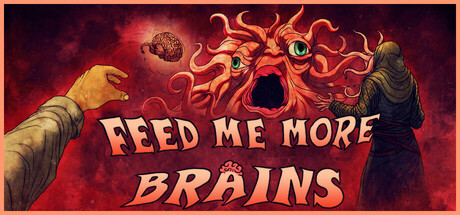
ChangelogAddedAdded visible player hands with animations.ChangedBrains are now highlighted when they can be interacted with.Improved interaction feedback, making it easier to tell when an object can be interacted with.Adjusted brain physics to reduce excessive bouncing.Reworked the UI to better support all supported languages.Slightly rebalanced some upgrades.Magnetic Growth can now be unlocked without requiring Growth Affect Player.Reworked brain pickup mechanics. Brains now follow the player's camera, making them easier to aim and throw.FixedVarious minor bugs.The next update will bring more narrative content, improved visual feedback as the God evolves, and introduce a brand-new progression system: Communions.
Crafting Improvements Crafting now has the approved consolidated header, showing the active batch, progress, Mastery loadouts, production controls, timings, and queue together. Added a dedicated timer for the currently active Crafting batch. The Crafting workbench now scrolls internally so lower recipes and Craft buttons remain reachable at different resolutions and UI scales. Fixed finite Crafting orders disappearing when materials run out. The exact unfinished quantity now remains waiting. Gathering resumes while a Crafting order waits for materials. Waiting Crafting orders automatically restart when enough materials become available. Affordable later orders can still continue while an earlier order waits for materials. Offline Crafting now preserves and resumes unfinished orders using the same rules as online Crafting. “Craft All / Until Empty” remains unchanged and still ends normally when materials are exhausted. Display & Interface Scaling Fixed interface elements scaling independently when resizing the game window or entering fullscreen. The complete game interface now resizes together as one coordinated canvas. Manual interface scaling is automatically limited when the selected size would extend beyond the available screen. Larger displays can still use 120% scaling when sufficient space is available. The approved Crafting header now keeps its intended structure instead of rearranging into mismatched sections at narrower sizes. Inventory and Crafting remain fully reachable without allowing panels or controls to become clipped. Dungeon Combat Fixed active Dungeon encounters sometimes displaying the player’s previous Gathering or activity screen. Dungeon damage numbers no longer appear over an unrelated activity interface. Entering or returning to an active Dungeon now reliably opens the proper Dungeon combat screen. Dungeon combat routing remains correct after character switching or restoring an active encounter. Talent Build Reliability Fixed selecting a sub...
1. Added Bankruptcy Palm and Star Siphon Art.2. Optimized woodcutting and mining event drops.3. Added four new adventure events.4. Added automatic claiming for daily and weekly quests.5. Added sect raid dungeons, making the full codex achievement completable.6. Optimized right-side message display.7. Optimized attribute tooltip descriptions.8. Added the talent system.9. Optimized window resolution display.10. Optimized codex categories.11. Added an auto-cooking toggle similar to auto-forging.
Thanks

Eldara — Major Update (August 2026) ✦ New: Expanded Language Support Eldara is now playable in English, German, French, Spanish, Russian, Simplified Chinese, and Brazilian Portuguese. Localization now covers far more than menus: combat, monsters, dungeons, world bosses, Codex inspection, item descriptions, sigils, quests, ranks, achievements, settings, saves, bank, tooltips, and notifications. Language switching has been improved so old-language UI is less likely to linger after changing your selection. More language improvements and coverage checks are still on the way. If you spot untranslated or incorrect text, please report it. ⚡ Performance & Smoothness Reduced unnecessary UI rebuilds that caused recurring frame hitches. Improved bank and inventory update behavior, especially during deposits, withdrawals, and other direct item actions. Reduced expensive rarity effects in dense item grids. Rare, uncommon, and epic items now use clean rarity frames rather than costly glow effects. Shiny, Legendary, Apex, and Mythic Void items retain their special visual emphasis. Improved general responsiveness across combat, Codex, inventory, and bank-heavy gameplay. ✦ World Bosses, Loot & Sigils Fixed loot crate offers that could stop appearing during normal play. Sigils now provide proper hover information, including the World Boss they awaken and how they work. Improved World Boss, monster, item, and Codex localization coverage. 🔧 Fixes & Polish Fixed several missing or mixed-language item descriptions, inspect panels, tooltips, spell panels, cremation content, and notifications. Improved localized item names and descriptions across the Codex, inventory, bank, loot tables, and crafting surfaces. Various UI cleanup, tooltip, and visual consistency fixes. Save and cloud-save handling remain unchanged by these updates. This is a large update touching many UI surfaces. Please report any untranslated text, incorrect wording, missing tooltip, performance issue, or other bug you enc...
• Fixed the game quitting itself during play. A recoverable graphics hiccup was being treated as fatal — the game would vanish with no warning, and because it never got a chance to save, any progress since your last save went with it. It now recovers and carries on. • The game now keeps a small log file. If something goes wrong, you can send it to us and we'll actually be able to see what happened: Windows: %APPDATA%\KeypressExpress\log.txt macOS: ~/Library/Application Support/KeypressExpress/log.txt
Thank you
🔮 Divine Arcanist Gear 🟠 Divine Mana Siphon now has a 10% chance to restore 5% Max Mana. 🟠 Arcane Overflow grants 8% more ability damage while above 90% Mana. 🟠 Overflowing Ward grants a 5% Max HP shield when Mana Siphon triggers at full Mana, stacking to 10% for six seconds. 🟠 Spellflow grants 6% Haste for four seconds after spending Mana on an ability. 💎 Easier Gem Socketing 🟠 Socket equipment directly from your character, Inventory, or Bank using Gems stored in either Inventory or Bank. 🟠 Banked equipment now supports inserting, replacing, removing, and unlocking Gem slots without moving the item first. 🟠 Replaced Gems are returned safely, and stacked equipment is separated before socket changes. 🎒 Inventory, Bank & Account Vault 🟠 Completely identical equipment and relics can now stack safely in Inventory and Bank while preserving their Gems, affixes, upgrades, and other item details. 🟠 Added Unstack All for separating equipment or relic stacks into individual slots. 🟠 Account Vault equipment and relics remain individual items. Existing stacked copies are separated automatically, with overflow sent safely to the Delivery Cache. 📌 Crafting Wishlist 🟠 Pinned recipes now include a Combined Materials summary showing the total required, the amount owned, and what is still missing. 🟠 Material totals combine available Inventory and unlocked Bank resources for one craft of every pinned recipe. 🗺️ Region Seals Codex 🟠 Added a complete Region Seals guide covering stat rolls, offensive and defensive groups, Depth scaling, Rank scaling, Route Aether costs, protection, replacement rules, and offline behavior. 🟠 The guide also explains the six-Seal collection, three active positions, reserve Seals, and Auto-Replacement decisions. 🏰 Spire Offline Progress 🟠 Offline Spire progress now respects the Auto Combat setting instead of continuing through additional encounters when it is disabled. 🟠 Offline Aether rewards now follow the daily reward curve correctly. 🟠 Spire rewards now ...
Fixes • Fixed the menu freezing when opened from the taskbar — it would show but ignore every click until you restarted the game. (Windows) Added • Buying an enhancement now shows you what you rolled, revealed on the split-flap boards. Previously the result flashed by in a message you could easily miss.
Patch 1 — your first reports, fixed All four of this week's changes came straight from player reports: Esc now opens Settings when no panel is open (and still closes whatever is). New UI scale setting (80–140%) — zooms the whole interface, not just text. The Text size setting now actually reaches all the fine print (the Drift Echo tree was the worst offender), and the smallest text got a bump regardless. Tall panels (Factions, especially) no longer hide their header behind the top bar on 1080p displays. Keep the reports coming — this is the pace. — Jeff
Hotfixed an issue causing infinite condensation.
🌐 Languages & Interface 🔸 Added Traditional Chinese as a fully selectable game language. 🔸 Saved Production Mastery loadouts can now be switched directly from Gathering, Crafting, and Combat screens. 🔸 Equipment Crafting filters now remain selected when switching between Crafting categories. 🔸 Subclass names now display in the selected game language on the character panel. 🔸 Until Empty Crafting status and queue controls now remain readable at narrower window sizes. ⚙️ Automation & Quests 🔸 Craft All now shows an estimated total duration and continues until available materials are exhausted. 🔸 Crafting queues now skip jobs temporarily missing materials, continue any available jobs, and revisit skipped jobs later—including during offline progress. 🔸 Dungeon Loop now reliably starts the next run after completion or defeat. If another run cannot start, the game safely returns to production. 🔸 Act I and Act II Quests can now be accepted even when the active Quest Log already contains ten Quests. ⚔️ Combat & Endgame 🔸 Pyromancer’s Fire DoT now deals 65% of the triggering normal attack’s pre-critical damage per second for 3 seconds, instead of scaling from enemy Max HP. Each tick can critically strike. 🔸 Veiled Reliquary enemies now maintain meaningful minimum damage pressure against highly defensive builds, with stronger pressure from Wardens, Elites, and checkpoint bosses. 🔸 The Frontier Quartermaster now shows your current Frontier Marks balance. Seal help now clarifies that active Seal stats apply anywhere normal character stats are used. 🔸 Tower progression now continues normally beyond Floor 2,000 while Rebirth remains disabled. 🔮 Coming Soon 🔸 Tower Rebirth is still in development and needs additional fixes. It is currently disabled and is planned to arrive in the next few days.
Added French as an available languageAdded Wide Black FlashSkill Tree small pricing rebalanceSmall UI QoL
游戏将在12:30正式发行 联系客服可以获得礼包码
Fixed an issue where quest could not be accepted at level 92 (Act II) 修复了在 92 级(第二幕)无法接取任务的问题。
Thank You, Vanya Community! Today we celebrate an incredible milestone: over 200+ Founder Packs sold across Steam, Web, and Mobile! From everyone at Demona Vosz, thank you for believing in Vanya and helping us continue building the MMORPG we've always dreamed of.Every Founder Pack purchased directly supports future updates, servers, music, and new content. ❤️ Love is Dead Expansion is Now LiveThe Love is Dead content expansion has officially arrived!This update introduces one of the biggest progression systems ever added to Vanya.WingsPlayers can now:Farm Wings from new content.Equip Wings for massive character bonuses.Collect numerous Wing from Wings Cult Store.Become stronger than ever before. Every Wing offers meaningful progression and opens up new endgame goals. Brilliant ItemsA brand new rarity has arrived.Brilliant items are incredibly rare drops that emit a powerful glow and provide exceptional power.Finding one is intended to be one of the rarest and most rewarding moments in Vanya. Thank YouThe Steam launch has been an incredible milestone for Vanya, and we'd like to sincerely thank everyone who joined us on Steam, Web, and Mobile.Like many online game launches, not everything went perfectly.One of the biggest pieces of feedback we received was that launching without a fresh server made it difficult for new players to compete. We listened immediately, and Nythar, a brand-new world, was opened the very next day to give everyone a fair opportunity to start together.We also encourage new players to look beyond reviews written after only a few minutes of gameplay. Vanya is a long-term MMORPG designed around progression, exploration, rare loot, and community. Many of its systems simply can't be experienced within the first hour.We're committed to improving Vanya with every update, and your feedback—both positive and negative—helps shape the future of the game. What's NewNew Wing equipment system and slotBrilliant rarity itemsPowerful new progression for level 3...
Fixed a bunch of smaller issues, including a queueing issue for Crafting.