Hi everyone, this is the Desktop Cozy Cat Tree team. Before launch, more than 1,000 of you added Desktop Cozy Cat Tree to your wishlist. And on November 16, the game is finally out! Thank you so much to everyone who waited and cheered us on. Launch discount: 10% off until November 30 If it's been sitting on your wishlist, now is the perfect time. Set up a little cat tree in the corner of your desktop and watch the cats climb, bounce and nap. The Water Park DLC is on sale too Water sprays from the top of the post and splashes through 13 new rides, from water slides to a cannon that launches cats. 15 new cats come to play, too. We'll keep polishing If anything bothers you or there's something you'd love to see, let us know on the discussion board. We read every post. And if you're enjoying the game, even a one-line review helps us a lot. Thank you, from all of us and all the cats!

Dear Knights, In Update 2.2, Elle and Izayoi can set off on their own travels. They'll send you letters in Japanese, wait for your reply, and return to camp with the souvenir you chose. Travel: a letter from her, a reply from you Once all five companions have joined your party, a mailbox appears beside the camp's message board, and Travel becomes available on the Daily page. Send Elle or Izayoi on a trip, one companion at a time. There are six destinations: Shiomi Harbor, Yukemuri Springs, Windmill Hill, Takeakari Post Town, Yukimi Pass, and the Capital's Star Market. The first two are available from the start; the others unlock as you complete trips. Each has a small 3D scene you can preview. Choose from six letter levels: Kana and N5–N1. Each companion has two letters for every destination at each level: 24 letters per level, 144 in total. Return to the same destination with the same companion and level to receive the second letter. After both have been received, they alternate. A letter arrives 12 hours after departure, with a short note at the halfway point. Letters are written in Japanese, with translations available. Elle uses polite style; Izayoi uses plain style. Write your reply one sentence at a time by arranging word tiles or choosing the right particle or verb form. Each sentence has three hints, an explanation, and links to relevant study cards. The Kana level uses kana postcards to practise recognising kana and putting them together into words. Choose the souvenir you'd like in your reply: a gift, a whetstone, or a little EXP. Your companion returns 30 minutes after you send it. Go and welcome her home to collect it. A reply with no slips earns a Flower circle, one or two slips a Double circle, and three or more a Circle. Each wrong answer, use of Hint 2, or use of Hint 3 counts as one slip. Travel does not award gold. Your grade awards whetstones: 1 for a Circle, 2 for a Double circle, and 3 for a Flower circle. A Double circle or better also brings T...
New Video Compatibility Mode for Windows If a browser video on YouTube, Twitch, or a similar site goes black or freezes when HoloCozy is over it, turn on Settings → Graphics → Video compatibility. The mode limits the game window to the area around the room and interface so the video behind it can stay visible. You may see brief visual glitches while resizing the game. Turn the option off to return to the original window mode. Concentration Reduced the computer opponent’s matching ability on higher difficulties. Other Small Changes Fixed a few UI details. Thanks for playing HoloCozy and for reporting these issues!
1.开放地图-鹿鸣苑,新增怪物衔芝,跃溪,灵角仙尊2.新增装备-灵角衔芝套装,新增材料衔芝草掉落3.新增成就-鹿死谁手,同步更新鹿鸣苑的探索和三界悬赏4.新增灵宠-芝瑶,资质860-1250,天生技能长虹贯日,圣级会心,凝血成锋,高级锋锐 灵鹿踏月体,天生穿透增加20% 天生致命伤害增加20% 极小概率天生自带铭刻残阳鹿啸5.新增灵宠主动技能-凝血成锋,消耗10000生命与3000法力,对单个敌人造成160%攻击伤害6.新增灵宠光环技能-长虹贯日,效果为己方阵营增加15%穿透7.新增角色技能-风卷残云·真,可使风卷残云进阶 主动造成(260%+3%×等级)攻击伤害并附加虚弱,学习后永久增加100%暴击伤害,之后每级再增加4%8.虚弱效果调整为可叠层,每层减少目标5%攻击力,最高叠加5层,整场战斗内永久9.新增第19把灵宠专武-踏月剑,鹿鸣苑掉落10.灵宠的逆天改命可以选择保留或者放弃改命结果了
Gameplay Improvements Blacksmith Shop / Gem Workshop · Priority slots: Smelting Priority and Cutting Priority now have 6 slots instead of 4, so more materials fit in one queue and need less rearranging. The first 4 are free; slot 5 costs 3,000,000 coins and slot 6 costs 8,000,000 coins, unlocked in order. Hover a locked slot to see its price, then click it to confirm the purchase. Bug Fixes Interface · Abbreviated counts: Item counts on many slots in the Blacksmith Shop, Gem Workshop, expeditions and Trading Post now show as 1.2k or 3.5m; the tooltip shows the full number.
《修仙立志传》与《欧皇VS非酋》开启了捆绑包促销! https://store.steampowered.com/app/4209240/%E6%AC%A7%E7%9A%87VS%E9%9D%9E%E9%85%8B/ 《欧皇VS非酋》是一款“全凭运气”的Roguelike抽卡对战游戏。我们不论财力,不拼工时,只比一样东西——运气。你的每一步成长,都由“抽奖”决定,全看天命。当你用一套神抽的卡牌碾压BOSS,赶紧问问你的朋友: “你怎么还没有通关啊?” {STEAM_CLAN_IMAGE}/42196056/4a959b46a67fdbe37b6c1e9f4dc51c52efb3d1bc.png

Birza
5 days ago
· pandayoo
The wait is over! Birza is now officially available on Steam!Welcome to a cozy little corner filled with birds. Take a break from your busy desktop life, put out some food, snap a few photos, and enjoy the simple pleasure of birdwatching at your own pace.To celebrate our launch, we're offering a 10% launch discount! It's the perfect time to bring some feathered friends to your desktop.Launch Discount & Special BundleWe also have something extra special for you!Birza has teamed up with Birdwatching Journal for a special collaboration bundle!Launch Discount: Get Birza with 10% off during the launch sale.Special Collaboration Bundle: Purchase Birza and Birdwatching Journal together to enjoy an additional 10% bundle discount! Special Collaboration StickersAs part of this collaboration, the bundle also includes exclusive stickers for Birza!Featuring familiar birds and facilities from Birdwatching Journal, these special stickers can be used to decorate your Bird Guidebook in Birza.Collect them, arrange them, and give your birdwatching journal a little extra personality!A big thank-you to everyone who has followed and supported Birza along the way.From the very first idea to finally sharing this little birdwatching world with you, your encouragement has meant so much to us.We hope these little birds bring a bit of peace, joy, and companionship to your everyday desktop life.Come meet your new feathered friends on Steam today!

To prevent nasty bugs from slipping into future versions, we've opened a "Test" branch as an early-update branch for each version. This branch is used for testing each version, so the risks are unpredictable — we don't recommend regular players switch to it. Brave players can right-click the game → "Properties" → "Game Versions & Betas" → select the "test" branch to try out new versions early. (Be absolutely sure to back up your saves, and beware of data loss and other nasty bugs caused by the test branch.) Test Branch Update — Version 1.1.7.0 Improvements 1. Added an auto affix reroll feature. Fixes 1. Fixed crash issues. (Players who experienced crashes, please help test.) 2. Fixed the game becoming laggy after idling for a long time. 3. Fixed a display error in damage values when they approach one billion. If you enjoy this game, we sincerely beg you to leave a positive Steam review! It helps the game go further! Thank you so much! Solutions for Crashes or Being Unable to Enter the Game Crashes (mainly Win11 users): Right-click the game in your Steam library → "Properties" → select "Game Versions & Betas" → select "win11stable" Can't enter (Win7 users only): Right-click the game in your Steam library → "Properties" → select "Game Versions & Betas" → select "win7compat" Can't enter (NWjs error shown): Clean up your C drive to free up enough cache space. (The engine needs some virtual cache space.) Stuck on the blue "Enter Game" button in Steam: Right-click the game in your Steam library, open the game installation directory, and "Run as administrator" 50-series GPUs: Please disable AI frame generation in your GPU settings, set the GPU to high-performance mode, or try updating your graphics driver. "Failed to start the game's process" error: This is caused by Win11's Smart App Control blocking it. Disable it in Windows Security Center → App & Browser Control → Smart App Control settings. If problems persist, you can contact me via email or the QQ group for one-on-o...
If your save files are missing, please check the save directories below:Demo save path: C:/Users/xxxx/AppData/LocalLow/TechJoy Games/Our Campus Life Demo\\SavesPre-release save path: C:/Users/xxxx/AppData/LocalLow/TechJoy Games/Our Campus Life\\SavesThis issue is caused by failed automatic save migration. We are investigating this problem. Please contact us if you run into this issue.

We're excited to share the first major balancing and improvements update we've been working hard on since Beellionaire launched!This isn't just a bug-fix update. We've extensively reworked the progression system, machines, upgrades, and core gameplay mechanics.But first, a huge thank you to everyone who has played, supported us, shared feedback, and joined us on this journey! ❤️So, what's changed?---Beekeeping Together Is Here! CO-OP Has Arrived!Tired of working alone on your farm?You can now build your own honey empire with your friends!Invite friends to your farm, split up the work, expand production, and fill that enormous 5-million honey jar together!Run the production machines, tend the hives, or improve your farm. You can now share the entire journey with friends.Building a honey empire has never been this fun! 🍯New Incremental System and Machines!Previously, reaching semi-automatic and fully automatic production took a long time and a lot of effort. Progress didn't feel rewarding enough, and you had to wait too long to discover new mechanics.We decided to change that!Production now has 4 distinct progression stages.- New uncapping stations!- New honey extractors!- Clearer, more satisfying progression!- New opportunities to improve production at every stage!We've also put full automation on hold for now. Our goal is to make production gradually more efficient and enjoyable without removing the core gameplay mechanics.Your new machines are waiting!A Completely Revamped Upgrade System!We've overhauled the upgrade system!Some upgrades were removed, others redesigned, and existing upgrades now offer additional benefits.You'll feel their impact on production more clearly and experience steadier, more rewarding farm growth.Our goal is simple: Every upgrade should feel like real progress!Smoother Gameplay and New Controls!Based on player feedback, we've redesigned the interaction system.Previously, using the same button for many different actions could cause mechanic...
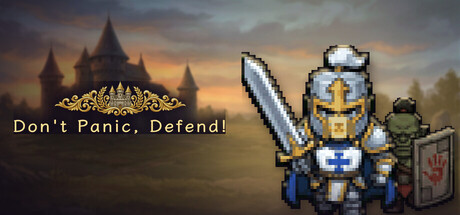
The gates are open. Don't Panic, Defend! is now available on Steam, and for the next 14 days it's 20% off. The idea is simple: enemies keep coming and your soldiers fight on their own. You never tell anyone where to walk. You decide who is in the army, what to buy, and when to spend your gold. No fast fingers needed. What's in the full game Six races: Humans, Undead, Orcs, Abyss, Dawnstar and Tideborn, each with its own troops and trait. Field more unit types from one race to power up its synergy. Race Spirits: push a synergy far enough and a giant spirit joins the fight: Light Colossus, Bone Giant, Hornbeast, Soul Maw, Radiant Wheel or Tide Turtle. Push further and it grows and gains a skill. Seven regions, seven Bosses: march across the world map from the Headsman to the Leviathan of the Deep and the Lord of the Mist on Mistveil Isle. Each region: a camp, three roads, optional side stages, then a 20-wave Boss fight at your gate. Your Hero: a support commander who stays behind the lines and shields, rallies and heals your army. Orders: pick one of three orders at the start and in the middle of a battle. Every one has a trade-off. Elites drop Order Chests for another pick. Gear and forge: loot gear from the start, salvage what you don't need for shards, and enhance your favourites. Expedition: send one race away for 10 minutes and it comes back with gear. Star Map and Talents: spend XP on permanent bonuses, and earn Talent Points to unlock the Hero, the Spellbook (sheep, anyone?), a bigger army and more. Endless Mode: clear the campaign and take on every Boss stage back to back. Losing is part of the plan Lose a battle and you only drop the gold you carried. Gear, the Star Map and your Talents all stay, so the next attempt goes further. And the enemy who broke your gate remembers you: come back and it returns with a title. Also included 24 Steam achievements Steam Cloud saves 11 languages: English, Simplified Chinese, Traditional Chinese, Japanese, Korean, German, F...
Pick a room for the moment A warm room with the fan turning overhead suits a long work session. When it’s time for a break, switch to a brighter lounge and leave your avatar to settle in. This clip shows a few of the rooms you can use in Lofi Cozy Room today. If you’d like to see how it fits alongside your own work, try the free Steam demo. Steam is scheduled to offer 25% off the full Lofi Cozy Room game from December 3 to December 15, 2026, starting and ending at 10 a.m. Pacific time. Expansion details on Kickstarter
A player told us: "I left it running for a few days without looking, came back, and my tribe was in a different age. I had no idea what happened in between." Gods have day jobs too. So the island now has a chronicler, who writes down the great events while you are away. And since the menu had grown very long, its settings now live in submenus. The Chronicle Menu → Chronicle: the great events of your world, newest first, under their years. Only great events go in: new ages and new ways, wars and peace, plunder, wonders raised, starships launched, famines, droughts, plagues, eclipses, comets, treasure, the god falling silent and coming back, and each tribe's first building of every kind. Houses and fields don't make it in. The chronicler has standards. An orange dot marks what happened since you last looked. Back after a long silence, a message tells you how many great events are waiting in the Chronicle. Scroll to read on, click to close. Each world keeps its latest 500 entries. Old saves: the great events still in the recent log go in first, and everything from now on is recorded. Three more ages after the Revelation The Revelation used to be the end of the road. Now three more ages follow it, each with a rule of its own: Information Age: while the two tribes are at peace, both learn 15% faster for each tribe on the net. War cuts the line. Age of AI: the tribe has a mind of its own. When the god goes quiet, it keeps your last will: no unease, no drifting back to old habits. Age of Stars: a starship lifts off the island for every 150,000 more knowledge, for ever. The island looks the part: Homes become smart homes with a satellite dish, white pods with a robot at the door, and finally glass domes over a garden. From the Industrial age on, villagers going far no longer walk. They ride a bicycle, then a car, a driverless pod and a hovercar, twice as fast on long trips. Warriors carry assault rifles, rocket launchers, exosuits, and at last lasers and plasma. In war, a h...
Hi everyone! A smaller update with things I noticed while playing and things you wrote to me about.Walking diagonally no longer makes the world shake: the camera now moves in whole screen pixels.The achievements window (main menu, pause menu, journal) has two tabs, Regular and Hidden. A small badge shows how many new achievements wait in the other tab, so a fresh hidden one is easy to find.The price window marks a standard price that moved since you last looked: "(was 12)".Notifications no longer cover each other: they show one at a time, each with its own sound, and fade out. When several wait in line, each stays shorter.The axe pulls you to a withered coffee or tea bush standing nearby, so clearing them out is easier. Living bushes are never pulled to: you still choose where to stand.Kate's greeting line now uses the right form for a male or female character in the Russian version.Smaller fixes and polish. Thank you for playing and for all the notes!
各位道友,大家好! 本次更新为大家带来了七大宗门专属的秘传禁地、护宗神兽认可机制与四类分档宗门委托;同时将散修开宗立派的境界门槛下调至「元婴初期」,并配套引入了更具真实感与危机感的邻宗来袭与山门防卫玩法。此外,「百世书」现将为您完整记下今后每一次成功破境时的年岁与境界。 以下是本次更新的具体内容: 一、七宗禁地开启:迎战守阵神兽,获取三段认可 1. 七大宗门专属禁地开放 七宗禁地现已全面开放:青云宗「封云井」、上古剑宗「听剑渊」、霸王宗「镇骨石窟」、血河教「沉血闸」、合欢宗「照心镜湖」、万毒门「百毒封窟」、千机阁「铜炉岩窟」。 每处禁地分为“外围、深处、核心”三层,依次要求达到筑基内门、金丹真传、元婴长老(或同等宗门身份),且进入后两层需先领取前一层的首通所得。每趟探索分别消耗 1、2、3 枚本宗秘令。 2. 禁地抉择与战斗规则 进入禁地后,道友可选择「稳守」借护盾护身,或选择「深入」以争取更多基础材料,随后需亲自迎战护宗神兽的守阵投影。 (1)续战说明:禁地战局支持关闭页面后继续,退出游戏重进后亦可续战;禁地不支持离线推进或自动连刷。 (2)败退保护:无论胜利、败退或主动认负,出场后均会恢复至入场气血,败退与认负不会触发角色死亡或转世(已消耗的秘令与丹药不予返还)。胜利后请务必手动领取所得,首通状态与探索次数将在领取奖励后正式记入宗务。 3. 护宗神兽认可与护盾加成 七宗神兽各自设有三段认可度。通过完成护宗委托并领奖、以及领取禁地外围与深处的首通所得,可逐步提升认可度,从而在本宗禁地开战时获得自身最大气血 5%、10%、15% 的开局护盾。 护宗神兽不占用个人灵兽或坐骑位置;神兽认可度在同一世退宗后依然保留,轮回转世后重置。 二、宗门任务扩充:新增四类共 84 项分档委托 1. 四类三档委托体系 在完整保留原有 21 项计时任务的基础上,七宗任务榜新增「讨伐、材料、制作、护宗」四类委托,每类均设有“进阶、凶险、极难”三档难度,共计新增 84 项任务配置: (1)讨伐委托:需在接榜后前往指定地点完成一趟有效历练; (2)材料委托:需交付任务指定的修行材料; (3)制作委托:要求接榜后实际炼成指定的丹药或装备(交付时会核对实际丹品、配伍或装备;已穿戴、已锁定或已强化的装备无法用于交付,避免误交损失); (4)护宗委托:供养本宗护宗神兽。 2. 接取额度与快捷跳转 角色一次只能接取一个宗门任务。每个游戏周内,四类新委托各可完成一次(同类委托的周额度在不同宗门和不同难度之间共用)。此外,道友现在可直接从任务榜快捷前往秘境与禁地,成功领取所得后各记一次宗务(更新前已完成的旧探索不追补次数)。 三、元婴初期即可开宗:山门防卫与覆灭风险 1. 开宗门槛下调与保护期规则 散修角色达到「元婴初期」后,即可按照原有流程勘察、选址并建立自己的宗门。 当本世亲自执掌山门时,邻近宗门可能会向你发来战书。自身宗门实力越薄弱,遭遇外敌来袭以及败守后山门覆灭的风险就越高。 (注:新建宗门、来世接印以及每次宗战结束后均设有安全保护期;来袭倒计时仅按有效在线游玩时间推进,游戏暂停与离线期间均不扣减时间。) 2. 亲征与门人守山 收到战书后,掌门既可选择御驾亲征,也可安排门人留守迎敌。若宗门内尚无长老,普通门人同样可以出阵(最多上阵 6 人),正在山门内采矿、种植的健康门人也可就地参战;准备倒计时结束后,留守门人将自动迎战。 3. 败守覆灭后果与旧宗善后 若防卫失败,可能导致宗门覆灭: (1)宗产与人员伤亡:宗门建筑、宗库储备、外借装备、宗门藏经、进行中的差事与课题等宗门资产将会失去;实际参战且仍在山门的宗门成员可能会在破门时战死(参战道侣同样遵循此规则)。 (2)个人保留与善后:掌门个人的背包行囊与已学功法不会因宗门覆灭而被扣除(但若掌门选择亲征且在战斗中战死,仍将执行原有的死亡转世规则)。原供奉的「宗门圣物」将自动转入独立的待领记录,即使背包已满也不会丢失;道友可在「旧宗善后」界面查看详细战报、人员与资产损失,并取回待领圣物。 四、百世书更新:记录每一次破境的年岁与境界 1. 破境履历永久留存 自本次更新起,角色每次成功突破且在雷劫下存活后,「百世书」都会自动记录突破当时的年龄以及突破前后的境界(包含大境界、小境界以及转世重修后的再次突破,均会逐次保留)。 2. 跨世翻阅与旧档兼容 本世的突破履历将接续在“本世”原有书页之后;轮回转世后,完整履历将归档至“历世”卷宗内,支持按世代随时翻阅。 旧档说明:本次更新支持继续使用旧存档;更新前未曾记录的突破年岁不会进行推测补写,新的突破履历将从更新后的实际破境开始正式积累。 感谢各位道友一直以来的反馈与陪伴,愿大家每一世的苦修与破境,都能在百世书中留下属于自己的印记!
https://cdn.discordapp.com/attachments/1564880600970694796/1572043601737949184/release-card.png?ex=6afcef31&is=6afb9db1&hm=e4b87505f8f6d643a63ac104b1573514781395af6bc8470147d1945e8d9c8d13& Doodlefolk 0.8.6 is out now. Fighters dash in to strike, keep a body apart, and hats and helmets sit right with arms and hair. Dash-in strikes Fighters can dash in and strike in one move: a dash punch, or a dash kick. Cleaner fights Fighters keep a body's width apart, and a knocked-down doodle no longer flashes across the floor as it gets up. Hats and helmets A waving arm shows in front of hat brims, long hair stays inside the knight's helm, and the cowboy hat's Studio picture matches the game. 🎮 Play it Steam updates Doodlefolk by itself. Not got it yet? Doodlefolk on Steam

Version 1.32.0 Built from your reports and ideas: item locks, a technique quick-bar, bulk buying, region trails that climb, Qi Cap that pays at every breakthrough, and fixes for more than sixty of your bug reports. Reports are numbered in #bug-reporting as ISSUE-N and suggestions in #user-suggestions as ENHANCE-N, so you can see when yours was acted on. From your suggestions Lock items (ENHANCE-61). Tap 🔒 on anything in your bag. A locked item can't be sold, listed, traded, donated, wagered or broken (bulk break included), and crafts won't use it as a material. You can still eat, equip or store it. Technique quick-bar (ENHANCE-3). Your equipped arts sit on the battle screen as one-tap buttons. On desktop, keys 1–6 use them. It can be hidden in Settings. Bulk buy in the sect merit shop (ENHANCE-49), and list several copies of the same gear or plate on the market at once (ENHANCE-44). Pill variants on sect orders (ENHANCE-67). Order any variant someone in your sect knows. Only a crafter who knows it can fill the order, and the pills are graded like their own brew, so a master alchemist or a strong variant delivers better pills. Pill saturation preview (ENHANCE-84). A stat pill shows how strong its next dose will be, and asks before you eat one at reduced effect or past your daily safe limit. Known manuals are marked in the market, bookstores and sect shop (ENHANCE-18). "You own N" on item sheets (ENHANCE-45), and weapon types in shops and the market (ENHANCE-72). More of your suggestions Market: scrolls show the tier of what they teach (ENHANCE-29/41); array plates show their remaining life (ENHANCE-30). Crafting: research benches stay open until the server accepts (ENHANCE-19), materials say "Fully researched" or how many designs are left (ENHANCE-32), and every craft shows its time up front and a live countdown while it runs (ENHANCE-79/81). Events: the world map shows each event's tier (ENHANCE-24), and a new top-bar button lists every event in your world, even whi...
English Russian German Spanish French Simplified Chinese Japanese Korean Hindi
Hi everyone, Explorers! New Japanese. Reperta is now also in Japanese, its eighth language: the whole game, Wiki included. If your Steam is in Japanese, it's already on; everyone else can pick it in SETTINGS › LANGUAGE. The translation was made with AI: if you spot a mistake, please report it. Fixes Leaderboards. In the LEADERBOARD and in the Explorers' Race, the rows of players with their Showcase turned off are as tall as the others. Night Battlefield. In the leaderboard, the rewards column is the same width in TODAY and THIS WEEK, and long lines wrap. Notices. A repeated notice ("… ×8") stayed in Italian in every language: now it's translated. If you're enjoying the game, help it get known by leaving a review, it would help me a lot! Happy exploring!
SysAdmin Odyssey launched in Early Access on April 24, 2026.In the nearly seven months since, 3,000 people have bought the game, and another 17,000 currently have it on their Steam wishlists.This is my first game and it's an amazing result for me, because I'm doing it alone, without a team or marketing, and the game itself is a very niche and complex simulator.Thanks to everyone who writes reviews, discusses the game, sends error messages, and just plays the game.Your activity helps me make decisions about the further development of the game and make it better.⬇️ Below is a summary of the half-year results and the announcement of the December updateWhat’s changed since AprilI’ve published 17 update posts on Steam since launch. In June, the game split into Career and Sandbox modes. That update also introduced a Career questline and brought a working network printer to the office.I added graphics cards, uninterruptible power supplies, and unmanaged switches, along with quests that use the new hardware. I also added WireShork, an app for analyzing network traffic.This fall, I added more networking tutorials, bringing the total to eight. I also added an IP calculator and a large, searchable knowledge base you can open with F1. It now includes hints for your current task, too.I finally reworked the interface. Its design went all the way back to the demo.A cleaner arrived at the office in Career mode. She’s the first one through the door, and she’s there to help you get the place ready for the staff to return from remote work. If some of your stuff gets carried off along the way, check the shelf in the server room.Recent updates added a simplified mounting mode. If precise aiming isn’t your thing, you no longer have to line up with the port every time you plug in a cable.Omega Market now has a shopping cart and order history, and you can get express delivery within one in-game hour. The in-game OS also has settings for scaling the interface and opening shortcuts with a si...

Past ED 100 the Everdeep endgame changes: gear grows slowly, enemies resist more, and Sunder matters more. This progression change will help me to have some meaningful content later that doesn't just infinitely scale. Nothing will change for current characters. Crafting is friendlier: Infusion rarely backfires, Enchanting usually improves the item's chosen stat, and you can reroll a Divine gift as often as you like using a shard. The crafting system still remains a spare loot gambling system but should feel a bit better. Set Bank The Set Bank window is taller, and the set list takes up less room. Slot chips above the pieces show how many copies you have of each piece. Each stored copy has its own card with Withdraw, Withdraw & Craft and Scrap. Locked items can't be scrapped. Pieces still in your Vault or regular Bank can be scrapped from the Set Bank too. Hover a piece's picture or name to see its tooltip and compare it with what you have equipped. In the Vault, the Scrap button on medium cards is always visible instead of appearing only on hover. Unique Essence bench The reason a card can't be awakened now shows under the card instead of covering it. Cards you can awaken show roughly what score they will reach. The bench explains that awakening only reaches the last stage you have beaten, so new drops from your current stage can still score higher. Sunder Hover your Sunder value in the hero stats panel to see how much resistance your first hit strips from each foe. The combat log line for Sunder now shows how much resistance was removed and the damage it adds for that fight. Before, it could show impossible numbers like 1818%. The combat math is unchanged. Crafting Infusion: most infusions now improve the item. About one in eight backfires, by sapping every stat by 15% or destroying the item. Infusion: Condense keeps a unique or set piece what it was, unique effect included, and infused items always keep their Magic Find, Gold Find and XP stats. Infusion: Reroll al...
Fixed an issue that could leave the game stuck if you unlocked an upgrade while moving a spawner. To move a shield, pick it up with a right click instead of a left click. A new tutorial shows how.
Optimize Greatly improved framerate performance in the late game. Supports big integer calculations above 1e1401.
A huge thank-you to everyone who’s added our game to their wishlist. Your support and excitement mean a lot to us, and we couldn’t have reached this milestone without you! ༘⋆𖦹 🎪

A new patch is now live! Your backpack can list loot oldest first and holds still while you look through it, fresh drops wear a “New!” tag and buttons that want your attention are much easier to spot. Several of these came straight from your suggestions, so thank you!Please let me know what you think over on the Discord server.New:Your backpack can now list loot oldest first. Locked items keep their place in that order, so locking one never makes gear jump around.Fresh loot wears a "New!" tag until your mouse touches it, so new drops are easy to spot.Improved:The backpack and gear screen now hold still while your mouse is over them, so a new drop never pushes away the item you are looking at.With the Sell menu open, clicking another item in the backpack now opens the menu for that item right away.The "How it works" card now says what a run pays: replaying old levels earns a little, while pushing past your record earns far more.The prestige window now explains your starter bonus right where it shows: extra points for a new save that fade out as you earn more.Buttons that want your attention, like Passives when a hero has points to spend, now pulse brighter and light up their edges, so they are much easier to spot.Fixed:The Sell menu in the backpack no longer opens as a tall, mostly empty column.Thanks for playing, and keep the feedback coming in the Discord server.-VindR