New Features Added an optional Optimize missions on open setting. Opening an unused mission can now fill its crew using Optimal instead of starred heroes, without starting it. Heroes in your formation, mines or other assignments stay excluded. Added a saved FPS limit setting under Display, with 30, 60, 120, 144 and Unlimited options. The default remains 60 FPS. The Tower's Advanced Plan now lets you switch between the upcoming 13 floors and your current 10-floor checkpoint block. Your floor range, rider preview mode and preview rider choices are remembered between visits. Bug Fixes Bulk Seer purchases now unlock new rewards and increase reward amounts as you gain levels during the purchase, just like buying pulls individually. This also applies to Auto-Seer. Corrected the Seer's chest-upgrade heading to show Uncommon to Rare. Fixed Beast Bazaar layout and mount details when opening or reopening the shop, including when its catalog arrives after startup. Fixed text in several windows and popups causing their layouts to grow beyond the screen before opening. Fixed the game window snapping back when you intentionally leave it partly offscreen. Your placement is preserved while enough of the title bar remains reachable, and recovery still works after display changes.
Dear Uptasians, Our journey towards a smoother Uptasia continues! Today, we've moved the community preview to a new foundation, bringing faster startup times and improved performance. Thank you to everyone who has tried the preview and shared their experiences. We'd love for you to take this next step with us!✨ What's new? • New wrapper: The preview now uses Tauri instead of Electron to run Uptasia on your PC. • Faster startup: Uptasia launches faster when you start it from Steam. • Improved performance: Enjoy a smoother experience as you build, explore, and search.You can enjoy the same familiar gameplay and features, with faster startup and improved performance. Please keep the Steam Overlay limitations below in mind.This is still a preview, so there are a few rough edges. Your feedback helps us see how the new version works on different PCs.🎮 A note about the Steam OverlaySteam Overlay support is currently limited and relies on experimental workarounds. It may not always work as expected, so please keep this in mind when trying the preview.🛠️ Three rare issues & quick fixesIf you run into any of these issues, the following temporary fixes should help:A black game screen when starting?Press Esc to leave fullscreen mode and make the game visible.The Steam Overlay stays on screen after you close it?Press Esc to clear the stuck overlay. Mouse clicks stop working after returning to the game from the Steam Overlay? Use Alt + Tab to switch away from Uptasia, then return to the game. This restores focus so mouse clicks work again.🧪 How to try the updated previewAlready using uptasia_community_preview? Let Steam download the latest update, then start the game as usual.To join, right-click Uptasia in your Steam Library and open Properties → Game Versions & Betas. Choose uptasia_community_preview, wait for the update, and start playing. You play with your usual account and keep your progress. You can also return to the regular version whenever you like.🔎 Improved since our ...
• Spooky Event replace Summer Event and last till December (it also have 2 event pack in the shop).
Fixed damage upgrades sometimes not properly applying until you restarted the game. Fixed rituals sometimes not appearing in the hotbar. Fixed some ritual cooldowns sometimes bugging out to absurd numbers. Fixed Megapick sometimes spinning way too long before being thrown. Calamity Totem can now only affect CDs that aren't already below 20% and also can't affect dwarves mid attack, which buffs it slightly and fixes a couple of bugs and visual discrepancies. Mithril, Souls and Dwarves resources are now formatted above 1k. More fixes trying to solve the rare crashes a couple of players are getting with very big bloated save files. Localization fixes. Performance improvements.

Hello everyone! We've been listening to your feedback and just pushed an update packed with community-requested features, customization options, and multi-monitor fixes! Here is everything included in this update: 👗 Outfit & Item Randomizer Independent Randomization Toggles: You can now randomize Outfits and Items/Accessories together or separately from the Settings menu. Custom Interval Slider: Choose exactly how often your waifu switches outfits with an adjustable interval slider. Visual Alignment: Synchronized card bounds and grounded outfit thumbnails for clean presentation. 🖥️ Multi-Monitor & Window Positioning Primary Monitor Launch: The game now automatically detects your Windows Primary Monitor on first launch instead of launching on secondary side-displays. Window Position Memory: Once you move your waifu to your preferred spot, the game remembers the exact position and monitor between play sessions! "Not On Top" Fixed: The "Not On Top" toggle now works as intended, letting other windows overlay freely when you want your waifu in the background. Thank you so much for playing and for reporting these issues and suggestions in the forums!
Version 2.0.2 is a small hotfix. Fixed The scroll bars of the Upgrades and Credits panels could not be dragged with the mouse. You can now drag the handle or click on the bar to move through the list. The mouse wheel already worked, and it still does. This update does not change your saves or your settings.
Hello,in this update want to finally show progress in Localization. I will also talk about the release plan and for a bit of fun I want to include my first experience with AI coding (yay).As you may have guessed already I am a 'late adopter' of cutting edge tech (Microcivilization still runs in .net 5!). So it is only now that I look intyo this agentic coding trend everyone seems so excited about ...Since the localization requires plenty of throwaway helper scripts (as will be shown later) and also includes a lot of tedious work, I figured it could be a good exercise to test the latest coding AI without letting it touch too much of my precious code. So I will share my pains and gains in dedicated ✨AI notes. Gazillion of textsPerhaps the most frightening issue was not knowing how much there will be to translate. In my last update in September I could only guess. Mainly because of the many texts in game code, that never show up.You see it isn't so simple as to look at a single piece of code and see a list of all user-visible texts. There are hero traits which only drop for saves imported from 2023 versions and no longer drop. There are Heroes that only drop in old playtest demo. There is a lot of semi-dead code on various places (things that are turned off by configuration feature toggles, but technically could be turned on if I wanted to). But now I know. It is around 3,400 texts. I know that, because I asked mighty AI to count them. ✨ AI experiment Note: The first response was around 5,000. Over time with more hints I got about 10 different numbers, and ~3,400 seems to be a more stable number now. I quickly found out that detecting dead code with AI is highly unreliable. To confirm my suspicion I asked for the list of all droppable heroes (same semi-dead-code problem but one for which I know the correct answer). Unfortunately not even the most obscene models could get it right without repeated clues.The two parts where I spend most of the work now. The string defini...
Version 2.0.1 is a small fix for the Options screen. Fixed In Options, the on/off switches did not respond to the mouse: VSync, Show FPS, Lower FPS in background, Mute when in background, Confirm before exiting and Floating gold numbers. They now change with a click. The Master volume, Music and Sound effects bars could not be dragged or clicked with the mouse. You can now drag the handle or click anywhere on the bar. The keyboard and the controller already worked, and they still do. This update does not change your saves or your settings.
All Hail the Orb available for 40% off for limited time only

MISHA
26 days ago
· MOQred
MISHA is one year old today A year ago Misha moved onto your desktops. Thank you for every click, every outfit and every message in Discord. Our birthday gift is Honey Frosting, a limited cream-and-gold dress. It's available only with this code and only until Sunday, November 1 (20:59 UTC): MISHA_IS_ONE How to redeem: open the MISHA window, click ⚙️, enter the code under Promo Code and press Apply. The code works once per Steam account. Honey Frosting doesn't drop from boxes and won't appear in the Item Store — this code is the only way to get it. The dress can't be traded or sold on the Community Market; it stays in your collection after November 1. The Halloween + Birthday drop with 10 more looks runs until November 22.
🐛 FixesFixed a bug preventing the Combo x20 and Flush x20 upgrades from being unlocked, blocking the Fully Unlocked achievement.Fixed upgrade levels not counting up correctly.Fixed Prestige boosts not applying immediately to upgrades you already own.Fixed the Multi Dice Helper AoE upgrade not correctly increasing its impact area.✨ Quality of LifeHard/Hell Modes: Debt shop buttons are now hidden once your debt is fully paid off.If you run into any bugs or have feedback, please let us know in our Discord.
Auto-Replant Auto-Replant now goes by the same boost the Replant tab shows, with your new acorns spent on Sturdy Roots. Before, it went by a smaller hidden number, so a tab showing +40% could sit at a +10% mark and never Replant. The mark now reads the same way as the Replant tab: +20%, +50%, +100% and so on. New lowest setting: Every ripening. The bell Replants every time your Amber Acorns are ripe. The Replant tab and the Auto-Replant chip now tell you what the bell is waiting for: ripening acorns, a higher boost, Auto-Hire (or Old Hands or Full Crews), a fight to end, or a Legendary Tree that's within reach. Achievements Nine achievements are easier, so 100% is in reach. If you already qualify, they unlock as soon as you load in. Moonlit Marathon: see 35 nights (was 100). Heavy Lifting: fell 15,000 trees (was 25,000). The Great Felling: fell 20,000 trees (was 50,000). Frenzy Fanatic: start 125 Chop Frenzies (was 200). Hearth Keeper: Rally the crew 25 times (was 50). Giga Gazer: beat Giga ★2 (was ★5). Complete Keepsakes: discover 15 different Forest Finds (was 24). Look, No Hands: play 2 hours in total (was 8 hours away). One secret achievement now asks for 3 hours of play in total instead of a whole day away. Play-time achievements show their progress as a time. Fixes Stargazer shooting stars now show up when they hit a Legendary Tree. The big hit was always there, but with no star on screen it looked like the tree got one-shot by a glitch. The Auto-Replant setting no longer gets cut off in French and Portuguese on smaller screens. Credits Added Liam to the Hall of Fame for the fastest Giga Tree run: 2.9 hours. Your grove carries over as always.
Hello, this is Rootkit_ from DEFRAG.DEFRAG is finally available on Android!You can now enjoy DEFRAG on mobile as well.Android ReleaseYou can now play DEFRAG on Google Play.View on Google Play33% Off on AndroidThe Android version is 33% off from October 27, 2026, 5:00 PM UTC to November 9, 2026, 4:00 PM UTC.We will continue refining the game to provide a better gameplay experience.Thank you for your continued support and interest.
Mushroom Rings Mushroom Rings now pop up reliably at every stage of the game. Late in a run, when trees regrow almost instantly, rings had nearly stopped appearing; now a ring sprouts on the stump of the next tree that falls. Fairy Ring Finder and the ring jobs are back on the table. Achievements Sweeping Success: every Knight in a squad now counts, and the sweep counts young trees next to the target too. Swipe and Stride now needs 100 Slashing Charge hits (was 1,000), and a swipe across any row of trees sends the charge. Gameplay fixes Replant and Rebloom now properly reset your lumber. Logs still rolling to the Sawmill were paying out into the new run. Auto-Replant no longer waits forever on a Legendary Tree nobody is going to fight, and its bar shows the real progress, acorn ripening included. Holding the mouse and swiping back and forth keeps slashing. A Legendary Tree that's still standing never shows 0 HP. Interface The tutorial's pointing hand now actually points at what it's pointing at. "Save and quit" is now "Save and Exit Game", and it asks before closing. New: Settings > Your save > Reset save, for a completely fresh grove. It's permanent, so you have to type a phrase to confirm. Steam achievements you've already earned stay unlocked. Added Parker to the Hall of Fame in the credits for being the first to befriend the Giga Tree. Your grove carries over as always.
Start the engine and move your home onto four wheels! The brand-new "Campervan Life" theme pack is here with 27 fresh levels to color — carrot cars, a watermelon oasis, a campervan under the aurora, a hot-spring stop in the snow, and a home lifted by balloons over the canyon, all turned into adorable pixel-art grids. ✨ Highlights • 27 brand-new Campervan Life themed line arts (10 easy / 10 medium / 7 complex) • Warm sunset palette in a cozy, flat-color road-trip art style • From tiny handheld props to wide-open canyons, difficulty ramps up gently • Full support for the original coloring gameplay and achievements 🚐 How to get it Own this DLC on the Steam store to unlock all 27 levels. Click the card below to visit the store and start playing right away. Pack your life into a little campervan — take your time, no rush. See you in the next update! 🐾
The android version will be available on Google Play Store on November 5th, 2026. Pre-register here!I am working to have the iOS version released at the same time, but it is having trouble getting approved in the App Store, so I can't guarantee it will be available in time. But it will be available in the future at some point!
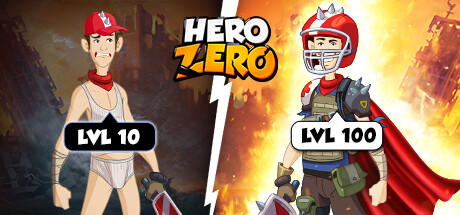
🎃👻 Halloween Has Arrived in Humphreydale! 🦇💥Creepy costumes, carved pumpkins, and plenty of spooky trouble — it can only mean one thing: Halloween is here!Join the big Halloween event and get ready for a frightfully good time in Humphreydale.📅 October 28 – November 3, 2026🎃 Complete special Halloween tasks and earn great rewards🦹♀️ Find Dr. Noctura’s Supervillain Lair and stop her from turning the residents of Humphreydale into mindless minions🏆 Legendary rewards await in the Supervillain Lair🧥 Discover 15 matching scary items at the Second-Hand Shop, including a Weapon Set🐾 Find two frightening Halloween sidekicks — one with a special level 10 skill and one with a special level 30 skill🍩 Check out the Shop for terribly good deals and scarily delicious Creepy Boxes🃏 Each Creepy Box also features one part of the exclusive Scary Jester Hero SetAnd while you’re enjoying all the Halloween fun, keep your eyes open — a Halloween villain is haunting the city! 👀🎃Have a frightfully heroic Halloween! 👻💥#HeroZero #Halloween #DrNoctura #SupervillainLair #ScaryJester #HalloweenEvent #HeroicRewards
Small update focused on Steam Deck: - Text is now larger and easier to read on Steam Deck (menus, shop, tablet apps, settings, album, wrapping station and customer notes). - The tablet opens bigger on Steam Deck. - No changes to gameplay or saves. PC and Mac look the same as before. Thanks for playing Keep Me Gifted!
FixesSpam clicking and entering level up screen now does not immediately choose a card.Chests don't spawn next to the exit anymore and have higher input priority.
Hey Panda Peeps,If you’ve been around for a while, you probably know that we’ve been working on another dating game called Soul Mates. And if this is brand new information to you, well, you’re in for a treat! Soul Mates has been in Early Access for the last little while, and after taking lots of player feedback and adding tons of polish, we’ve officially pressed the “full launch” button. We wanted to let you know that right now, you can get the game for 20% off - and if you purchase it, the adorable zombie girl Lydia will unlock for FREE in your Crush Crush game! Who doesn’t love a spooky new waifu to romance around the Halloween season?The sale only runs until November 2, but the Lydia crossover is forever. No matter when you add Soul Mates to your library, Lydia will make the jump and be yours, all yours! You can check out the game (and add it to your wishlist if you so desire) at its store page here!Thank you for taking a peek, and remember… we love you so hard!The Pandas
Features and Tweaks * A new holiday event item has been added to the seasonal shop. * Halloween event items have been buffed. * Aeon Vigil scaling has been buffed. * Draconic Timeline: The timeline is now available from the second selector slot. In addition, every 100 stages will now trigger a Dragon mini-boss while in the timeline. Fixes * Beast Essence should now appear at the Alchemist's shop. * The descompressoin pet trait should now function correctly.
The new tutorials in 1.13.30 left the screen locked for some players; I'm sorry for the trouble. To make up for it, enter BUGFIX1 in the code field on the main page of the Settings to get 50 diamonds.IMPROVEMENTS- I added a "Skip" button to forced tutorial steps that darken the screen; it always sits in the corner farthest from what the tutorial points at and ends that tutorial.FIXES- I fixed the task tutorial pointing at the wrong task slot; it now points at the Accept button of the first task.- I fixed the tutorial message box shifting on different screen and window sizes.Happy digging!
Hello everybody.This is the biggest update FlashBoss has had since launch. Over the last weeks the game has been built into a fullscreen display that supports the mouse and right-to-left writing, starting with Arabic.FlashBoss in its own window. On Windows and Mac, pressing Play now offers two launch options. FlashBoss is the main way to play from today: the same game in its own window. FlashBoss Terminal is the familiar version, kept as a backup.Mouse support: click menu options and answers. FlashBoss is still optimized for the numeric keypad, so you can keep your hand where it is.Resize the window, or go fullscreen with F11.The animated animals from the trailer are in the game now: the tutorial cast shows which key does what (F8 hides them).A hotkeys panel, and the pronounce window (Ctrl+P), the Esperanto analyzer (Ctrl+E) and the language menu (Ctrl+L), all built into the window.Both versions run the same engine on the same heroes, saves and progress, so you can switch at any time. Linux and Steam Deck stay on the terminal version for now; the new window is coming there next.FlashBoss speaks Arabic. Arabic joins English, German, Spanish, Japanese, Simplified Chinese and Russian as an interface language, across the whole range: the interface, and the cards, notes and lessons of the German, Spanish, French, Italian, Esperanto, Swahili, English, Latin and Toki Pona courses. Heroes can carry Arabic names, and an Arabic keyboard works in every menu. Arabic is written right to left, so it plays in the new window. The Guide is not in Arabic yet.Every keyboard welcome. Russian, Greek and Japanese kana-input keyboards now work in every menu, just as a Latin keyboard does. Heroes can be named in Cyrillic (Ukrainian and Belarusian letters too), Greek and Chinese characters, as well as in kana and Arabic.Latin, corrected. Bringing Latin into Arabic meant reading every card again, and that reading turned up grammar points in the base course worth fixing. They are fixed in Lat...
New Features Added an optional Display setting, Allow offscreen enemy deaths. Turn it on to remove defeated enemies immediately instead of waiting for them to enter the screen. Combat and rewards are unchanged. Bug Fixes Reduced World 6, Stage 6-2's base requirement from 2,600 to 315 waves to bring it in line with the surrounding stages. Removed unwanted number suffixes from Tactics challenge names. Spotlight Auto Farm now replaces locked destinations with the highest unlocked worlds that have usable saved teams, keeping available Spotlight worlds first. Auto Farm now explains stage locks correctly and clearly labels replacement worlds that do not receive the Spotlight bonus. Fixed Stormray's cooldown reductions becoming ineffective at high combat speeds. Corrected mount slow effects so attack and ability timing remain consistent. Fixed mount evolution effects being lost at higher tiers and corrected several damage, bleed, shield and healing effects. Falcon's low-health damage bonus now applies to the whole strike. Corrected Mole's evolution healing to 5% at Tier 3, 10% at Tier 6 and 20% at Tier 9, before other bonuses. These evolutions heal the living team. Updated mount ability descriptions and corrected the restored-health percentage shown for rebirth in battle replays. Seer upgrades now update active combat damage and gold bonuses immediately. Weekly Tower resets now remove saved plans for inaccessible floors while keeping plans for floors you can still revisit. Improved window placement so the title bar stays accessible after monitor changes or returning from fullscreen. Fixed errors when dismissing notifications immediately.
We have some exciting news to share! Our brand-new title, Monster Hatcher, is officially out now on Steam!To celebrate, we’ve launched a special Complete the Set Steam Bundle featuring both Profit Sea Incremental and Monster Hatcher, giving you an extra discount when you grab them together!