Hi everyone! This update expands the music player and makes stars faster to earn. Thanks for sharing your feedback on idle play and furniture collecting! Music player Repeat and Shuffle are now available in both the phone’s Music app and the desktop mini player. Filter songs by generation or talent in the Music app, and switch between vocal and instrumental versions with one click. The Music app and mini player share a playlist. Play or remove songs directly, and drag them to reorder the list. Move and resize the desktop mini player. Long song titles scroll, and the game remembers the player’s position, size, and whether it was open. Earning stars and claiming extra stars on older saves The work progress needed for the first star has dropped from 500 to 450. After each star earned, the next threshold now increases by 40 instead of 50. After updating, the game uses the work progress in your older save to calculate any extra stars you’re owed. If you have stars to claim, a gift icon appears on the right side of the shortcut bar. Click it to see the stars fly into your counter one by one. Thanks for playing HoloCozy!
This update targets players using dual-monitor setups, introducing key fixes and improvements.What's New & FixedPrimary Monitor Setting: Added a new option in the settings menu allowing you to choose which monitor the desktop pet appears on (1 or 2).Display Behavior: The desktop pet currently stays on a single monitor and cannot be dragged directly to another screen (you can switch this via settings).Reporting IssuesIf you still experience display issues after updating, please report them in the discussion board and include the following details so we can investigate quickly:Your screen resolutionScaling percentageWhich monitor is set as your primary displayWe will look into it as soon as possible. Thank you for your support!
Hello, this is SUPERCAT.🛠️ The network instability issue has now been resolved.We apologize for any inconvenience caused,and will continue to do our best to provide a smooth gameplay experience.Thank you.We are currently investigating an issue where connection instability occurred on 11/16 12:00 (KST).We will do our best to restore normal service as quickly as possibleto ensure a smooth gameplay experience.Thank you.

In Hiyoko City, where RC mecha battles have taken the city by storm, an outrageous plot for world domination is unfolding in the shadows!The evil organization "Tenfold Piercing Arrow" is raising funds by reselling popular RC mechas, all to carry out its ridiculous plan to conquer the world!?And the one caught up in this conspiracy is none other than Mesu Lumina—a cheeky, spoiled girl with a serious talent for RC mecha battles!Want to defeat an evil organization? Then it's time to settle things with a mecha battle!Mix and match different parts to customize your RC mecha, master the rhythm of combat through attacking, defending, and dodging, and strike at just the right moment to deliver a devastating blow! ⚡Along the way, you'll encounter all kinds of colorful characters, including Gaki Hanako, another girl who shares Rumina's passion for RC mecha battles.From friends to rivals, as the story unfolds, Rumina will face even more unexpected events and challenges!It's Just a Toy Battle... So Why Do You Have to Save the World!?Can this cheeky young girl use her trusty mecha to defeat the villains and put an end to their ridiculous ambitions for world domination? 🤖🔥Wishlist **Mecha Wars: Kitbash Rebuilt** now and be the first to know when it launches! 📢COMING SOONFollow us! Steam X Discord

hey everyone, 1.1 is here and it's the biggest one so far we're also in the Auto-Battler RPG Fest right now (until nov 23), so if u were waiting for a good moment, this is it {STEAM_CLAN_IMAGE}/46096576/923756f5516ee718c0b744e7b861022f7a7ffdcf.gif wizards max out your Walking Tower, take Arcane Order in the ascension tree and switch your riders to wizards their bolts chain lightning through the goblin line, one shot can hit a whole group new arcane skills: Arcane Order, Chain Lightning, Arcane Rain and Arcane Resonance Arcane Resonance is repeatable and keeps growing your gold on long runs. it opens with your first Walking Tower, so u don't have to wait for the wizards to start on it {STEAM_CLAN_IMAGE}/46096576/fe63de609c062b3c31adaac809a7f656dc0aebef.gif dragon after your first ascend a little dragon joins u it shoots down the ducks u missed before they fly away quest board goals and rewards now grow with your gold and essence, so late game quests aren't free anymore and early ones aren't impossible every board level gives +20% quest rewards the reward u see is the reward u get Marathon only counts while u're actually hunting Bulk Buyer, building and duck quests can't ask for more than u can reach sounds every enemy has its own hit sound now. wooden and metal shields sound different, wizard hits sound like magic new bow sound, and arrows make a sound when they hit the ground settings new aim assist setting: Off / Light / Full. if u like aiming yourself, turn it off small stuff night raids give +15% gold after dark chain lightning was invisible in some cases, it shows up now the line on top of the trees in desktop mode is gone spamming the main toggle button doesn't break the menu anymore update and give it a try, if anything feels off, lmk on discussions or discord, i read everything. thank u so much for playing my game.
If you've already unlocked Hard Mode, it will remain unlocked even after deleting your save data.After deleting your save data, Hard Mode will be turned off by default, but you can enable it again in the settings.

Default Branch Update — Version 1.1.6.1 Improvements 1. Added multi-affix filter/sort for equipment. 2. Added sort/filter to the item selection interface. Fixes 1. Fixed abnormal recruit data when refreshing right after clicking Recruit or when the UI momentarily spreads across the screen. 2. Fixed the character list appearing if another interface was open after a successful tribulation. The Campaign gameplay has been updated — see the previous update notes for details! We're currently putting full effort into developing the campaign dungeon gameplay. Solutions for Crashes or Being Unable to Enter the Game Crashes (mainly Win11 users): Right-click the game in your Steam library → "Properties" → select "Game Versions & Betas" → select "win11stable" Can't enter (Win7 users only): Right-click the game in your Steam library → "Properties" → select "Game Versions & Betas" → select "win7compat" Can't enter (NWjs error shown): Clean up your C drive to free up enough cache space. (The engine needs some virtual cache space.) Stuck on the blue "Enter Game" button in Steam: Right-click the game in your Steam library, open the game installation directory, and "Run as administrator" 50-series GPUs: Please disable AI frame generation in your GPU settings, set the GPU to high-performance mode, or try updating your graphics driver. "Failed to start the game's process" error: This is caused by Win11's Smart App Control blocking it. Disable it in Windows Security Center → App & Browser Control → Smart App Control settings. If problems persist, you can contact me via email or the QQ group for one-on-one support. Xiao Mang Has a New Game to Warm Up Early! To ride this wave of momentum and make sure we can keep going, we've put up the Steam store page for *Eternal Xiuzhen* ahead of time! This game is a small "incremental + hunting + cultivation" title, leaning more toward incremental; idle elements may be added in the late game after clearing. Don't worry — while I'm handling the design...
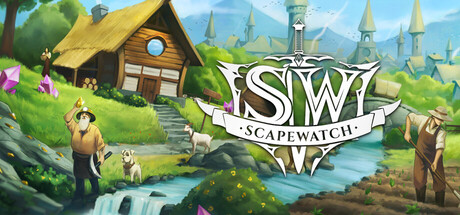
The 3D World is here! Scapewatch on Steam can now be played fully in 3D, and you can switch back to 2D whenever you like.See the whole map in 3D, from towns and the Fortress castle to fights, raids, pets and skillingNew 3D character creator in Customize: play as a Human, Dwarf or Orc, with dozens of outfits, faces and hairstylesWings Pack owners can wear fairy or demon wings in 3D, in 12 colors each plus any tint you likeWeather in every region, and dragons flying over the wild landsHow to play in 3DGet the Supporter Pack, then turn on the 3D World in Settings, or click the 2D / 3D button at the top right of the screen. Click it again to go back to 2D.Already have the Supporter Pack? The 3D World is yours right now, at no extra cost.Supporter Pack: https://store.steampowered.com/app/4991090/Wings Pack: https://store.steampowered.com/app/4991110/Discord: https://discord.gg/rBuXwzbzHn

가문의 영광
6 days ago
· firebud1111
Collection Shop Set the region difficulty to Hard in the first town and the Collection Shop appears between Content and Dungeon Entrance. Gather souls to earn stats shared by every character of your family, plus Ancient Scrolls. {STEAM_CLAN_IMAGE}/46623034/6660168b6692713b9417884cd3d1864816fe3b9f.jpg Souls you can collect Monster Soul — earned by defeating normal monsters in Hard hunting grounds and Hard custom maps. 44 reward stages (up to 990,000), and 1 Ancient Scroll per 5,000 souls. Boss Soul — earned by defeating mid-bosses and bosses in the same places. 20 reward stages (up to 2,100), and 1 Ancient Scroll per 5 souls. Blessed Soul — earned each time blessed equipment is destroyed by a failed enhancement. 20 reward stages (up to 2,500), and 1 Ancient Scroll per 10 souls. Rewards Souls are never spent, and souls gathered by any character are pooled together. When you reach a stage, press Claim in the Collection Shop to apply its stat. Stages include Max HP and MP, Additional Damage, Magic Damage, Defense, Drop Rate, Experience, Critical, Evasion, base stats, skill cooldown, damage to bosses, movement speed, Weapon Damage and more. {STEAM_CLAN_IMAGE}/46623034/701acce6d8331fdfdad88d4714ffda768118ddfe.jpg Souls are counted from monsters defeated after this update. Normal hunting grounds and all other content do not count. Other changes The region difficulty (Normal / Hard) panel now sits directly above the right shortcut window. The M badge on the minimap is gone; click the minimap to open the large map.

Version 1.0.8 is out. Restart the game when Steam updates it to get everything below.Awakening per heroThe 3rd skill slot is now bought per hero, in the TECHNOLOGY tab: 2 billion gold per hero.There are 6 Awakenings, one per hero. Each one opens the 3rd ACTIVE SKILLS slot for that hero only.Anyone who already had the old Awakening keeps the 3rd slot on all heroes, losing nothing. The old Awakening is no longer sold.The 3rd slot is permanent: prestige does not remove the Awakening.In ACTIVE SKILLS the 3rd slot shows a lock. It pulses gold when you can already buy it and takes you straight to that hero's Awakening.The rest of the tree is unchanged: no one loses levels or gold.Item funeralWhen the forge breaks a Mythic, Primordial, Apocalyptic or Patient Zero item, it gets a 5-second funeral.The scene has a coffin, two crying zombies and a rain of coins and gold bars. At the end, the coffin closes with the item's name.Legendary items or below get no funeral.The SAVE THE FUNERAL button records the scene as a vertical video (720x1280) in the Pictures folder, under Idle of the Dead, ready to post.Living gameNear the EXP bar you see the game version and how long ago it came out, for example: v1.0.8, updated 3 h ago.Click NEWS, next to the version, to open the notes at any time.New news window: opens by itself when a new version is out, with the NEWS and COMING SOON tabs.The window has buttons for our Discord and for the game's Steam page.The COMING SOON tab also holds the KNOWN ISSUES, with what we already know and are fixing.The language selection screen has been redone.Mail letters now arrive in your language.Power and teamPOWER? button in the STATUS panel: hover to see the last 3 changes to your power, with time, before, after and the reason.The reasons shown are: team or leader change, gear, runes, tree, prestige and offline progress.The panel shows LEADER next to the leader's name and the leader bonus on its own line.The allies panel now shows the attack they actually...
Hello, everyone! A collaboration bundle featuring Memory of Memorie : A Chill Story and Little Witch in the Woods is now available on Steam! Little Witch in the Woods tells the story of Ellie, an apprentice witch. Explore the mystical forest, help the charming residents, and experience the daily life of the witch.Enjoy watching the two cute little witches grow! The bundle includes both games. If you already own either one, you can purchase just the game you don’t own at the bundle discount. If one of these games has caught your eye, we hope you’ll give it a try! ▶ View the collaboration bundleWe hope this collaboration helps you discover a new game to enjoy alongside your everyday routine. Our heartfelt thanks go to the Little Witch in the Woods team for making this bundle possible. We hope you’ll continue to support Memory of Memorie : A Chill Story and Little Witch in the Woods!
Infi-Knight 1.1.5 This patch includes a display fix for very late Infinite runs. Thanks to the reports in the Discussions! Huge damage numbers fixes: Floating numbers overflowed and every hit showed the same value, which not only flooded the screen with numbers but also gave the appearance that buying more damage upgrades did nothing. These are now fixed and should work correctly. Updated number notation: after Qi, numbers continue through Sx, Sp, Oc, No and Dc, then switch to scientific notation. This applies to damage numbers, pickups and the Stats ledger. Stats ledger: Atk Damage no longer gets cut off at high values. Your save carries over as is. As always, report anything odd in the Discussions and I'll take a look. Thank you for your support!

Relic Ranks & World Ascension Added individual Relic Ranks up to Rank 20. Each Rank grants +20% to that Relic's regular effects, +5% to its Passive Effects, and +1 After Level. After Levels count toward Passive unlocks and remain effective during Dormant Relics and From Nothing, opening up new strategies for Score Attack. Ordeals 41–60 now award Relic Cores alongside Spirit Essence Passive Gain efficiency. Relic Cores are used to increase Relic Ranks. Updated Score Attack Milestones with Relic Core and Global Equipment Slot rewards and adjusted the WA2 Milestone Level Cap thresholds. Relic Ranks can be increased or reset outside WA3 Runs or while the WA3 Result is hidden. Resetting refunds all spent Relic Cores. The Relic Codex toggle applies to both Level and Rank purchases. Relic Passives that remain active regardless of Fractures are highlighted in cyan. Added five Fracture Loadouts. Fracture settings and the Single Vanguard Hero selection are saved automatically. Right-click the Loadout button or a dropdown entry to rename a loadout. Pet & Hero Progression Increased the maximum Pet Rank Cap to 700. Added Pet Rank Cap +100 at Area Mission Milestone #7700 and Expedition Milestone #9500. Balanced Taming Point requirements above Pet Rank 450. Pet EXP, requirements and gains now support values beyond 1e300, allowing high-rank Pets to continue leveling. Increased the maximum Pet Loyalty Cap to 1,000. Added Pet Loyalty Cap +100 at Area Mission Milestone #7550 and Expedition Milestone #9600. Extended Total Pet Rank Milestones up to 49,500. Added Monster Milk / Metal Oil +1,000 at Area Mission Milestone #7850. Increased the maximum Hero Grade from 2,000 to 3,000. Combat & Quality of Life Increased the Epic Store purchase limits for Global Equipment Slots to 5, allowing up to 24 slots each for Global Weapons, Armor and Jewelry. Increased the maximum number of Powerup Filter slots to 20: up to 7 from SD Upgrades, an additional slot at SD Modifier Milestone #27,500, and up ...
Builds 1.15-1.16 This combined update adds Auto Trait Selection, a complete Pinnacle visual overhaul, new world and gathering effects, improved facing and party movement, and several stability fixes. Auto Trait Selection - Added optional Auto Trait Selection for each character, available beside the Traits heading. - Choose from seven build focuses: Balanced, Tank, Melee, Ranged Weapons, Spellcaster, Healer and Conjurer. - Automatic selection considers the character’s equipment, abilities, capabilities and the benefit of additional Trait ranks. - Selects from the cards actually offered, including Quartermaster’s Roll. It does not reroll drafts or stop because the available choices are a poor match. - Supports active party members and reserves. Manual selection remains available when automation is disabled. - Existing characters default to automation Off. Paid Trait resets also switch automation off so refunded choices are not immediately spent. Pinnacle Visuals - Reworked the visual effects for all eight Pinnacle bosses, covering their six named abilities, basic attacks and relevant supporting-enemy attacks. - Added original animations, particles, lighting and impacts that better communicate each boss’s identity. - Includes Thorn-Crowned Behemoth, Crown of Cinders, Unwritten Bell, First Lullaby Engine, Court Without Appeal, Certain Horizon, Unclaimed Household and Mercy That Will Not Release. - Integrated the updated effects throughout the Grand Pinnacle’s full eight-stage encounter, including transitions and save/reload continuation. - The visual overhaul preserves existing damage, ability timing data, encounter phases and loot, while respecting effects-quality and accessibility settings. World Effects - Added rarity-coloured beams, item silhouettes, ground glows and optional particles to Epic, Unique and Legendary ground loot. - Added Ground loot effects: Off / Steady / Animated. Steady is the default; ordinary loot remains visible when the additional effects are d...
Hello, adventurers! This update introduces leader selection and enhancement stat transfer, along with fixes for equipment reforging, pet summoning, and the Team Arena.New: Choose Your LeaderClick “Set Leader” on the character screen to designate a character as your leader. Available in both offline and online modes.World Boss registration eligibility now uses your leader’s level.When EXP sharing is disabled, your leader receives all offline EXP.Your leader selection is saved automatically. Viewing another character’s equipment will not change your leader or rearrange the character portraits.New: Enhancement Stat TransferTransfer enhancement points between Attack, Magic Attack, and Taoist Attack; between Physical Defense and Magic Defense; or between HP and MP.Each transfer costs 100 Yuanbao. Transferred points are added to the target stat.Added confirmation prompts, duplicate-request checks, and failure handling to help prevent duplicate charges.Equipment Reforging Fixes and Material ChecksFixed an issue in online mode where reforging newly acquired equipment could cause duplicate items or saving problems.The client now checks that you have 50 Reforge Stones in your backpack and 20 Yuanbao before submitting a reforge request. If either is insufficient, a message appears immediately.Resources are checked both when you click Reforge and when you confirm, accounting for any changes while the confirmation window is open.Server-side validation remains in place. Enhancement stats, lock status, and equipped position are preserved.Pet Resummoning FixFixed an issue where a pet summoned immediately after dying could be hidden by its previous death animation.Applied the fix to both card and side-scrolling battles.Special Potion FixesFixed an issue where certain special potions could be consumed more than once per use.Potion bonuses now refresh across all characters on the account, including characters not currently in battle.Team Arena ImprovementsRemaining daily attempts are ...
Update 1.0.5 is live. Here is what changed: New 3D World for the Steam version, included with the Supporter Pack. Turn it on in Settings or with the new 2D / 3D buttonSee the whole map in 3D, from towns and the Fortress castle to fights, raids, pets and skillingNew 3D character creator in Customize: play as a Human, Dwarf or Orc, with dozens of outfits, faces and hairstylesWings Pack owners can wear fairy or demon wings in 3D, in 12 colors each plus any tint you likeRaid and Fortress invites now reach friends on other worlds. Accepting one moves you to the host's worldClan invites now work across worldsQueue tooltips now show the nearest bank and how far away it isFortress: your save material chance now works when processingNew Layout setting in Settings > Build switches between Mobile and Desktop on any devicePhones: fights fit the screen, quest buttons stay in view, the raid lobby fits, and skill pages have tabsThe thumbs-up popup now has a link to the roadmapBusy worlds now have a login line that shows your place in it, and server restarts are smootherLinux: new Hardware Acceleration setting in Settings > Build. Turn it on to use your graphics card and far less CPUSteam: the Sign in as a different Steam user button now worksSteam: the game no longer drops into the slower safe mode without a reason. If safe mode is on, Settings > Build says so and has a Back to normal buttonRare drops, new collections and other chat announcements are now translated in every languageThanks to community member Last_Soul for a full review of the Simplified Chinese translationWant to help translate? Find us on GitHub at Puzzle-Drops/Scapewatch-LocalizationTooltips corrected across the game, plus small fixes like the Diary's Chaos tier and Steady Aim on respawning monstersFixed the last fight of a slay task sometimes missing its rare drop rollsFixed a way to escape a losing PvP duel by switching worldsFixed an open tutorial making the queue roll only skilling tasksFixed offline charact...
For this update, we've added controller and Steam Deck support!Now, you can play Soggy Beans from the comfort of your bed, the bus stop or your best friends bedroom floor! Wherever you want!!!! FREEDOM!!!!1!!!!!We tried our best to map the new controls to what feels intuitive, but you may disagree with our choices (˵ ¬ᴗ¬˵) so just like with keyboard and mouse you also have the option to rebind most of these from the settings menu if you want 🦐Have fun!
Incense keeps burning while you’re offline. Offline chests earned while it’s active also receive its bonus. When it burns out, the incense slot is shown as empty and you can retrieve the template Dreamspirit manually. The full game adds the Trade Specialization talent. Choose sellers or buyers in the shop. Once enabled, merchants of the selected type make 2 additional visits each day, and merchants of the other type no longer visit. The full game adds the Merchant Request talent. Choose a merchant eligible under your current specialization to raise their long-term share of visits by 35 percentage points. The shop shows the share before and after. Adjusted the distribution of merchant visits to reduce repeated visits and long gaps between appearances. Long-term shares still follow your current settings.

The giveaway is closed. Thank you!The Sunborn giveaway closed on Sunday 15 November, and 137 of you entered. Thank you to everyone who signed in, entered and passed it on. I make Sunborn on my own, so seeing this many of you turn up for it means a lot. The winners were picked at random from all valid entries, and their keys are waiting on the giveaway page. Winners: claim your keySign in at hetki.fun/giveaway with the Steam account you entered with. Your key is there, with a button that opens Steam's "Activate a product" page. You have 7 days from the draw to reveal it, so please claim it by Sunday 22 November. Unclaimed keys are forfeited after that. What players saidEight of you left feedback, and every one of them gave five stars. A few of the comments: Perfect!Easy and simple, no gimmicks.Simple, easy, fast, good.Thank you for your generosity Thank you, you made hosting the giveaway even better! Enjoy Sunborn!If you won, I hope you enjoy feeding your star all the way to supernova. If you run into a bug or have an idea, post it in the Sunborn discussions. I read every post.
AdditionsCustomizable Upgrade Gear: Vehicle Holographic Decal DeviceVehicle Holographic Decal Device, can be equipped on vehicles. When equipped, consume stickers to print them onto the vehicle, granting the vehicle the enhancement effects of the stickers. You are free to decide your sticker combination! Coconut Token Exchange Available: 5 Coconut Tokens to craft one Rare Vehicle Holographic Decal Device50 Coconut Tokens to craft one Epic Vehicle Holographic Decal Device 500 Coconut Tokens to craft one Legendary Vehicle Holographic Decal DeviceOptimizationSome weapon textures redrawn.
- Added a new pet from shinrais. Samael, a strong blacksmith, which can skip the steps to craft T1 - T3 equip when making T4 equip. - Added a chp upgrade for auto up low for the crystal factory. It automatically clicks Up low after an Ultimate Being is defeated when the game is open. - Added a chp upgrade for auto max and equip for the crystal factory. It automatically clicks max and equip all every 15 minutes when the game is open. - Added a chp upgrade to faster add clones. Default it is once a minute, with this you can decrease that by 10 seconds for each upgrade (maxed at 5 with every 10 sec) - Buffed adventure the skill Killing Intent. - Drink Tea now boosts the damage more, but the HP recover is not increased with skill levels or Tea Boost anymore. The other Tea Boost bonus is now twice as strong. - Added equip icons to RTI. - Fixed bugs from the element tab, dice crafting, an offline issue and UI issues.

Fixes Fixed the refunded materials not being shown, and the refunded coins being left out of the sale message, when selling refined equipment. Fixed Affinity bonuses and realm traits not taking effect for either side in Prodigy Challenges. Elixir and buff pill effects are no longer lost when you change maps, advance floors, depart, return to town or load a save. They take effect immediately and last until they expire, even if the character who drank them falls or leaves the party. Fixed death-prevention and revival effects sometimes not triggering (for example against damage over time, or damage whose source is already gone). When an enemy boss revives with a soul stone, the healing is now credited to the boss itself instead of to your character. The Drunken Scholar death-prevention inscription now describes how it actually works: 0 stacks at battle start, stacks cannot block while on cooldown, and stacks are cleared when the character falls or the party is wiped. Formation eye tooltips now state which party role is missing, or that the requirement is met. Fixed a Traditional Chinese name mistranslation for "Myriad Forms Scripture". Optimization Reduced the one-to-two-second pause on each floor change when clearing high Immortal Realm floors quickly. Balance Fixed some bosses on floors 11-49 of the first map dealing abnormally high damage and killing characters instantly. The boss floors 20 and 30 now have a smoother difficulty curve. Regular minions on Immortal Realm maps deal less damage and have slightly more health, so your party is no longer wiped instantly when surrounded. Bosses, elites, Immortal Realm quests, the Primordial Secret Realm and the Immortal Realm Endless mode are unchanged. Jade Shatter and Myriad Burst damage was previously amplified twice; it is now counted only once. The same applies to expiring Jade Shatter, mark bursts, and damage stored by Fire Seeds, Poison, artifact charge and spirit pet hits. Teams that rely on Jade Shatter will deal no...

What changed Some Kipples never sit still. Glitch Kipples flicker, slicing and splitting their colours, and elemental Kipples glow with fire, lightning, frost or stone. That is part of their charm, but it isn't comfortable for everyone to have it moving at the edge of the screen all day. b179 adds two switches under Looks → Accessibility, just below Reduce Motion: Disable FX: a Glitch Kipple stops flickering. It keeps its glitched aura. Disable Aura: hides the auras on your Kipple: fire, electric, ice and earth, and the Glitch aura too. Turn both on for a completely calm Kipple. Both are off unless you switch them on, they work straight away, and the game remembers them. What stays the same These switches only change what you see on your own desktop. Your Kipple is still the same Kipple: its rarity, its element and its Steam card don't change, and anyone who looks at your inventory or the Market still sees the card with its aura. Thank you If anything else on screen is hard on the eyes, please tell us at support@kipplegame.com or in the Steam discussions. Thank you for dreaming with us.

Caramel Creek is now on macOS Mac players, thank you for your patience: the game is out on macOS today, on Steam, and it is the same purchase as the Windows version. One build runs on every Mac, Apple Silicon (M1 and newer) and Intel. Made for the Mac, not just run on itCmd instead of Ctrl. Cmd+click takes one item from a stack, Cmd+Z undoes a step in the latte art editor and the paint studio, and every hint says Cmd where it said Ctrl. Friendly to the trackpad. Two-finger scrolling moves in tidy steps (coffee prices, tip sliders, the map in your phone, the machine carousel) instead of flying off in one swipe. A two-finger click is a right click. In the paint studio, hold Space and move the mouse to pan the plan. Sharp on Retina. The world is sized to look just like it does on Windows. Your keys. Key names say Left and Right Cmd, Option and Delete. Russian keyboard layouts work (WASD included), and the game plays fine with a mouse alone. Gamepad. It works the same way as on Windows. System requirementsMac needs macOS 12 (Monterey) or newer, 13 or newer is recommended. Apple Silicon or Intel, 4 GB of memory (8 GB recommended), 1 GB of free disk space and a Metal-compatible graphics card. Please tell me how it runsI built the game for both Apple Silicon and Intel Macs, but I have tested it on an Apple Silicon Mac only (a MacBook Pro 14 with an M2 Pro). If you play on an Intel Mac, I would love to hear how it goes. Your saves live in ~/Library/Application Support/Biruk Okami/Caramel Creek/Saves, like on the other platforms. If something is off on your Mac, please write in the game's discussions on Steam and tell me your Mac model and your macOS version. Thank you for playing!

Cycle 1 now offers Observe Galactic Horizon beside Commit Temporal Fold. This is an observation-only preview; entering the Horizon still requires a fold. Launch and Fabricate now have separate probe buttons. Fabricate orders one probe per press and ramps up while held; Launch stops when the probe bank is empty. Celestial body details have more even spacing. Explore five new moons: Deimos, Callisto, Enceladus, Triton and Charon. Existing saves gain the new destinations without resetting established bodies. Orbit speeds now follow real period ratios, Triton orbits backwards, and several surface-map seams are corrected. Deimos uses an irregular shape. Solar establishment costs now increase through the outer system, with cheaper moons and no Processing cost. Harvesting bodies add storage for their harvested materials. Saves are consolidated into one file per visible save, with recovery copies and original migration backups kept separately. Existing Echo and aeon progress is preserved. Save upgrades run in the background, starting with Continue. Save controls wait safely while the menu shows progress and an estimated time remaining. Economy Flow balancing can recover production while autopurchase is off. Clearer Balancing and Flow labels explain held, recovering and manual-duty states. Resource amounts round down and costs round up, so a displayed match no longer hides a shortfall. Fixed a False Flag map hold that could trap navigation after leaving Earth, including affected older saves. Research descriptions now explain key unlocks; solar building text and the guide are clearer. The ending guide correctly states that a perfect cycle is not required. Desktop saves, settings and logs now share the Singularity Echoes folder. Older profile data is copied safely and retained.