If your battles suddenly looked like the old 2D version today — that was us, and it's fixed. This morning's patch accidentally shipped without the 3D battle files, so the game silently fell back to the old sprite renderer: the old formations, the old screen flashes, all of it. • 3D battles are back — knights, archers on the back line, arrows, the real thing • The screen flashes and shaking some of you reported were part of that old fallback renderer; they're gone again with it • Boot time fixed too — the loading screen now takes a few seconds, not half a minute • This build also includes everything from the earlier day-1 patch: the window-drag size bug, the stuck item screen after restart, and the removal of all leftover ad text Restart Steam if the update doesn't appear right away. Thank you to everyone who reported the 2D regression within the hour — and our apologies to the player whose archers kept dying first. They're safely behind the warriors again.
Patch Notes — Version 0.62.5 🗺️ Map and Visuals The maps for Modern World, World War II and Victorian Era have been redrawn at significantly higher resolution. No more blurry zoom-in, details are sharp and clear Mobile devices now automatically use an optimised map version. The game no longer crashes from running out of memory on older phones, and loads faster too Country borders look smoother. The pixel "staircase" effect along coastlines and borders is gone Reworked coastal water visuals: shallow sea areas near the shore now look much nicer Added textures for countries, making the map look better overall ⚔️ War Fixed: in long wars between large countries (especially on Modern World), the front line would barely move even at maximum speed. Campaigns now progress as expected Fixed: after a long session where the map fragmented into 400–600+ countries due to rebellions, the game would lag heavily during battles. The root cause has been found and fixed Battle front lines now update smoothly in real time: the front no longer jumps across the map but moves gradually as territory is captured 📜 Missions and Events Mission choice dialogs fully reworked. Answer options no longer get cut off or overflow the screen on smaller devices Mission result screen redesigned: everything is readable, nothing overlaps 🌍 Countries and Limits Fixed: the game could only handle 254 countries. When enough rebellions and splits happened, extra countries would merge into one and everything would break. The limit is now 4,095 simultaneous countries Fixed: a rare crash on Android during territory map rebuilds. It happened exactly when the background recalculation thread and the render thread tried to use the same map at the same time 💾 Saves and Settings Save system reworked. Saves write more reliably and are less likely to get corrupted if the game closes unexpectedly Save/load menu updated and made more convenient Settings expanded with new options that were previously missing 🎨 Interface Load...
Patch NotesJust a little patch to fix some things and add a bit of QOL. Changes:- Updated the colours of connecting lines on the upgrade tree to represent their purchasable state. Hopefully this will make knowing which upgrades you can and can't afford as well as which ones you've already bought more clear! - Fixed some translations issues - kron & drunkengoat :)
Consumables Healing that does not fit is no longer wasted. When your life is full, whatever a consumable has left waits there and goes in as soon as you take damage again. Before, two foods that heal the same amount opened at once and half of it was thrown away against the cap The Consumables panel now shows the life per second of each food and of the whole pantry, with a bar per food showing how much is left in the unit that is regenerating. The row stays while the last unit is still delivering its life, even when you have no units of that food left Interface The Current action window now follows the tooltip size setting and can no longer cover the room panel: it shrinks to fit the width A skill's breakdown stays pinned when you click its box in the HUD, and closes when you click it again or click elsewhere. Before, it went away as soon as you moved the mouse The Event log panel has two buttons to raise and lower the text size
Hello everyone, The day is finally here—My Party Is Grinding has officially launched on Steam! The full version is now available, and you can begin your adventure today. Thank you for your patience during our final launch preparations, and for all the interest, feedback, and support you have shown us. Available Difficulties Normal, Hard, and Nightmare are currently available. Hell and Inferno will be unlocked gradually before the Steam Community Market opens, provided that no major balance issues are discovered. Steam Community Market We plan to open the Steam Community Market within one week after launch. Each player can unlock two listing slots free of charge: • The first slot unlocks one week after you first launch the game. • The second slot unlocks two weeks after you first launch the game. We are also considering an asynchronous PvP mode featuring battles against AI-controlled parties created by other players. This feature is not yet confirmed; we will share more information if the plan is finalized. More details about the Market and difficulty unlocks will be shared in future announcements. We hope you enjoy building your party, discovering new strategies, and grinding your way to greater challenges. Thank you for joining us on this journey. See you in the game!
Fixed the bug causing disordered entries. Fixed the bug caused by plot expansion. Fixed the bug where the damage value switch was ineffective.
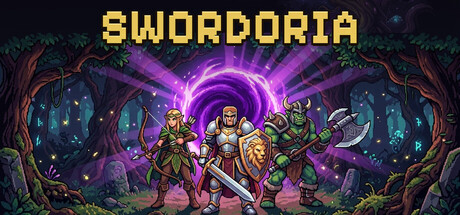
Thank you for the day-one reports — all three of them are fixed, plus one thing that mattered to us: • Window drag — dragging the mini window no longer slowly changes its size. This was a Windows display-scaling bug (125%/150% scale) that inflated or shrank the window a pixel at a time. The window also now has a minimum size, so it can never get stuck tiny. • Stuck item screen after restart — if you closed the game with an unclaimed item open, restarting in the small window could trap you on an item screen you couldn't scroll. Restored items now go straight to your loot bag (chest icon, top right) when you're in the small window. No items were ever lost. • "No ads ever" means the word too — one panel still had leftover text from the web version mentioning ad skips. The Steam build now contains zero ad mentions anywhere. There are no ads, there is nothing to buy, and there never will be. Also in this build: keep the reports coming — day-one fixes shipped within hours, and we plan to keep it that way.
Fixed: on Windows with animation effects turned off, the game started up frozen. Nothing moved, and Stray Signals sat in the middle of the screen instead of drifting past. Reduced motion is now controlled from Settings only. If you want it on, that's where it lives. Sorry to anyone who hit this on day one.
Guild Management Simulator Is Live! We’re excited to announce that Guild Management Simulator is officially available in Early Access!This is the beginning of the journey. You can jump in, build your guild, and experience the game as it continues to grow.What Early Access MeansGuild Management Simulator is still in active development. During Early Access, we’ll continue improving the game, expanding its content, and listening closely to feedback from the community.Your suggestions, ideas, and bug reports will help us decide what comes next. Join the CommunityPlayed the game? Let us know what you think! Share your feedback, report any issues you encounter, and tell us what you’d like to see in future updates.Thank you to everyone who has supported Guild Management Simulator. We’re incredibly excited to finally share it with you! Play NowGuild Management Simulator is available now in Early Access. We’ll see you in the game!
August 26–27, 2026 Tower Ascension 🟠 Added three Ascension Module slots, unlocked at Tower 30, Tower 40, and Tower 50. 🟠 Ascension Modules provide permanent combat bonuses: - Crown Assault: +4% Damage. - Bastion Lattice: 4% less damage taken. - Quickstep Circuit: +8% Haste. 🟠 Each Module can be equipped only once. Module selections are saved and correctly applied during combat. 🟠 Added a complete Tower Gems collection to Gem Crafting. It shows all eight special Gems, their unlock requirements, Forge paths, and how many you own across Inventory, Bank, and equipped gear. 🟠 Renamed Eclipsed Emerald and Crown Emerald to Eclipsed Sapphire and Crown Sapphire, with corrected artwork and descriptions. Existing Gems, stats, ownership, and saves remain unchanged. 🟠 Clarified the Tower Codex: each 100-floor Echelon locks one of the four Tower hazards for that Echelon. The Frontier 🟠 Added an All Permanent Frontier Stats summary to the Progress panel. 🟠 The summary combines permanent mastery bonuses from every completed Region while clearly excluding temporary stats from equipped Region Seals. Divine Equipment and Salvaging 🟠 Divine equipment can now be salvaged for useful endgame materials. 🟠 Salvaging Divine equipment grants: - 1 Aberration Shard. - 100 Aether. - 1 Divine Honing Stone for every two Honing ranks on the item, rounded down. 🟠 Salvage previews now display localized material names instead of internal item identifiers. Academy 🟠 Greatly reduced the excessive Mana Well upgrade costs from Tier 16 through Tier 20. These tiers now scale directly from Tier 15 at a controlled 25% increase per tier. 🟠 Players who already paid the previous Mana Well costs automatically receive the difference back in Gold, Eternal Bars, and Eternal Planks. 🟠 Refunds cover completed upgrades, an upgrade currently under construction, and upgrades waiting in the construction queue. 🟠 Mana Well compensation is shared account-wide, delivered across Inventory and Bank, and safely resumes later if...
A quick fix for the most-reported issue since Patch #2: Champions and the Action Queue did not get along.FixedFighting a Champion no longer disrupts your queue. Starting a Champion fight now works like Shift-clicking anywhere else: your current action, queued fight, or dungeon run is moved to the front of the queue with its remaining count preserved. The Champion fight begins immediately, and your queue resumes automatically once the Champion is defeated.The Champion Fight button is no longer locked during other fights. It is now disabled only while a Champion fight is already in progress.Thank you for reporting the issue. Please keep the reports coming.
1. Fixed an issue where Skill Points were not correctly calculated based on the number of Reincarnations. 2. Fixed an issue where Build Points were not correctly calculated based on the number of Reincarnations. 3. Fixed several minor issues and made various detail improvements.
Official Version V2.0.3 Update Log1、Added Auto‑Samsara feature. Press F1 to toggle pause.【Unlocks after 50 Transcendence Samsara cycles, or when cultivation in a single cycle exceeds 200 million】2、Fixed the reset bug in Sect Demon‑Realm

The GM rewards console now has a dedicated single-player membership EXP grant module, separated from item/mail delivery and protected by player verification, approval, idempotency, and audit records. Starter/leather armor and wooden/starter weapons can now be protected and unprotected correctly; the server persists a batch equipment item's protection state before splitting or merging it, so a successful action no longer leaves the old state in place. Redeem-code rewards no longer report failure after successful delivery, and the input context menu is now localized in Chinese. Auto-battle and market vouchers now refresh the corresponding feature state and show formal localized names. Successful equip and unequip operations no longer report business failure while client state is still synchronizing. Membership-benefit mail now localizes its category, installment N/10 text, and failed or reversed attachment states without exposing unknown internal codes. Batch processing such as accessory dismantling now coalesces preview requests reliably and uses the actual quantity in equipment lots for display and execution; oversized selections show a clear validation message instead of leaving the action blocked or showing a row count as the item count. Level-wide selection for skill-book and equipment-essence processing now synchronizes the full selected batch count, so accessory dismantling and other batch operations no longer remain at a single execution; the server still revalidates the maximum executable count before processing starts. Town member promotion now grants the complete administrator permission set on the server and strictly validates the target member and Town revisions, preventing invalid permissions or false success states. Town member-management failures now show clear feedback; uncertain network results automatically refresh the member list and safely reconcile the same request. The Town display-position limit is now consistently 32 characters, and administra...

Hey folks,Firstly, just wanted to give a massive shout out and thank you to everyone playing Sludgineers - we really appreciate your support, reviews and feedback on the game. ❤️🛠️ We have been recording all reported issues, bugs and suggestions and prioritizing them for our future patch plans. Starting with Patch #1, which focuses on the late game grind, the lack of Draxine specifically, and the Refinery Processing waiting time.Patch #1 (v1.00.01)Added an additional Refinery Processing upgrade at the very bottom of each of the refinery trees - further reducing the time you need to wait. With the previous minimum 120 seconds being upgradeable down to 90 seconds then 60 seconds at level 2. Reduced the Draxine cost of higher tier / late game upgrades across the board by roughly 10%.Reduced the Draxine and Money cost of Drone Capacity and Speed upgrades by roughly -30%.Increased the Refined Resources earned from Safes by 250%.Updating Your GameHow to force the game update: Try restarting the steam client, then validate the game files by either right clicking the game in your Library, or click the gear icon from the game's Library page on the far right > From the drop down menu, select Properties > Select the Installed Files tab and click the Verify integrity of game files button.What's NextOur focus for Patch #2 will be Performance. Specifically the late game and gas vents. We've had several reports of performance issues, and thanks to several players, have received additional information on system specs to help us narrow down the issue. We are actively working on resolving this now.In regard to other reported issues and bugs, such as steamdeck cursor / control issues, sludge detector range issue, and some other minor bugs - we will review and resolve these for Patch #3.--Thank you again,Andy & Aaronp.s. If you enjoy our game, we would really super appreciate a review, it helps a lot!
Update Ver. 1.1.01 has been released.Stat Details UpdateDrone bonuses are now displayed in Stat Details.Artifact AdjustmentsThe following Artifacts have been adjusted so that the damage of their special effects increases based on the number owned.Serial Discharge BridgePrecision Displacement SensorDistributed Output CircuitBug FixesFixed an issue where the controller button used to open the Drone Panel was set to “East (Xbox Controller: B).” It has been changed to the correct “West (Xbox Controller: X)” button.Thank you for your continued support of Limitless Survivor.
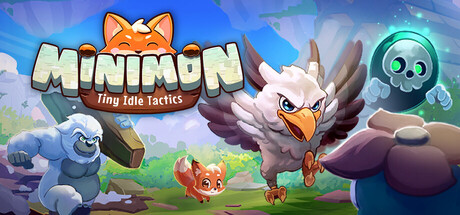
Patch Notes New Feature: Brawl Bracket (Twitch Mode)A major polish pass on the Twitch elimination-tournament mode: Fixed fighters spawning outside the arena boundary on every background Fighters now spread across the full arena instead of clustering in the center Added a bracket "road map" screen after entries close, showing field size, round structure, and estimated runtime Added a "MOVING ON" advancement screen after each match, showing which fighters survived Added a live event ticker with tournament state and match call-outs Arena backgrounds now rotate between matches with no repeats Fixed fighters spawning instantly instead of playing their entrance animation Fixed health bar and badge misalignment on fighter cards Balance Changes Dodge Chance, Cooldown Reduction, and Tenacity are now capped at 60%, 70%, and 70% respectively Late-tier and Raid-tier items can no longer be equipped twice on the same Minimon New Player Experience Added tutorial guidance explaining Paths, Endless, and Raid modes on your first Path clear Added a reminder that gold and upgrades are tracked per-Minimon, not shared Added upgrade-priority guidance for new players' first stat points Twitch Integration Minimon named by viewers now display a credit nameplate in Paths, Endless, and Raid modes The !name chat command is now only advertised while a naming vote is active Chat is now notified when a naming vote closes without a winner, along with the reason Quality of Life The game window can now be dragged while Settings or other overlay menus are openBug Fixes Fixed certain multi-step abilities causing attack animations to stutter or restart mid-swing
## Fixed - Fixed a rare bug where moving a potted plant and cancelling with Esc could revert a mature plant back to its seedling stage. - Fixed the shop not highlighting the correct item when you ran out of cat food, litter, or water. - Selling now shows a short undo bar (with countdown), so accidental sales can be reversed. - Volume settings now work correctly: opening Settings or switching languages no longer resets your music/sound volume, and the panel clearly distinguishes Save from Discard. - The placement hint ("Pick a green slot · Esc to cancel") is now clearly visible against the sky, with red flash feedback on invalid clicks. - Item prices in the shop now render larger and clearer. ## Improved - The game language is now set automatically based on your region — players can still switch anytime in Settings. - Version number now shown in the main menu (bottom-right). - English text size slightly increased for better readability. - Refined details and poses for Jin Jiao, Yin Jiao, Fan Hua, and Xiao Ya — more expressive cats for a cozier experience. ## Notes - 版本:v1.0.1.3 Thank you for playing Bloom Cats! Your feedback helps the plants grow. 🌱
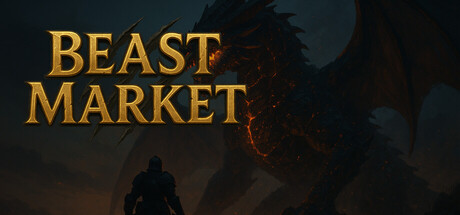
https://beastmarket.monster/press/assets/00-workspace-overview.jpg Beast Market launches August 28 Beast Market officially launches on August 28, 2026 at 1:00 a.m. PDT / 4:00 a.m. EDT / 8:00 a.m. UTC as a free-to-play RPG for Windows PC. Beast Market combines monster hunting that continues while the game is closed with a market-driven decision loop: read supply and demand, choose the next target, and reshape your build around what the market needs. Hunt. Collect. Read the market. Choose the next target. Your hunter keeps working while you are away, returning with materials and Hunt Cores. Open the rewards, craft gear, rebuild your active skills, and decide whether the next opportunity is a monster, a material, or a market listing. The launch build introduces a desktop-style workspace. Open and arrange panels for active hunts, the market, gear, quests, crafting, and production. Keep hunting while monitoring market signals, compare a build beside the workshop, and assemble a market desk that fits the way you play. Connected to the Steam Community Market Eligible items earned through hunting and crafting can be transferred from the game to Steam Inventory and traded between players through the Steam Community Market. Build inventory through hunts, read live market prices, and decide whether to sell, equip, craft, or target a different monster. Steam Inventory and Community Market eligibility, holding periods, and trading restrictions remain subject to each Steam account and Valve's platform rules. Playable in Season 0 30 monsters, each with Standard, Empowered, and Apex variants Automatic and offline hunting that continues after closing the game Six weapon families, armor slots, runes, charms, and equipment skills Part breaks, captures, Hunt Cores, and limited AP interventions Crafting, research, farming, Grand Hunts, and orb augmentation A market desk for choosing targets and production around demand A transfer path for eligible items to Steam Inventory and the Steam ...

🐱🐱🐱 个人开发、坐井观天,欢迎各位宝贝在 STEAM留下珍贵的评价🐱🐱🐱 恶评、好评 都可以,因为真的很重要🐱🐱🐱 狮子会 听取建议,不断进步开发情况🐱《挂机猫猫传》EA版已于8月26日开发完成所有系统将于2周内推出第3个免费DLC,并转为正式版祝各位轻松挂机、撸猫愉快~📕更新汇总——— 20260821,第20次更新 ———🐱《挂机猫猫传》系统开发大圆满,即将转为正式版🎮实装最后一个系统,多元宇宙争霸🎮开放999级关卡后的最后3个挑战——— 20260821,第19次更新 ———🔧修复全屏模式时数个界面可能存在的UI错误📕《挂机猫猫传》最后一个系统将在9月前完成喵——— 20260811,第18次更新 ———💿配送趣味DLC,家有萌宠——— 20260807,第17次更新 ———🔧修正猫猫升品后,有时没有在UI上更变品质颜色的BUG🎮预载第二个免费DLC的内容(等STEAM审批过了马上发)——— 20260802,第16次更新 ———💻补加全屏模式功能(暂不支持带鱼屏、竖屏等特型屏幕喵)——— 20260730,第15次更新 ———🎮摸鱼循环任务上限从30000提升到100000,让游戏摸到了极限🚗尽力优化图鉴界面的顿卡问题——— 20260728,第14次更新 ———🎮更新好玩的STEAM好友状态显示,大肆公开撸猫吧🔧修复制造界面一个UI上的小错误——— 20260724,第13次更新 ———🔧修正防御、速度、血量三项训练未能给与正确加成的BUG——— 20260723,第12次更新 ———🔧修正读档后战线不在正确关卡战斗的BUG,抓虫子了喵——— 20260722,第11次更新 ———🏆STEAM 成就系统补全,简单粗暴无脑、摸鱼偷懒轻松 全成就喵——— 20260721,第10次更新 ———🚗优化训练界面,降低高级猫猫进行低级训练进行疯狂读条时的顿卡,做一只轻盈优雅的猫猫——— 20260720,第9次更新 ———🔧全类型出售、排序操作对宝具类装备不再生效,防止意外售出珍贵宝具🚗添加部分界面的指引说明,优化游戏引导喵✊开整STEAM成就系统,本周内更新——— 20260719,第8次更新 ———🍵设置页面添加lofi模式,开启后战斗场景将保持缓慢舒适的BGM 🍵设置页面添加自动切屏开关,决定是否在闲置一段时间后自动切换到战斗场景 ——— 20260717,第7次更新 ———💿配送趣味DLC,多元宇宙——— 20260716,第6次更新 ———🚗修正指引任务中部分文案,优化游戏引导喵🐟摸一天,明天给大家整个免费搞怪的小DLC——— 20260715,第5次更新 ———🔧现在满潜力值的小馋猫会主动推搪不吃罐罐了🔧现在提升猫猫品质后,能马上给后勤力量带来加成🐟摸鱼循环任务上限从10000提升到30000,让这游戏更摸了喵——— 20260714,第4次更新 ———🔧修正快捷喂养功能某个可能发生的BUG,抓虫子了喵 🎮在招募界面中添加关于后勤力量的说明,优化游戏引导喵 在后勤中的猫猫,不想要再被误会成偷懒啦! ——— 20260713,第3次更新 ———🎮增加编制系统中部分说明,优化游戏引导喵🎮增加招募系统中部分说明,优化游戏引导喵在后勤中的猫猫,不想要再被误会成偷懒啦!——— 20260712,第2次更新 ———🚗增加采集素材界面部分功能说明,优化新手引导🚗增加装备制造系统说明按钮,优化新手引导🎮新档开档时仓库内添加三套绿装,优化新招募角色时的体验🔧调整基础菜单栏部分系统的顺序,使之较符合条理、还是优化引导喵——— 20260711,首次更新 ———🐱更新部分界面弹窗说明内容,优化游戏引导🔧修复bgm有时会不断循环的bug,虫子,抓到你了喵
🐱《挂机猫猫传》系统开发大圆满,即将转为正式版 🎮实装最后一个系统,多元宇宙争霸 🎮开放999级关卡后的最后3个挑战 个人制作游戏如坐井观天, 恳求在STEAM页面打下宝贵评价,无论 恶评 或是 好评, 狮子会回复每一个评价,从中吸取鞭挞、或鼓励,做出 更好玩 的作品
Features * A new Menagerie timeline has been added, allowing for some new Pet buffs. * Storage/Alchemy search text will now persist between operations. * Updates to the Solar equipment set. * Added a new Kitchen recipe. Fixes * Added 5 missing collection entries. * Fixed a freeze due to the "Acuminating" prefix. * Added various fixes for checking for and registering Steam achievements. * Added fixes for potentially missing challenge heroes.
1. Fixed an issue where incorrect bonuses from empty Build Cores could reduce Combat Power 2. Fixed Skill Point issues caused by Rebirth resets 3. Removed the deprecated Mana (MP) system and Mana bar 4. Fixed an issue where Greater Rift and Pet progress could be lost after updating 5. Fixed an issue where Mythic Equipment stats could become lower with repeated Reforging 6. Aligned the Ladder entrance node with the Magic Box on the X-axis 7. Aligned the Greater Rift entrance node with the Tribute Altar on the X-axis
An update for anyone waiting on the remaining DLC.Five DLC are on sale now. The other four - Speed Boost, Higher-Tier Equipment Drop Rate Up, Material Drop Rate Up and Talent Coin Pack I - were sent back during store page review and are currently being re-reviewed.The cause was artwork we had set on those DLC store pages, which did not meet Steam's guidelines. We have removed the images in question and resubmitted on August 27. Nothing was wrong with the game itself or with what the DLC do.Review normally takes three to five business days. Each one will go on sale as soon as it clears. We originally announced August 20, so this is well behind schedule, and we are sorry to keep you waiting.The base game remains free. You can play through to the end without any DLC, so nothing is blocked while these four are pending.For feedback and bug reports, please use the "FAQ & Request" thread on the discussion board, or X.com.
Version 0.1.8B!FixesSteam Cloud Fix