The first new Class the Fighter is now Live! He is a melee punching master and can be slightly tanky. # Patch Notes## Version 1.1.7### Highlights- **New class: Fighter:** A martial artist who builds momentum through attack rotations. Fighters can fight unarmed or with any one-handed weapon except Wands. Their kit includes Wave Fist, Uppercut, Stoneheart Strike, Boulder Fist, Tornado Kick, Tatsumaki, and Dragon Combo, with new spell effects. Fighters have their own talent tree and class trinkets.- **Task Bar Mode (F4):** Shrinks the game into a compact, transparent strip above the system taskbar. The strip shows the active party fighting incoming enemies, has controls that fade when idle, and has its own settings in Game Options.- **Manual location info:** Selecting a location in Manual Group Orders now opens an info panel before you send the group. It shows the enemies, bosses, gathering resources, and every drop you have already discovered. Hover a drop to see its item information and base chance.- **Alert History (F3):** Review the latest 200 alerts from this session, search or filter them, and jump to the related character or party.- **Vendor DLC Store:** A new Vendor tab lists pet, follower, and appearance packs with Steam checkout links. Golden and Black appearance packs are coming for Fighters.### Interface- Redesigned many windows with a consistent dark-and-gold look. The list covers Create Your Guild, Create A Character, Equipment, Change Job, the Guild Talent Tree and list, the Tactics page, Scheduled Group Orders, Advanced Tactic Conditions and Filters, item popups, Inventory, the Guild Pets and Parties tabs, the quest reward popup, Game Options, and the gear menu. These windows now fit at large UI scales and with longer translations.- Added search to Manual Group Orders, the Guild Talents list and Full Tree, and the location, tactic condition, and tactic action pickers. Item searches now also match stats by name, such as crit or dodge.- Added always-avail...
1. Fixed an issue where, at resolutions above 2K, some areas of the pot could not be interacted with properly. 2. Fixed an issue where the minimize button did not work on some Mac devices. 3. Fixed an issue where weather effects could remain on screen and fail to disappear in certain cases. 4. Adjusted the skin position for the Sky map to reduce obstruction of the bottom row. 5. Attempted to fix a crash issue caused by certain actions in Decoration Mode. If you experience a crash while playing, please upload your player.log file through the feedback form. This will greatly help us locate the issue. You can find Player.log from the in-game Settings panel by opening the Save Folder.

Hey everyone! The Hellfire Depths update is now live, and it’s free for everyone who owns Goblin Buster! Explore a new region with three new maps, battle new enemies, and face Fire Lord Malgaros. Three new towers, new upgrades, and five new relics give you more ways to build your defenses and take on the challenges ahead. I’ve also made some balance adjustments and added several features to make upgrading towers and progressing through waves more convenient. Here’s everything included in the update: New content - Added Hellfire Depths, a new region featuring three new maps, new enemies, and a new final boss: Fire Lord Malgaros. - Added three new towers: Meteor Tower, Lightning Tower, and Frost Tornado Tower. - Added new upgrades. - Added five new relics. Balance changes - Made the Everlasting Summer maps slightly easier. - Increased crystal drop rates in the midgame and endgame. Quality of life - Quick Upgrade Mode: Toggle it using the new button or by pressing U. - Default Targeting Mode: Choose the targeting mode newly built towers will use through a new option in the Settings menu. - Automatic wave start: Added a toggle beside Start Wave that automatically starts the next wave when the current one ends. - Added support for 1280 × 800 resolution. Bug fixes - Fixed numerous bugs and issues. Thank you for playing Goblin Buster and sharing your feedback! I hope you enjoy the update. Let me know what you think in the comments, and have fun in Hellfire Depths!
Hey everyone! It's been a week since Soggy Beans launched and firstly a huge thank you to everyone who bought and has been playing the game, and another thank you to everyone who shared a review and/or feedback. We've loved seeing the screenshots and comments you've all been posting. ───────────────────────────────────────────────────────────────────── What's next? Since launch we've made a few tweaks to some of the balance and fixed a couple minor bugs. Going forward we've got many things to add and improvements to make. The fish also have many requests of us for what they want to see added. In the next couple of weeks we'll be rolling out updates with more bits of polish, bug fixes and balance tweaks. Mainly we'd like to help players get more furniture early on to help jump start their decorating journey. Following that we have a few bigger things we want to get in for Halloween: ─────────────────────────────────────────────────────────────────────Love from the RATMODE team 🐟
Idle Vapor Legends will release on October 12
𝗘𝗴𝗴 𝗦𝗵𝗮𝗿𝗱 𝗦𝗵𝗼𝗽 · 𝗖𝗼𝗺𝗺𝘂𝗻𝗶𝘁𝘆 𝗕𝘂𝘁𝘁𝗼𝗻 𝘃𝟱.𝟭.𝟬𝟬𝗡𝗘𝗪: 𝗘𝗚𝗚 𝗦𝗛𝗔𝗥𝗗 𝗦𝗛𝗢𝗣• A new Shard Shop tab lets you spend Egg Shards on pets and items. It unlocks at 𝗣𝗿𝗲𝘀𝘁𝗶𝗴𝗲 𝟭; until then, the tab shows a lock. • 𝗣𝗲𝘁𝘀: A new selection arrives daily at 00:00 UTC and is the same for everyone. Each pet costs Egg Shards of its own rarity. • Daily purchase limits per pet: Common 25 · Uncommon 15 · Rare 10 · Epic 6 · Legendary 4 · Exotic 2 · Mythic 1. • 𝗜𝘁𝗲𝗺𝘀: Egg Catalysts, Hatch Cores, and 2× XP, Luck, and Hatch boost bottles restock every Monday at 00:00 UTC. You can buy up to three of each per week. • Items can be purchased using Egg Shards of any one rarity. • Shop contents, purchase limits, and costs may be rebalanced.𝗖𝗢𝗠𝗠𝗨𝗡𝗜𝗧𝗬 𝗣𝗘𝗧• Hover over the Community Pet to see how it works, its current boost, Collective Growth, and its permanent EXP bonus.𝗖𝗢𝗟𝗟𝗘𝗖𝗧𝗜𝗩𝗘 𝗚𝗥𝗢𝗪𝗧𝗛• While Collective Growth is active, equipped pets now earn 𝟯.𝟬𝟬× 𝗘𝗫𝗣, up from 2.00×. • The Community Pet now earns 𝟯.𝟬𝟬× 𝗘𝗫𝗣 from Collective Growth, down from 10.00×. The permanent Community Pet EXP boost granted by each purchase is unchanged. • The 1, 3, 7, and 24-hour Collective Growth items in the Steam Item Store have been updated to reflect these values. The new values will go live shortly after this update.𝗙𝗨𝗦𝗜𝗢𝗡𝗦 𝗔𝗡𝗗 𝗠𝗘𝗟𝗧𝗜𝗡𝗚• Fusions and melting now unlock when you own a 𝗧𝗶𝗲𝗿 𝟱 𝗽𝗲𝘁. Until then, the FUSIONS button shows a lock. Click it to see the unlock requirement. Melt/Ectoplasm icons on pets in the clickdex stay hidden. • Melt challenges only appear once you own a Tier 5 pet.𝗣𝗘𝗧𝗦 𝗔𝗡𝗗 𝗘𝗚𝗚𝗦• The Pets header is tidier: FUSIONS and FILTERS now sit above AUTO EQUIP PET and its LVL setting, with the (i) button in the corner. • In the Eggs view, header stats spread out to fill the row. • The Filters pop-up and egg picker now open above the bottom bar. The Filters title and X no longer overlap the frame. • Pets and Eggs info panels now match your theme, and the Pets info text scrolls.𝗙𝗜𝗫𝗘𝗦 𝗔𝗡𝗗 𝗜𝗠𝗣𝗥𝗢𝗩𝗘𝗠𝗘𝗡𝗧𝗦• Pet Boosts, Collect...
This release brings comprehensive core database infrastructure hardening, server-authoritative persistence guarantees, and significant tactical ergonomics upgrades to the floating combat navigation interface. Key Highlights & Improvements: Database Architecture & Persistence Hardening - Reinforced core database schemas with server-authoritative integrity constraints to safeguard all player progress, inventory transitions, and task lifecycles. - Enhanced state persistence and automated lifecycle verification for all continuous background tasks and rituals. - Modularized backend session routing and real-time event distribution pipelines for increased throughput, lower payload overhead, and resilient continuous play sessions. Combat Telemetry & Navigation Ergonomics - Integrated dynamic real-time health telemetry directly into the floating combat pill interface, displaying immediate Vitae ratios and enemy health status. - Added visual danger threshold indicators that activate when player Vitae drops below critical survival levels. - Enlarged tactical action hitboxes across desktop and mobile display profiles to ensure immediate, zero-latency execution of Return to Arena and Flee actions. As always, thank you for your ongoing support and vigilance in the Crimson Engines.
New patch. New Darrell. Let's go: SOMETHING'S WRONG WITH THE FORK Every so often, a fork in the corridor doesn't look right. It flickers. It shouldn't be there. You don't have to pick it. You should pick it. (Darrell will be fine. Probably. Pay attention to what's in there.) DEATH, NOW WITH MORE DEATH Every enemy in the game now has a death pose. They crumple into a heap, hold there for a beat so you can admire your work, then go green and dissolve. Bosses die like it's Final Fantasy. Slow dissolve, lots of shaking, the whole screen rumbles. You earned it. Darrell steps out of the shot for a second on every kill so you can actually see the body. He's not shy, he's just being polite. DARRELL LOST SOME WEIGHT He's about 12% smaller. He was eating the screen, especially on smaller resolutions. More room for the things he's punching. THE VCR Some say the VCR is haunted. Because it is. That shit is definitely haunted. NEW PLAYER STUFF The first time Darrell levels up, the game pauses and gives you a heads up about what that means. Keep going or head to town, your call. The first time Darrell dies, you get a little talk about it. It's part of the process. He'll be fine. "Layers" are now FLOORS everywhere. Same thing, less confusing. MEMORIES Two new memories for Darrell to stumble into. The memory polaroids are bigger and sharper, so you can actually see what he's remembering. FIXES Pickups always register now. Leveling up on top of one, grabbing two health pickups in a row, fighting something standing on a buff: he gets them all. If a fight happens on top of a pickup, he grabs it once the fight's won. Buffs refresh if you grab the same one again, instead of vanishing. Leveling up fully heals Darrell. End of notes. Darrell's Personal Protagonist, Fun Adjacent

A small patch of fixes. It also includes the two quiet fixes that went out right after 3.0.0. Fixes Food and potions are no longer used up by inputs that can't make anything. Running out of materials, having no fuel for a cooking fire, having no logs to burn, an idle farm with nothing to tend, the Slayer master menu, a Thieving stun and waiting for the next clickling no longer drain your food slot or potions. They are spent only while they are working for you. Combat potions were already paused outside combat. Your Spellcraft picks are kept when you close the game. After a restart, Alchemy no longer does nothing until you pick an item again, and Enchant no longer switches to a different item. Alchemy lets go of its pick once you run out of that item, so a batch you make later is never turned to gold before you choose it again. RuneClick now notices when a monitor is plugged in or unplugged, or its resolution or display scale changes, and resizes itself without a restart. If the monitor your character is on is unplugged or switches off, the character moves to your main screen and goes back to its spot when that monitor returns. Attack, Strength and Defence bonuses on gear are flat points and now read that way in item tooltips and the Guide: +48 Atk, not +48% Atk. The Gloves of Silence show their bonus as +5% Steal instead of an internal name. Restore Defaults now updates the Visual Effects checkboxes straight away and puts animation speed back to normal without a restart. It no longer changes the pyre blessing option in Prayer's bone picker or the best-log option in Firemaking's log picker. The Guide's monster contents list shows each monster's real combat level. Some showed one level lower than their own page. Fletching crossbow bolts uses the arrow-making pose instead of carving a log. Crafting astral runes has its own silver glow instead of keeping the colour of the last rune you made. The Phoenix Chick is pet-sized again. It stood taller than your character. Gett...
Added invasion of frogs Added swarm of locusts Added water to blood Added other plagues of Egypt Fixed backpacks, other containers not storing objects properly Fixed being trapped in boulders and under the map Fixed seconds counter not updating properly Hopefully fixed multiplayer connection issues

NewDifficulty is now Tier 1–100. Each tier sets its own monster toughness, pace, crowd and pay, and higher tiers pay more shards. A new save opens Tiers 1–10. Clearing stage 100 on a tier opens ten more, and they stay open through ascension.Level Cards: you earn a pick every 10th level. Cut the pack open with your blade, choose one of three cards and drag it into your binder. It stays until you ascend. (for this, the remaining card options will be added as part of the new Ember skills in the future.)Boss entrances: a boss walks in last, behind its crowd and with an escort of eight, under a crimson banner and a pillar of light.Scene transitions play between the menu, the fight, the card draft and the results. You can turn them off in Settings.Field zoom: use the mouse wheel or the +/− pill under the top bar. INVERT ZOOM is in Settings.Gear lock: a locked piece can't be salvaged.The cursor can now leave the window for your other monitors, and CONFINE CURSOR in Settings. While the cursor is away, AUTO-CUT takes the sword.You can rebind the awakening draft's keys (1–4 and DEAL AGAIN) in Settings › The Keys.ChangesMonsters finish walking in within 10 seconds.Skill ranges are the same size on every floor; they no longer grow on big floors.Skill bar: you can drag, swap or empty slots. One click on a skill you own puts it on the bar or takes it off.Gear page: hover a piece to see its card, click it for its buttons, double-click to wear it. The bottom of the page is now one bar of five big tiles.Start page: scroll or drag the stage wheels, or click the stage bar and its named places.The damage graph ranks every source by damage, highest first, both during the fight and on the results screen.The main menu is down from 13 rows to 6. Codex, Achievements and History share one RECORD page, Level Cards sits inside Skills, and Settings and Quit are in the corners.Forge prices: Edge now opens at 100, Greed at 1,000, Echo at 5,000 (×3 a level) and Reach at 10,000. Warm Rows opens eve...
A new chapter begins on October 4 with the opening of Vanity, our new Non-PVP world!Vanity welcomes hunters who want to explore Vanya Online without player-versus-player combat. Focus on your journey, develop your character and take on the challenges of Vanya alongside the community.Whether you’re discovering Vanya for the first time or returning for another adventure, we look forward to welcoming you.World: Vanity World Type: Non-PVP Opening Date: October 4, 2026Mark your calendar, gather your friends and get ready for opening day.See you in Vanity.In Vanya we trust! Demona Vosz Team
Improved description of Reinforce upgrades at 123 and 130 to include more infoAdded setting to swap OK/Cancel button orderImproved warp auto jump smartnessFixed loadout equipping lower tier shard in some casesFixed offline OD behavior when using Auto Next, Queue and having max chargesFixed event Wizardium tracker losing partial progress on save/loadFixed warp zoom issueFixed outdated help button textFixed some issues with buy amount buttons not displaying correct values after ReinforceFixed stat advisor sometimes showing duplicates
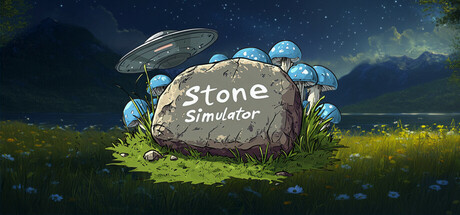
Your rock has finally left the ground. Its schedule remains completely empty. The Space Update is here! Take your stone beyond the forests and canyons and drift through a whole new setting, with stars to discover, a black hole to witness, and three new achievements to bring home. We’re also celebrating a big moment for our team: SOMNIUS, our new co-op game, is now available in Early Access. To mark the occasion, we’re giving our stones a change of scenery. A rather large one. Same stone. A whole new universe. There’s no ground beneath you this time. Just your stone, the stars, and a lot of room to do absolutely nothing. The new space map in Zen mode takes Stone Simulator’s quiet, unhurried mood into the cosmos. Drift alone against distant planets and colourful nebulae, watch the view unfold, and enjoy having nowhere in particular to be. Every time you start a new space session, a fresh scene is generated. Come back for another quiet escape and discover what the next view has in store. Same stone. More reasons to look around. Keep an eye out for red dwarfs, white dwarfs, and ordinary stars. And if a black hole appears in your view, take a moment to appreciate something with an even more impressive talent for doing nothing and attracting attention. Three new reasons to stare into space A little recognition for your very demanding work as a rock: Taking Up Space — Visit the space map. “No roots. No plans. Just drifting.”Star-Struck Stone — Spot a red dwarf, a white dwarf, and a regular star. “Same rock, three different tans.”A Hole Lot of Nothing — Witness a black hole. “Finally, something emptier than my schedule.” A fresh look back on Earth, too Alongside the new destination, we’ve made improvements around the game: Reworked menus with a refreshed layout and clearer map previews.Smoother music transitions — music now fades out gently when moving between gameplay and the main menu, in both directions.Upscaling options restored — NVIDIA DLSS, Intel XeSS, and AMD FSR ar...
🔮🌌 The Sigils of Prophecy have resurfaced! 🌌🔮☀️🌙 Gather these mystical symbols and use their power to release mighty Beasts from their eternal slumber. 🌙☀️🐉🌟 Each Beast you release grants valuable aid on your journey. Collect as many Sigils as you can, release the Beasts, and claim the rewards foretold by destiny! 🌟🐉🔥📜 Don't miss out – decipher the prophecy today! 📜🔥
Fixed online mode can't connect to Steam when player has very old Steam client. (Still recommend update Steam to latest version though).Default character creation to Online Mode.Added more detail to connection error message.Cheers!First Day Dev
- attempted to fix the save issues for users of wine/crossover/proton
Guilds of Mountgate – Update v0.3.5.2Greetings Adventurers,v0.3.5.2 is now live!This Steam update combines the changes from v0.3.5.1 and v0.3.5.2, with a strong focus on something that becomes increasingly important as more players move into the later parts of Guilds of Mountgate:making progression more consistent.Survival has received a fundamental loot rework, Crafting and Smithing have gone through major balancing passes, Cooking and Mysticism have been cleaned up further, and several supporting systems have received another round of improvements. Survival – Hunting & Foraging ReworkedThe biggest gameplay change is a complete rework of Hunting and Foraging loot progression.Previously, these activities relied heavily on broad randomized drop tables. While this created variety, it also meant progression could feel inconsistent – especially as more resources and higher-level content were added.Hunting and Foraging now follow a much clearer tier-based loot structure.As you progress, the resources available through these activities should better reflect where you currently are within the skill rather than simply pulling from an increasingly large pool of possible drops.The goal is to retain variety while making progression more predictable, meaningful and easier to balance as Survival continues to expand. Crafting Progression RebalancedThe entire Crafting progression has been rebalanced.Unlocks, recipes and the surrounding progression have grown considerably since the earliest versions of the game, and this pass is intended to bring those different pieces back into a more consistent structure.One of our continuing goals is to avoid resources existing purely because they happen to be on a drop table. Whenever it makes sense, materials should connect back into Crafting, Cooking, Mysticism, the economy or another part of the world. Smithing XP RebalancedSmithing XP progression has also received a complete balancing pass.As with Crafting, the profession has grown substant...
A new patch is now live! The attributes are now replaced with a huge passive tree for you to play around with! I can't wait to see what kind of cool builds you guys create! It's now also possible to lock your gear, and the (rather messy) inventory screen has been updated with equipment icons and new tooltips.New:Meet the Passive Tree! It's huge. Every hero now carves their own path through it, with two fresh points to spend every level.Delver's Head Start: A new meta upgrade for each class that hands its heroes extra passive points at the start of every run.Share your build! Turn any hero's passive tree into a short code, or paste a friend's code to see their whole path on your map before you commit.Lock your favourite gear! Hit Lock in the Backpack or a hero's Gear window and click a piece, and it will never be sold, not by the loot filter, the sell buttons or a slip of your own mouse.Improved:The "While You Were Away" summary now keeps count of something rather large your party took down. It only shows up once you've met one, of course.Skill tooltips now count every bonus to skill damage and healing, from your passive tree and your gear alike, so the number you read is the number you hit or heal for.Your Backpack and Gear windows show items as tidy little tiles now. Hover one to see everything about it and how much Damage and Toughness it would give each hero, while arrows and coloured dots point out the upgrades.Tooltips pop up the moment you point at something, on a solid background with nice crisp text. No more hovering and waiting, and switches keep their tips on the label so flipping them stays quiet.Small gear stats now show their decimal, so two cloaks that both said "+2 Defense" finally admit which one is really +1.6.In Wander the World you can now grab your hero with the mouse and spin them around to get a good look.Short buffs from your own gear, like Adrenal Surge after a crit, now show up beside the hero card with their countdown, instead of hiding amo...

The Shop, rebuiltThe Shop is now a large window in the middle of the screen, with tabs along the top (Fish / Plants / Objects / Sand / Effects). Everything you used to unlock in the SP Shop and then buy in the Shop now lives in one Shop: unlock it with SP and buy it with coins right there.Plants, wallpaper, sand, object placement, photo mode and the BGM player have also been taken out of the skill tree and are available from the start. The SP you spent on those skills and on unlocking the SP Shop is refunded. Anything you had already unlocked stays yours.Live stages — the fish become the crowdTwo new objects join the tank: the Arena Stage, a big screen framed by lighting rigs, and the Live House Stage, a brick-walled club in warm light. Press "Choose video" in Arrange mode and point it at one of your own video files, and it starts playing on the big screen up front while the fish swim past in front of it. You can enlarge a stage almost up to the water's surface and fill the whole tank with it. Note: playing a video can slow things down on some computers. If it feels heavy, press "Remove video". Note: unlock them from the Shop.Heavy Bass effect — your wallpaper shakes to the bassPlay some BGM and your wallpaper thumps along to the bass. Even while the music is stopped, it keeps shaking to a rhythm of its own. You can choose how strong the shaking is. Try it with the live stages, or with the new wallpapers "Live Stage" and "Open-Air Concert". Note: unlock it on the Shop's "Effects" tab, then switch it on under "Effects" in Arrange mode. It only shakes while a wallpaper is selected.The Wallpaper window and 9 new wallpapersA new "Wallpaper" button on the palette opens a window where you can compare thumbnails as you choose, and the tank behind it changes the moment you click.9 new wallpapers — Living Room / Cyberpunk Room / Live Stage / Block World / Eiffel Tower / Festival Night / Open-Air Concert / Night Sky / DragonRotation — switches between the wallpapers you pick ...

Eldara
60 days ago
· Bo Jangles
Beyond Rebirth This update expands equipment progression, introduces Vaelrith, and adds three repeatable rebirth boss encounters with exclusive rewards. Equipment Expansion Added 24 equipment items to expand ranged and magic progression. Added 16 crafted pieces across four sets: Gravethorn, Pale Covenant, Voidstalker, and Veilwoven. Added five magic-support equipment drops to existing monsters. Added three ranged Mythic items for the Eclipse Hunt. Added crafting recipes, set bonuses, equip requirements, item descriptions, collection entries, and acquisition sources. Added translations for the equipment expansion across six supported locales. New Enemy: Vaelrith Added Vaelrith, including normal and shiny artwork. Integrated the new enemy into the bestiary and collection systems. Three Rebirth Bosses The Bellkeeper of the First Grave — Rebirth 1. Aurelion, the Hollow Sun — Rebirth 3. Veyrath, the Still Tide — Rebirth 5. Each encounter features distinct mechanics and is available on demand, separately from the regular World Boss rotation. Rebirth Rewards Added 12 exclusive equipment rewards with unique combat effects. Added three collectible pets and three first-victory titles. Added a rare Gilded Bellkeeper cosmetic appearance. Victories award Grave Seals, which can be spent on boss equipment. Rebirth boss equipment survives future rebirths with its refinement intact. Grave Seals and rebirth boss progression also carry through rebirth. Encounters can be paused and resumed from saved boss health. Boss Hub & Presentation World Boss navigation now remains visible between appearances. Added a countdown to the next World Boss without revealing its identity. Separated World Bosses and Rebirth Bosses into dedicated tabs. Added boss selection cards, compact encounter screens, reward previews, and optional mechanics details. Added themed backgrounds, boss artwork, and a unique World Boss navigation icon. Updated event-buff banners. Balance & Fixes Corrected the Lich four-piece...
Shard Shop - Coming Soon A new Shard Shop tab in the Shop: spend your Egg Shards on pets and items. Pets: a new selection arrives every day at 00:00 UTC, the same for every player. Each pet is paid for with Egg Shards of its own rarity. Each pet can be bought a limited number of times per day: Common 25, Uncommon 15, Rare 10, Epic 6, Legendary 4, Exotic 2, Mythic 1. Items: Egg Catalysts, Hatch Cores and the 2x XP, Luck and Hatch boost bottles restock every Monday at 00:00 UTC. Buy up to 3 of each per week. Tier Up now costs Egg Shards Tiering up a pet now also costs Egg Shards of that pet's rarity: the same number as the wild pets the tier needs. Hover the TIER UP button to see everything the next tier needs (Level 100, wild pets and shards), what you have and what's still missing. Pet boost rebalance - SOON Each pet tier now adds +10% to the pet's boost (previously +20%). Tier 5 = +50%. Tier 5 pets keep getting stronger past Level 100: about 4% stronger at Level 200 and 7% at Level 300, with NO CAP. Pets Auto Equip Pet: a new LVL setting next to AUTO EQUIP PET. Tier 5 pets keep levelling up to the level you pick (100 to 500) before Auto Equip moves on, and your strongest Tier 5 pet levels first. New egg selection UI for Incubators: choosing an egg for an Idle Incubator now shows a card for each egg with its rarity and hatch progress, rarest first. Shop Hover any Shop item to see what it does and what you have. Boost upgrades show the next tier's bonus and every cost (coins, shards, prestige) as have / need. Shard Shop pets show how many you own and their stock; Shard Shop items show your shards for each rarity. Egg Catalyst and Hatch Core packs show how many you'll have after buying. Community Boosts list everything they give and how long they last. Fixes and improvements Steam leaderboards update faster and more reliably. Achievement names and descriptions on Steam now show in all 30 languages. Translation fixes across the game, including the Pet Fusion info text....
The Ash Tower's foes in the bestiary (thanks, Rody) Rody asked on Discord where to find "The Nameless Day" – and shortly after, its entry had vanished from the bestiary. The cause: the tower's own foes only appeared in the bestiary while you had met them in the current session, with no location, and after reloading they were gone. Its own "Ash Tower" section. The tower's seven own foes now stay in the bestiary for good – with your kills and the threshold to the full loot table (the same as in tower combat). With location. The location comes from the tower's real rule: the Nameless Day guards floor 95, 195, 295 … – every 100 floors, once per climb. The wave foes are listed with their wave-3 floors – always the same ones. Nothing was lost. Your kills were always saved – now you can see them again. Visible from the first kill, from bestiary rank 1 also the ones you have never slain. A click takes you to the Ash Tower. Tower foes still do not count toward the bestiary rank, and the bestiary's total no longer jumps while you fight in the tower. Auto-fishing on the lake page no longer loses time (thanks, Rody and Madazenus) If you left the Mirror Lake page open, you got fewer catches than the display promised. The reason: the visible fishing only advances when the game draws a frame – at low frame rates (window in the background, slower PC) it ran slower than the clock. Now the set line catches up exactly the time the visible fishing did not manage. At smooth frame rates (30–60 frames per second) everything runs as before. At low frame rates both share the time. Minimised, the set line keeps fishing on its own. There are no double catches. This replaces the fix from 1.4.3, which only covered the minimised window. The fifth ability has a hotkey (thanks, Madazenus) With the Seal of the Last Voice broken, the ability bar gets a fifth button – your hero's fifth attack. It had no key until now. Now 6 fires it, and the digit sits small in the button's corner. 5 stays the Emberb...
Update 1.0.13 is live! Hey everyone! A new update just dropped with some quality-of-life features you've been asking for, plus a batch of bug fixes. Here's what's new: ✨ New Features Skip Hatching Animation — no more waiting around every time an egg hatches. Skip straight to the reveal! Mouse Wheel Move New Tooltips Everywhere — Winmon action buttons, the Winmon properties bar, and the main HUD buttons now show helpful tooltips on hover, so it's clearer what everything does. 🎨 Improvements Refreshed icons for the Shop and Settings windows. Sub-windows can now be toggled open/closed with a single click on their building, instead of needing a separate close action. Achievement tracking has been double-checked and cleaned up — some achievements should now trigger more reliably. 🐛 Bug Fixes Fixed the Gunmon Evolve window sometimes refusing to close. Fixed pigs not dropping gems when they should. (Again) Fixed a Gunmon scale/click animation glitch. Fixed being unable to drag some sub-windows by their title bar. Gloombane's movement is now correctly restricted to Gunmon Flag range only. Various balance tweaks based on your feedback. As always, thanks for playing and for all the bug reports and suggestions — keep them coming! 💛